
Construction daily report template
What a daily report should capture
Features
SuperWise covers scheduling, cost, site records, material, quality, documents, billing and measurement. Each feature below shows its own workflow on the portal, from the site to the bill.
Each tile opens a feature with its own screens and steps. Every module is listed on the platform page.
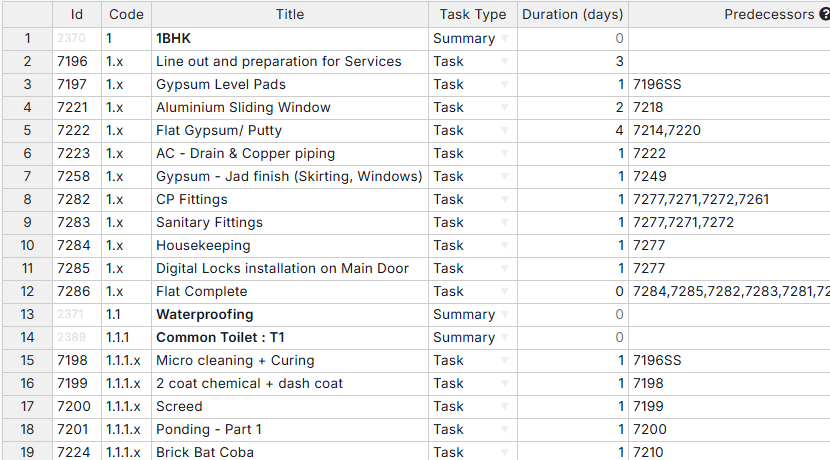
A schedule your site updates every day, built from templates and predecessors.
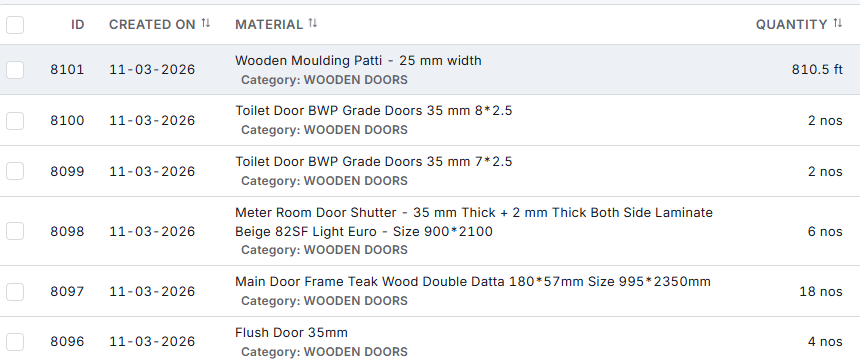
Short deliveries are flagged at the gate, before the bill is paid.
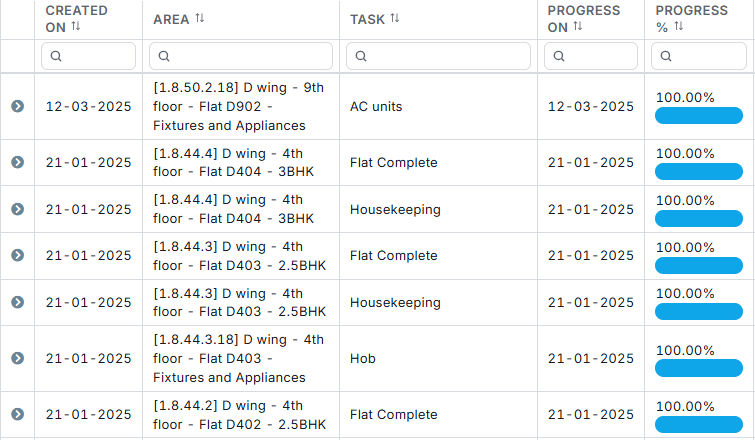
Every update carries a photo, a place and a time.
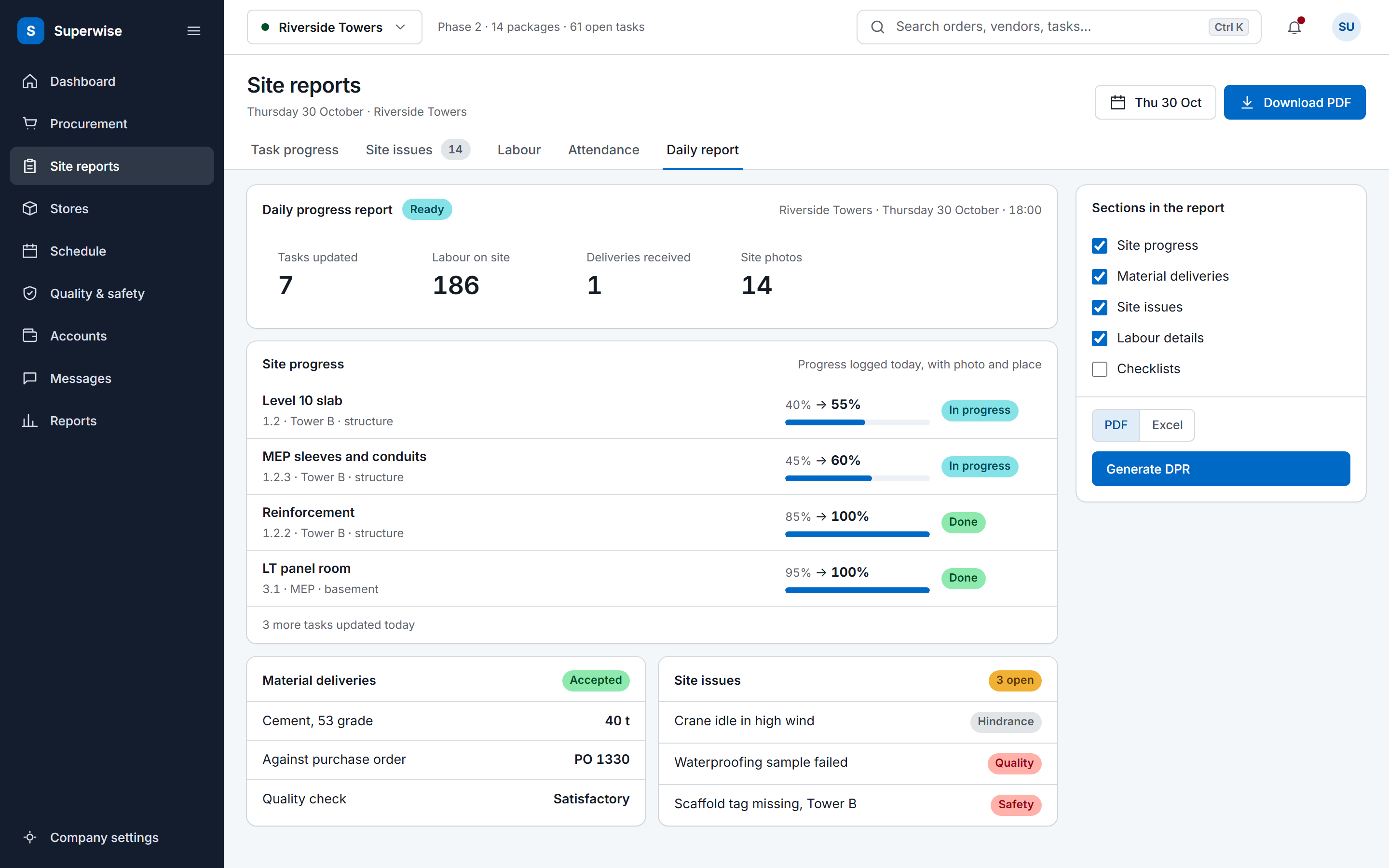
A DPR built from what the site logged today, as PDF or Excel.
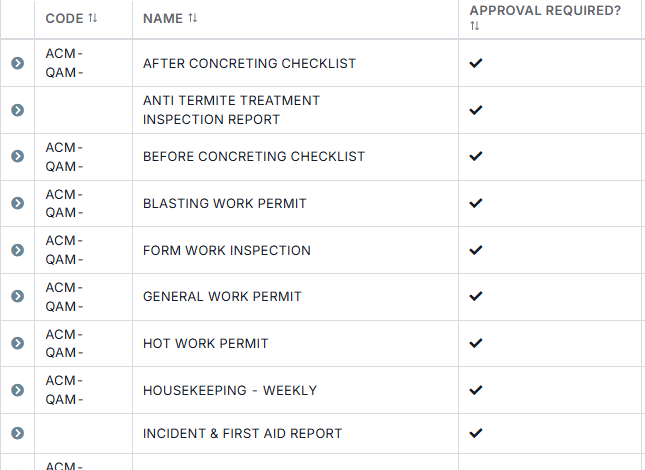
Checklists filled where the work happens, and issues followed to closure.
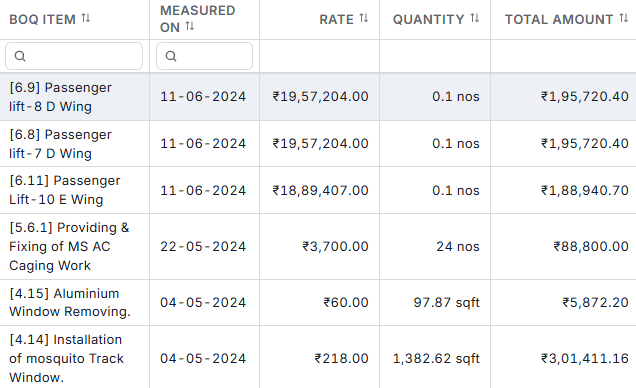
Measurements recorded against the BOQ item, ready for the bill.
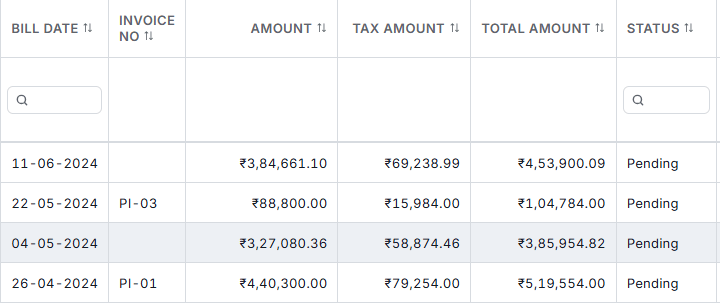
RA bills built from approved measurements, with deductions and an approval trail.
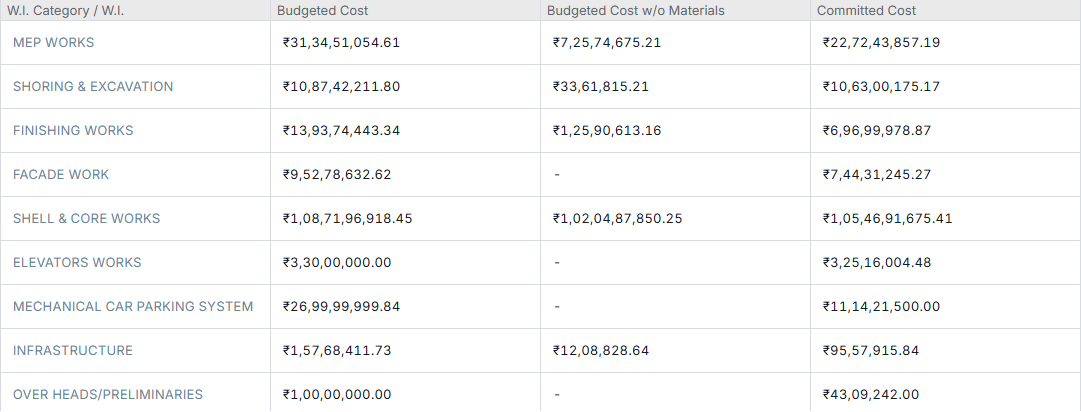
Budget against committed and certified cost, item by item.
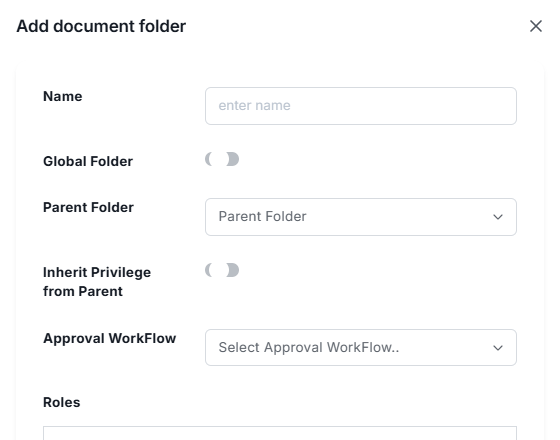
Drawings in folders with role access, stages and a revision history.
Each feature page covers one module group from the product guide: its records, rules, screens and outputs, with the workflow drawn as a diagram. The pages state only what the guide documents, so a capability you read here is one the product has today.
The DPR reads task progress, measurement sheets, material delivery challans, indents, labour challans, site attendance, issues and checklists. Those sit under scheduling, billing, procurement and quality. You choose the sections when you generate the report, so it only needs the modules your site already uses.
The product guide orders them by dependency. Company masters come first (settings, users and roles, organisations, taxes, approval workflows), then planning masters, projects and site monitoring masters. After that the project-level modules follow: schedule, procurement, billing and site operations, each of which needs a project selected.
Yes, for the integrations the product documents. A schedule imports from Microsoft Project as MPP or XML, from Primavera as XER, or from Excel, and Zapier has triggers and actions for purchase orders, indents, task progress, site issues and daily reports. The integrations hub lists what exists and what it does.
Book a demo and we walk through your site data.