Mobile app

The SuperWise app for your site team

The app puts material deliveries and site photos in the hands of the people on site, against the same project record the office works in.

Slab reinforcement in progress with workers among starter bars, a yellow tower crane at the right and a hazy Mumbai skyline
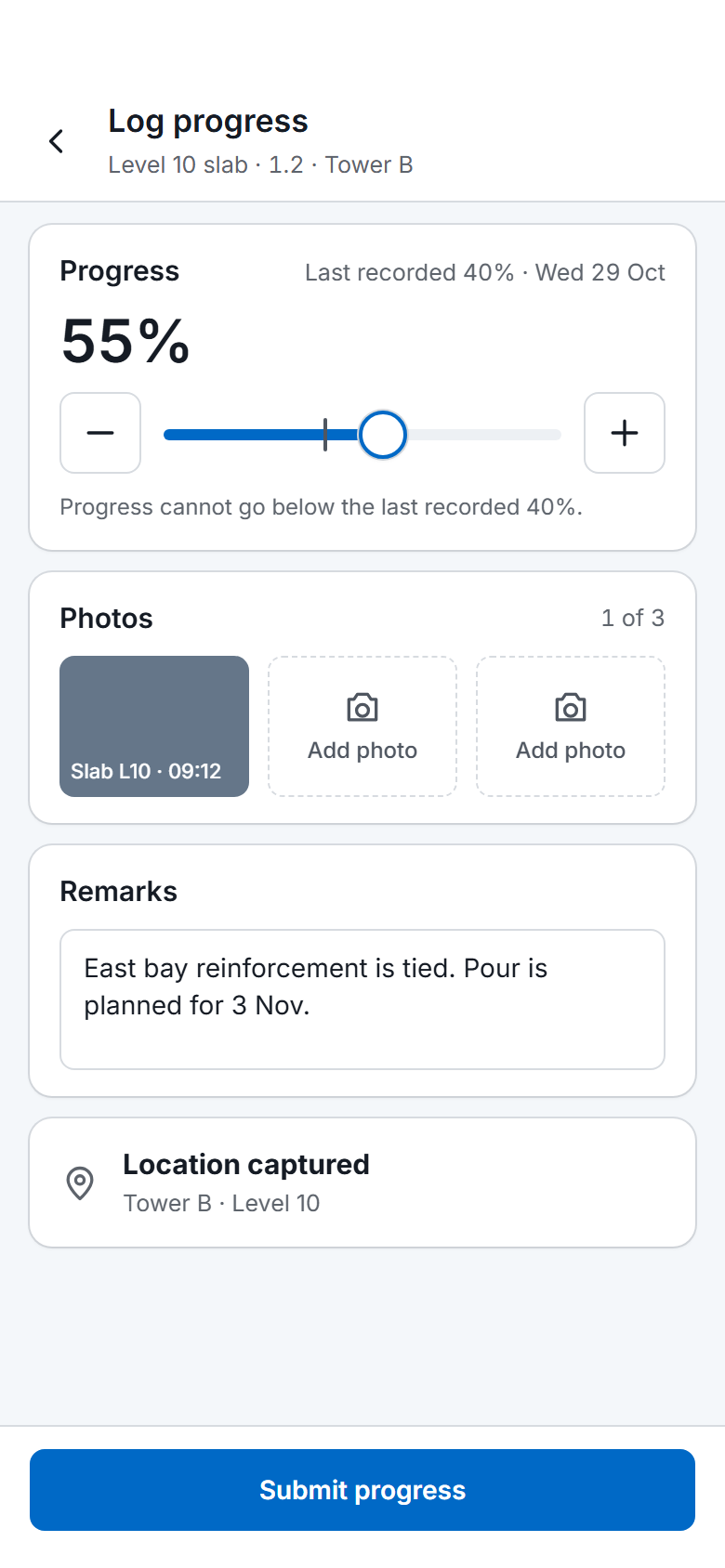
The SuperWise phone app progress log for one task: a slider and stepper from the last recorded 40 percent to 55 percent, one photo taken and two to add, remarks, a captured location and a Submit progress button.
Progress logged · 09:12

Level 10 slab · East bay reinforcement

Tower B · Level 1055%
Photo attachedLocation capturedRemarks added

What the app does

These are the things the product guide documents for the phone app.
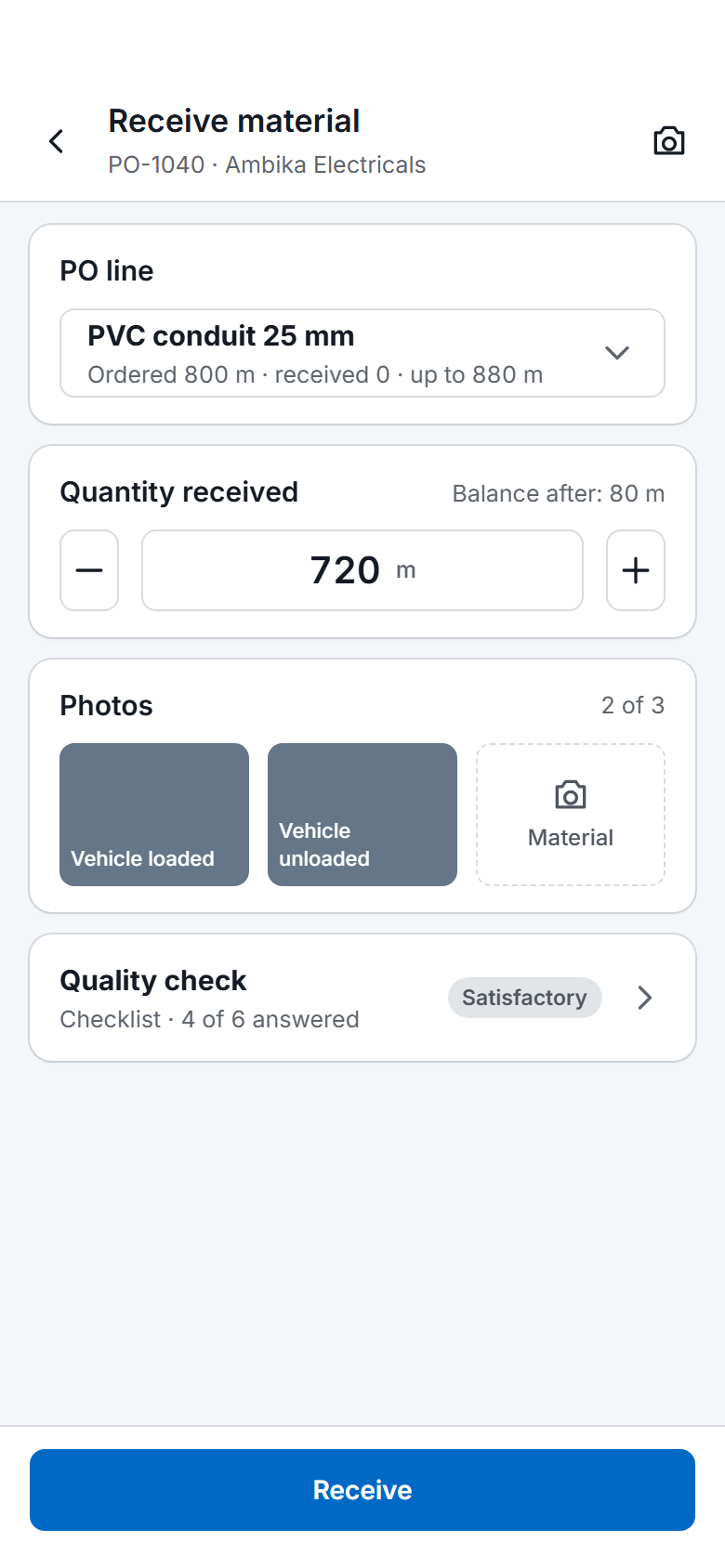
The SuperWise phone app receiving material against a purchase order: the chosen PO line, the quantity received with a stepper, two of three photos taken, a quality check row and a Receive button.
Receive material on a phone
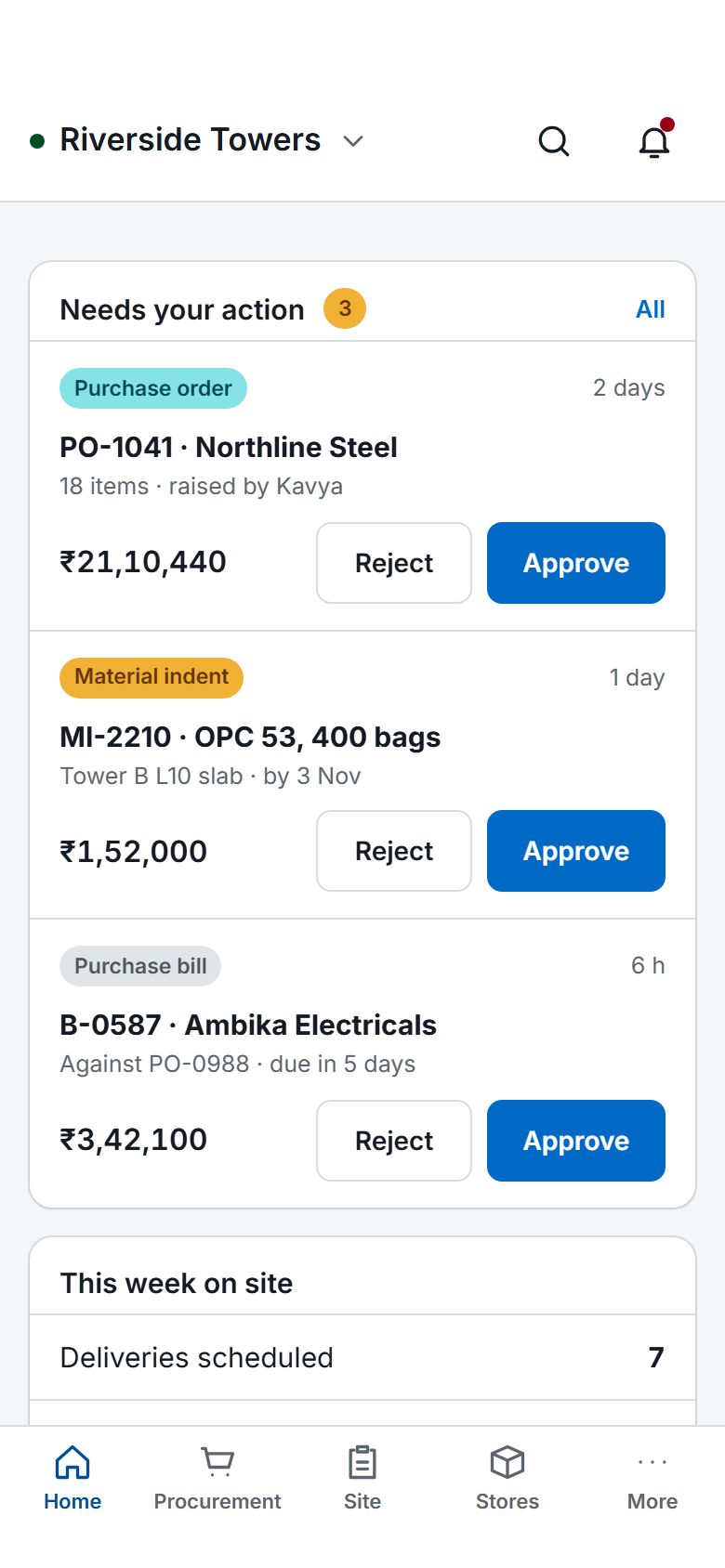
The SuperWise phone app home screen: key figures, three items waiting for approval with Approve and Reject buttons, a week-on-site summary, quick actions for checklists, photos, progress and material receipt, and bottom tabs.
Home on a phone
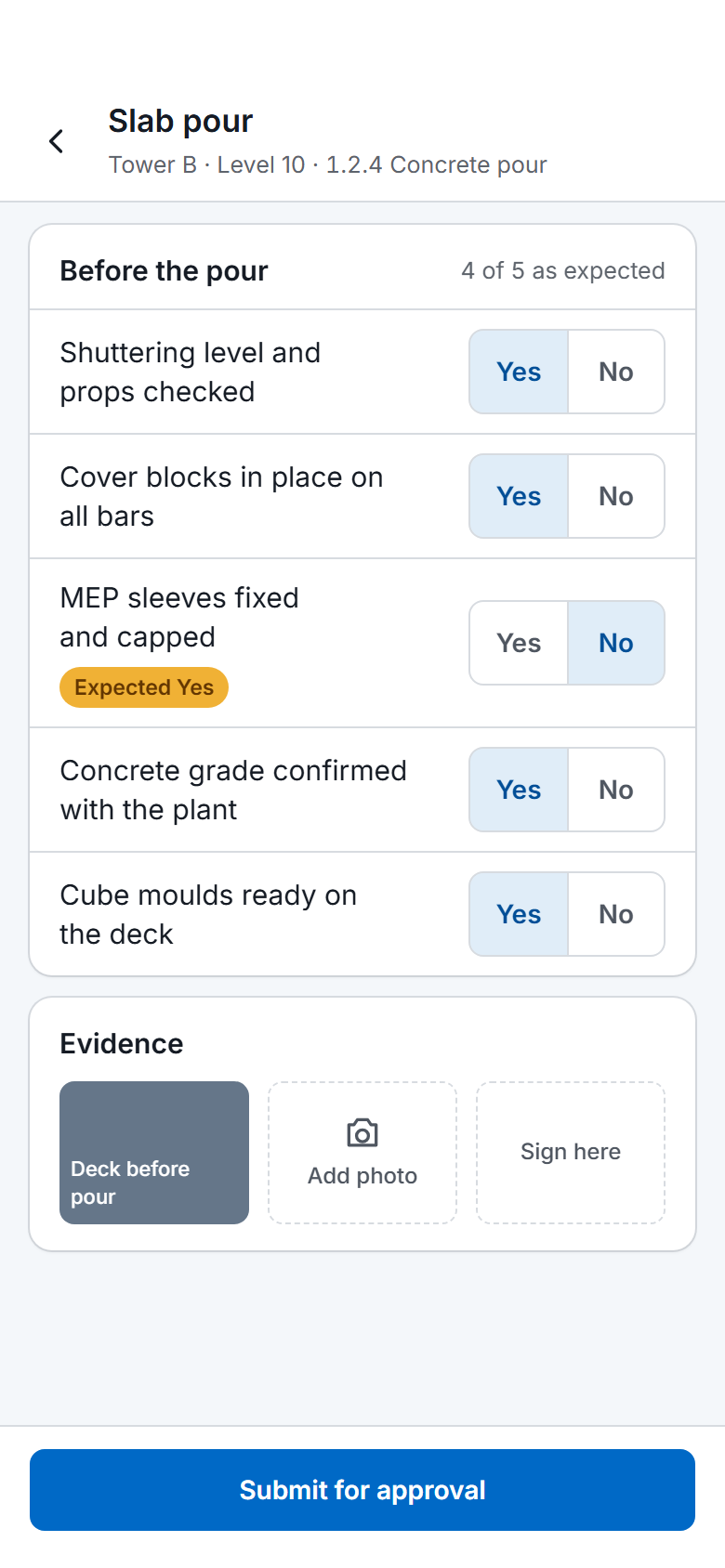
A SuperWise phone app quality checklist for a slab pour: five Yes or No answers checked against the expected response, one flagged, a photo, a signature box and a Submit for approval button.
Quality checklist on a phone
  • Material deliveries

    Submit a material delivery challan from the site. Procurement staff get a push notification when one arrives.

  • Photos with a timestamp

    A photo taken in the app can carry a visible timestamp, so a delivery photo cannot be back-dated. Your administrator switches this on in tenant settings.

  • Photo size

    Your administrator chooses the resolution at which photos from the app are stored, trading image quality against storage.

  • Rejection alerts

    When an approver rejects a challan, purchase order, bill or RA bill, the person who created it can get a push notification on the phone and an email, if the tenant has switched this on.

Get the app

The app is on Google Play for Android. An iOS version is planned and has no store listing yet.

See the platform · Request a demo