
Professions

A supervisor's day, recorded in short forms

SuperWise is a mobile app for foremen and supervisors that submits delivery challans from the site. Short forms record labour, checklists and issues in the same way, and the office reads the same records.

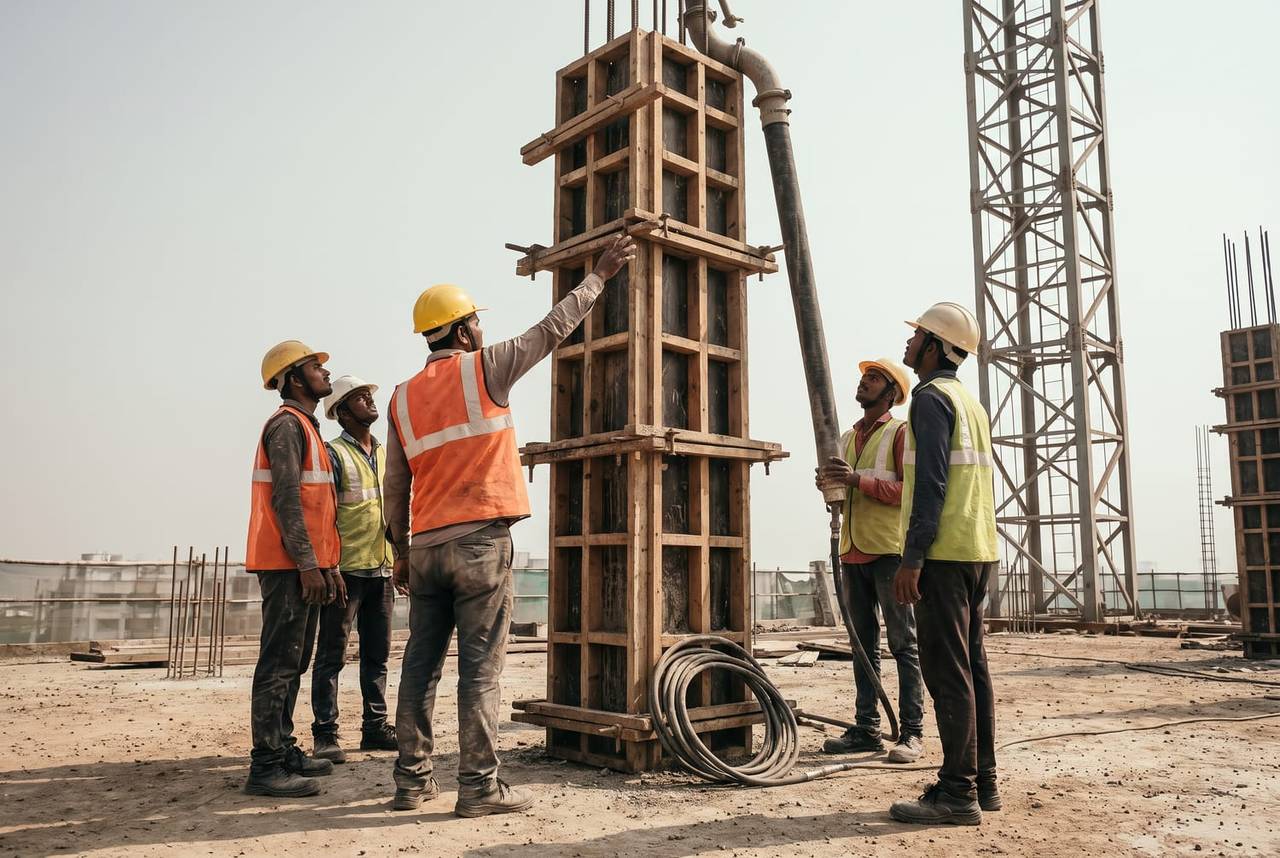
A foreman in an orange hi-vis vest pointing up at a column formwork while four crew members in helmets look up, a pump hose raised to the top of the column and a tower crane behind
Delivery recorded · 12:20

Column pour · Concrete delivered

Mumbai100%
Three photos attachedQuality status setChecklist signed

Your headache

The delivery slip is in a pocket.The attendance count is on a wall.By evening, one of them is lost.

Morning, site, office

A supervisor's day on SuperWise

  1. Morning 7:15

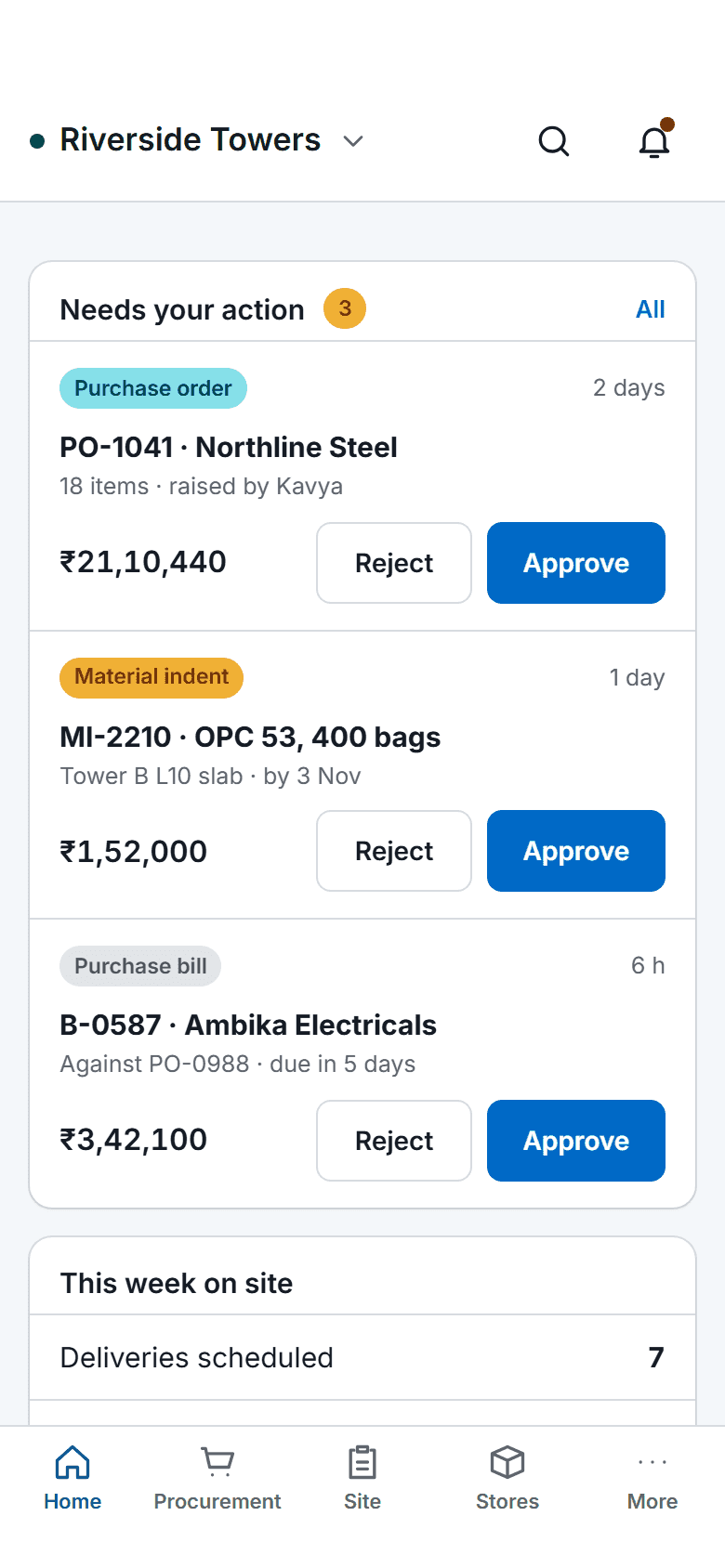
    The SuperWise phone app home screen: key figures, three items waiting for approval with Approve and Reject buttons, a week-on-site summary, quick actions for checklists, photos, progress and material receipt, and bottom tabs.

    Today's work on the phone

    The mobile app opens on what needs your action and the deliveries scheduled for the day, so the crew's morning starts from the same list the office sees.

  2. On site 11:40

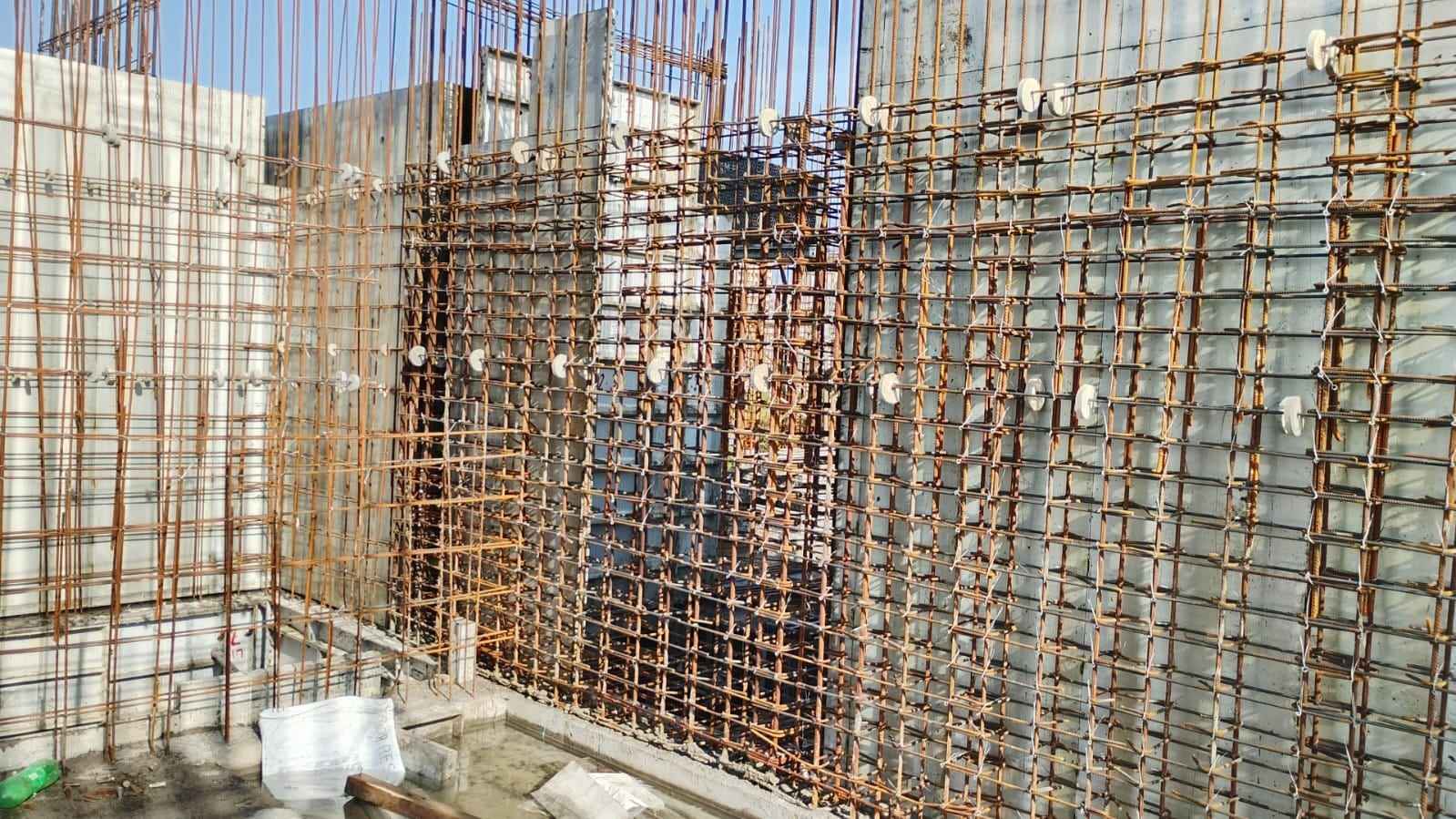
    Dense grid of reinforcement bars tied with wire and fitted with white spacer discs in front of aluminium formwork panels

    Labour counted, checklist signed

    The supervisor records how many workers of each category a contractor deployed, with a photo and a GPS location, then fills the checklist with its yes or no, photo and signature fields.

  3. In the office 17:30

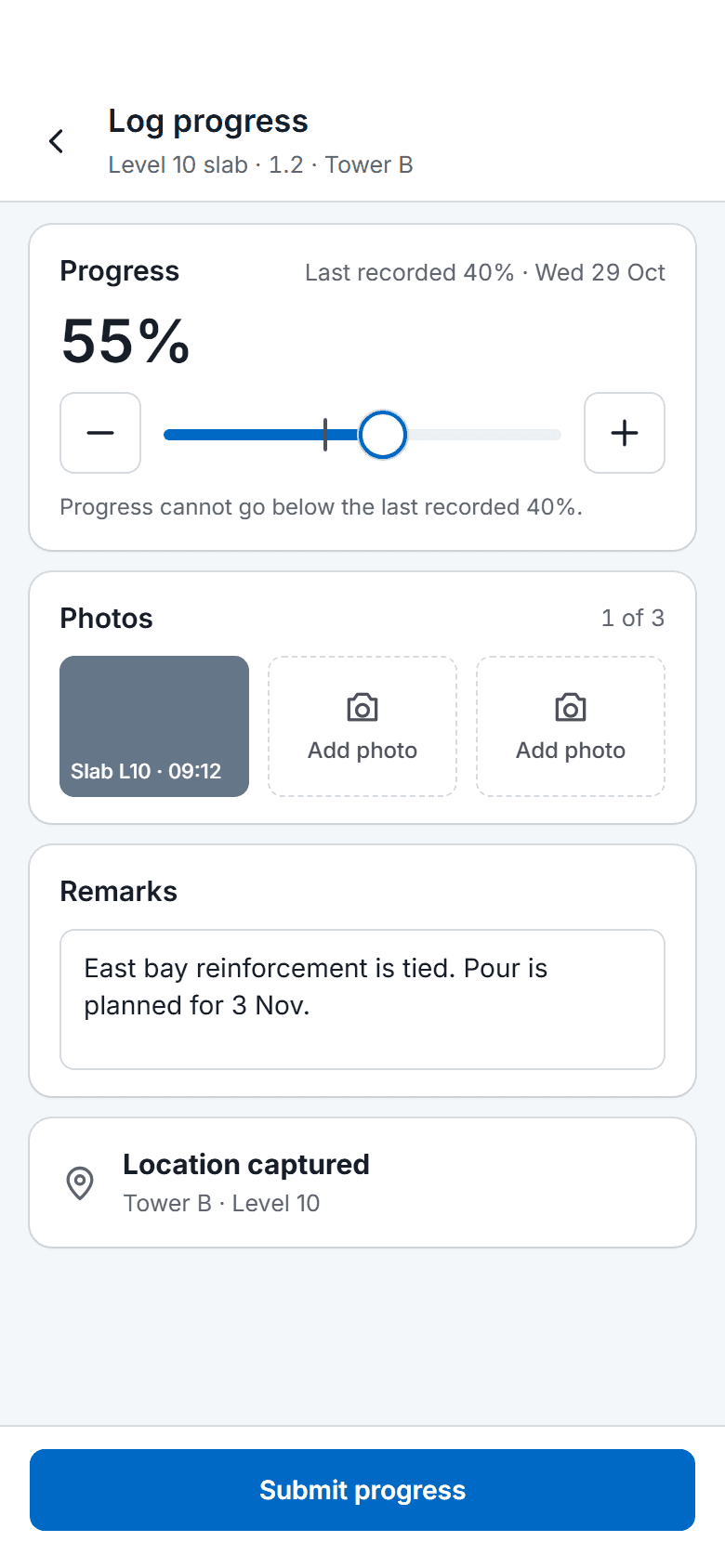
    The SuperWise phone app progress log for one task: a slider and stepper from the last recorded 40 percent to 55 percent, one photo taken and two to add, remarks, a captured location and a Submit progress button.

    The day closed on the phone

    Progress is logged on the task, issues are raised with an owner and a target date, and a rejection notice reaches the creator when the company switches it on.

Three workflows

Three workflows on a supervisor's phone

01 · Deliveries

Deliveries recorded against the purchase order

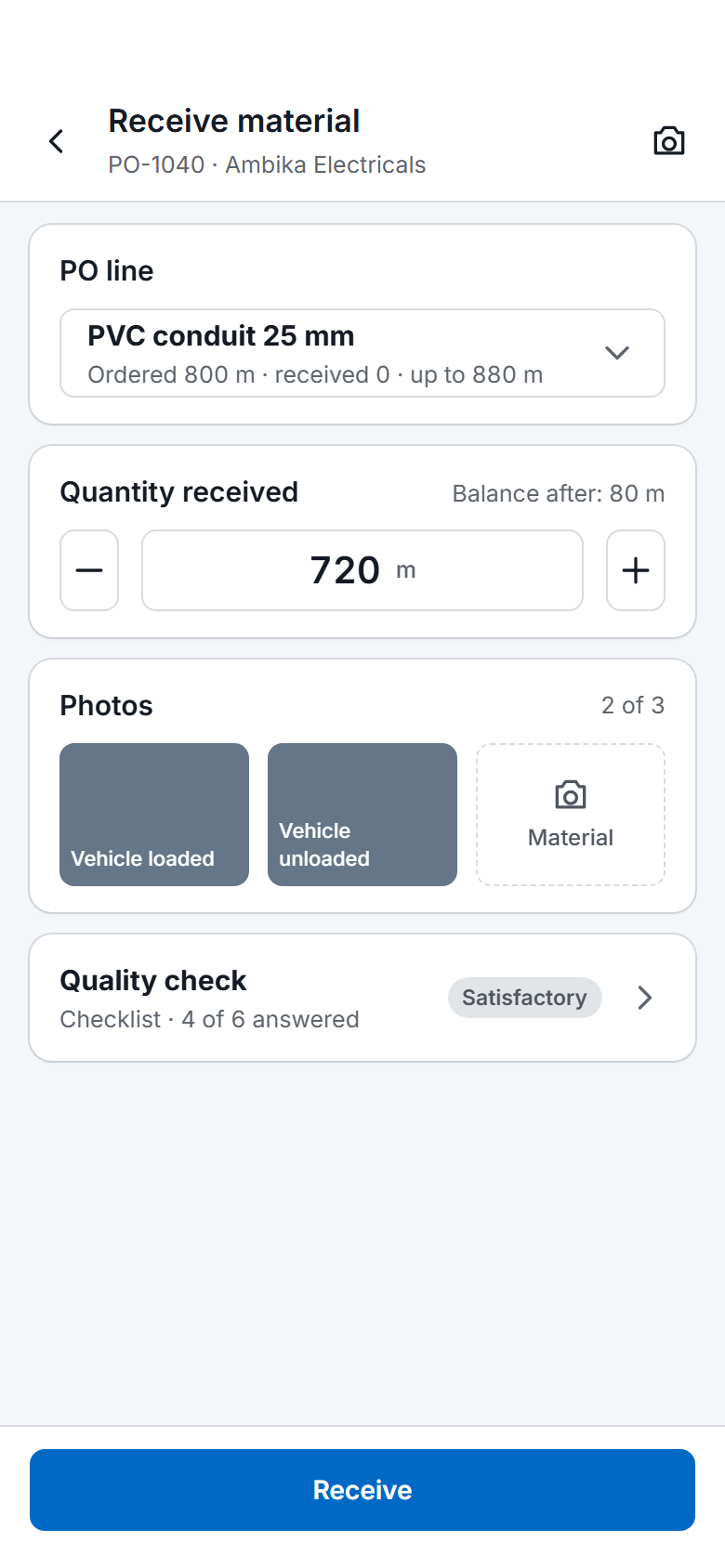
The challan names the PO line, the vehicle, the driver, a quality status and three photos. The quantity cannot pass the line maximum plus the permitted variation.

  • Open the purchase order line
  • Enter vehicle, driver and quantity
  • Add the three photos and the quality status
See site management software
The SuperWise phone app receiving material against a purchase order: the chosen PO line, the quantity received with a stepper, two of three photos taken, a quality check row and a Receive button.
02 · Quality

Labour and quality on record

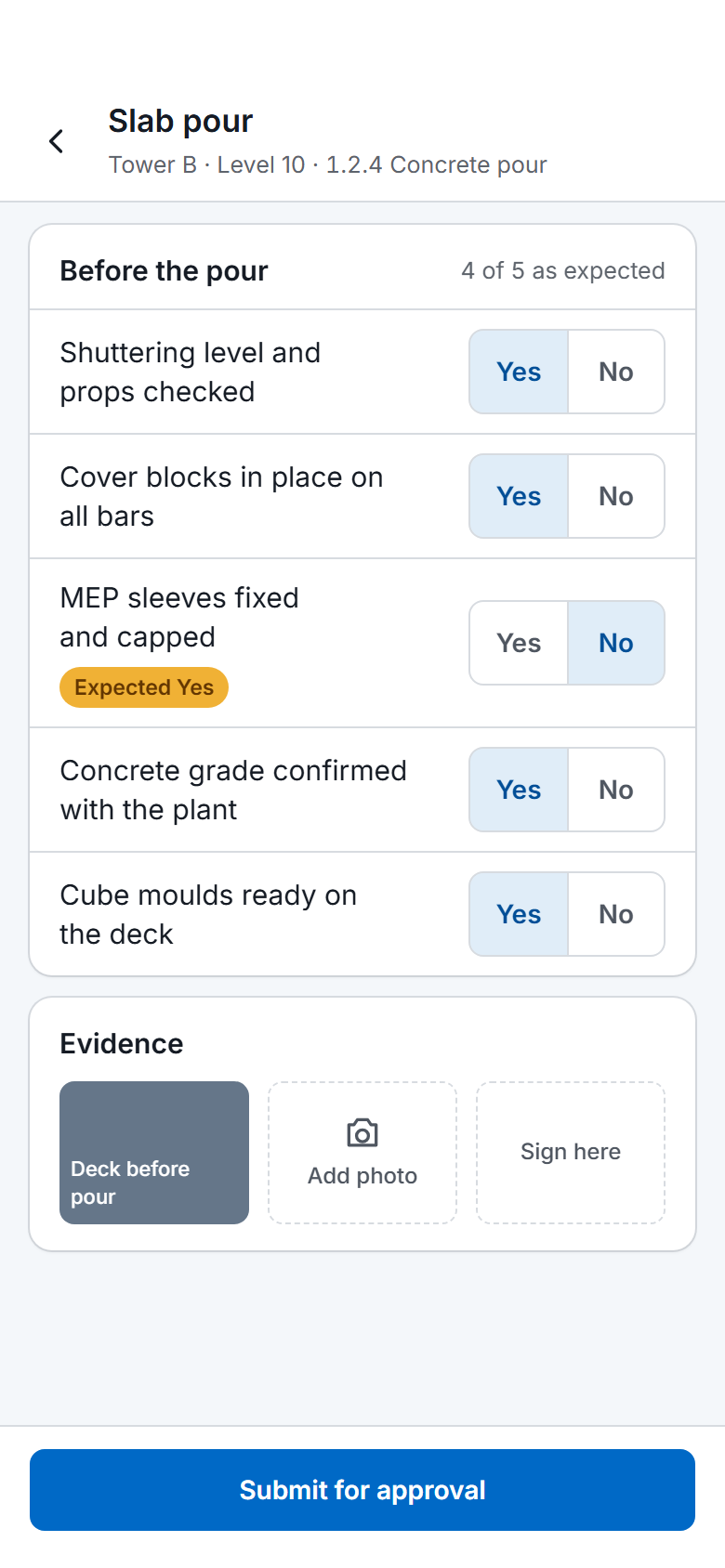
Labour is recorded by category and contractor with a photo and a GPS location. A checklist carries the fields its form defines, such as yes or no, photo and signature.

  • Count workers by category and contractor
  • Fill the checklist on the phone
  • Sign it so the task can close
See quality and safety
A SuperWise phone app quality checklist for a slab pour: five Yes or No answers checked against the expected response, one flagged, a photo, a signature box and a Submit for approval button.
03 · Progress

Progress and issues that reach someone

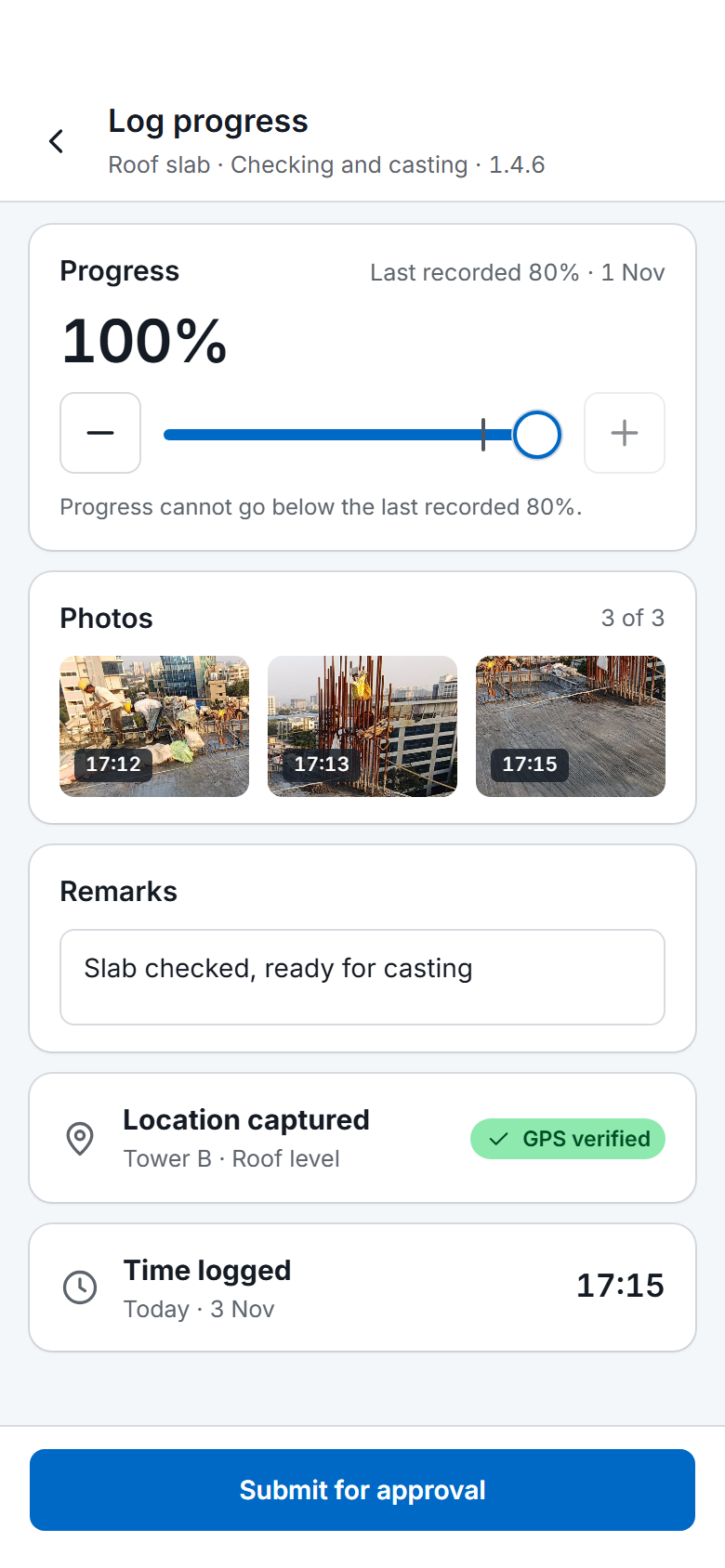
A task's progress is logged against the schedule, with photos. An issue carries a type, a priority, a responsible person and a target date, so the right person sees it.

  • Log progress on the task
  • Raise the issue with photos and a location
  • Set the owner and target date
See the daily progress report app
The SuperWise phone app progress log for the task Roof slab in Checking and casting: progress at 100 percent from a last recorded 80 percent, three photos of the slab, the remark "Slab checked, ready for casting", a captured location with a GPS verified label, the time 17:15 and a Submit for approval button

Before and now

What changes for a supervisor

Modules a supervisor uses

The site management page shows how the office reads these records.

Modules a foreman or supervisor uses and what you do in each
ModuleWhat you do in it
Material delivery challans (MDC)Record a delivery against a PO line with the vehicle, driver, three photos and a quality status. The mobile app submits it.
Labour challansRecord how many workers of each category a contractor deployed, with a photo and a GPS location.
Material indentsRaise an indent with the quantity, the required-by date, photos and a GPS location.
Task progressLog progress on a task against the schedule.
Checklists and quality formsFill the form with its yes or no, number, photo and signature fields. A task can require the finish checklist.
Issues and snagsRaise an issue with a type, a priority, a responsible person, photos and a GPS location, and set a target closure date.

Short forms with fixed fields

Each form asks for a few facts the site already has. A delivery challan has the supplier challan, the unloading date, the vehicle, the driver, the quantity and a quality status, plus three photo fields for the loaded vehicle, the unloaded vehicle and the material. The mobile app submits it.

A labour challan records how many workers of one category a contractor deployed, with a note of the work done, a photo and a GPS location. The entry date is the attendance date.

A user sees what the role allows. Roles hold view, create, edit, delete and approve rights by module area, and a user is assigned to projects. A user with the Progress Add privilege can ask the help agent to log task progress, and one with Issues Add can ask it to raise an issue.

Issues with an owner

A supervisor raises an issue with a type such as equipment breakdown, safety incident or material shortage, a priority from low to critical, a responsible user and a target closure date. Photos and a GPS location attach to it, and it can name the contractor or department that must act.

An issue moves from open to in progress to resolved to closed, and keeps who opened, resolved and closed it. When a challan, purchase order or bill is rejected, the creator gets a push notice if the company has switched on that setting. Email is the other channel.

A checklist can hold up work. A task with enforcement on cannot be marked complete until the filled finish checklist is approved, so the supervisor fills it before closing the task.

Frequently asked questions

What does a supervisor record in a day?

Deliveries as challans with photos and a quality status, labour by category and contractor with a photo and a GPS location, task progress, checklists with their photo and signature fields, and issues with a type, a priority and a responsible person. A material indent is raised the same way when stock is short. The office reads the same records.

Can a supervisor see only what they need?

Yes. A role holds view, create, edit, delete and approve privileges for each module area, and a user can hold several roles. Users are assigned to projects and see those projects. A supervisor role can be limited to the site records, such as challans, progress, checklists and issues, and kept away from billing.

How does a supervisor learn that a challan was rejected?

A rejected challan, purchase order or bill returns to the person who submitted it. If the company has switched on the rejection setting, that person also gets a push notification, or an email. The setting is off by default and belongs to the tenant. The approver leaves a comment with the rejection.

Can a task be closed without its checklist?

Not when enforcement is on. A task can name a start checklist and a finish checklist, and with the enforce option the task cannot be marked complete until the filled finish checklist is approved. Checklist fields can be yes or no, number, date, dropdown, photo and signature, and each field can carry an expected answer.

Can the help agent log my progress?

Yes, for a user who holds the Progress Add privilege. The user asks the help agent to log progress on a task and it records it. A user with Issues Add can ask it to raise a site issue, and one with Reports view can ask for a DPR download link. The agent answers how-do-I questions too.

See a delivery recorded on site

Book a demo and we record a delivery challan against a purchase order line.