
Construction daily report app
The DPR that collects each day's site records
Solutions
A project management consultant (PMC) monitors contractors for the client and reports on progress, cost and delay. SuperWise generates those reports from site records contractors and engineers log, so each figure leads to a record.

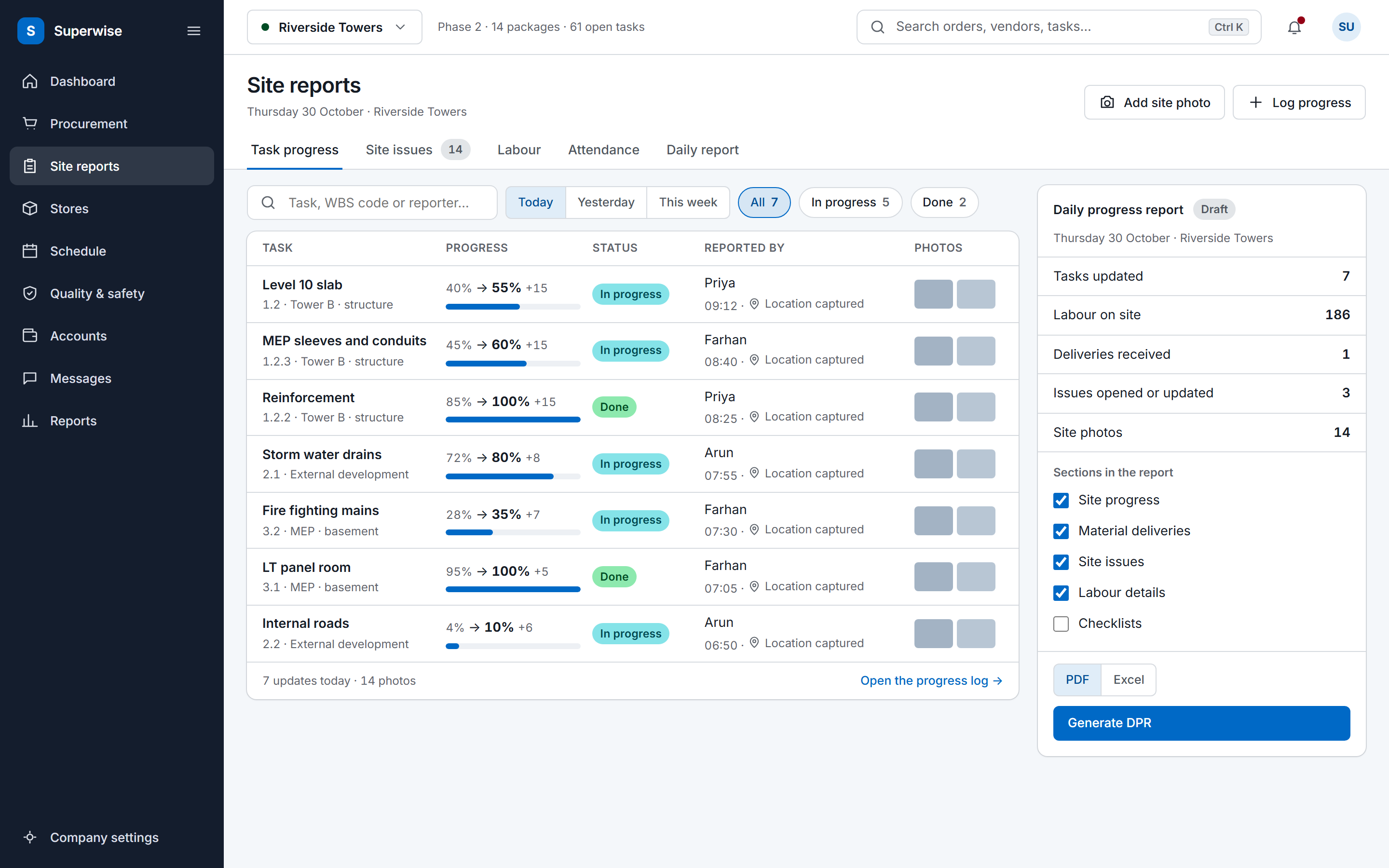
Where PMCs lose time
A PMC reports on work it does not control, so every figure in the pack starts as someone else's update.
Each contractor sends progress in its own format. The PMC collects the files, checks them against the schedule and retypes the numbers into the client's pack before anything can go out.
The contractor's report, the PMC's site notes and the client's tracker each show a different percentage for the same package.
When a contractor claims a delay, the PMC has memory, emails and photos in a chat group to go on, and a request for more time has no dated entry to be checked against.
How it works
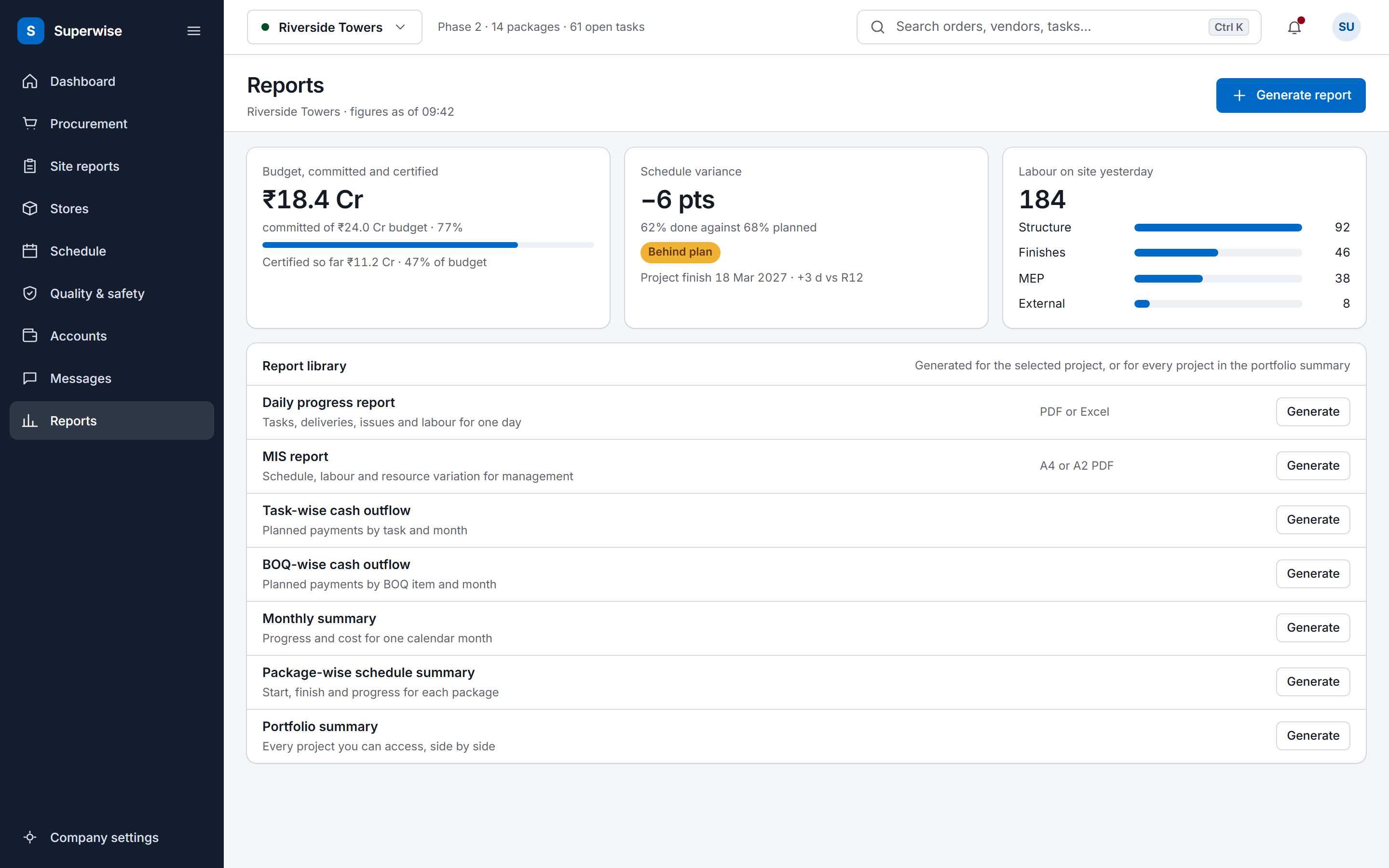
The MIS report is the monthly pack a project management consultant sends the client. SuperWise generates it from the project's own records at the moment you ask for it, so nothing is retyped from contractor files. It comes as an A4 or an A2 PDF, and you choose which sections go in.
The A4 version has eight sections: a cost-wise task summary, a schedule-wise task summary, a baseline schedule chart, a labour report by contractor and month, a material consumption forecast, a material procurement schedule, a material variation report and a list of unplanned material purchases. A WBS level setting decides how far the task summaries drill down, from top-level packages to deeper levels.
The A2 version has seven sections. Its task summary is large-format and suits a site board. The others are the task forecast, the forecast at budgeted rate, the percentage-completion S-curve, the BOQ summary, the BOQ forecast and the BOQ forecast at budgeted rate. A forecast date sets where the forecast starts, and the interval is weekly or monthly.
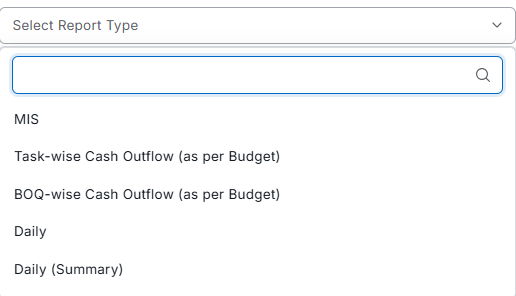
Five more reports sit beside the MIS report in the same module.
A delivery challan stores the supplier's challan number, the vehicle and driver, three photo fields and a quality status, with the name of the person who did the check. Deliveries and indents keep who created them and when. A purchase order or work order amended after approval keeps a snapshot of the earlier version and the reason for the change.
Approvals leave their own trail. Each step of a purchase order, work order or RA bill records who acted, on what date and with what comment, and a rejected document goes back to its submitter with the reason. A quantity under review goes back to the measurement sheet in the digital measurement book, which records number, length, breadth and height less deductions against a BOQ item. The measured quantity then feeds the bill described in RA bill certification.
Delays go in the issues register. An issue records who opened it and when it was opened, resolved and closed, its type and priority, the organisation or department responsible, a target closure date, and the task or schedule node it affects. Photos and comments attach to it, and the DPR lists the issues opened or updated on each date. A delay claim, such as a request for an extension of time, can be checked against issue records with their dates. A team that also keeps a written log can start from the hindrance and delay log template.
Drawings carry the same history. Each revision of a document keeps its number, who revised it and when, and a folder says which roles can view, upload or delete in construction document management software. The daily report app gathers the day's challans, issues and progress into one DPR.

Contractors, consultants and the client's team work in the same project and see different things. Roles carry View, Create, Edit, Delete and Approve rights for each module area, such as purchase orders, work orders, bills, reports, issues and documents. A user can hold more than one role and is assigned to the projects they work on.
External users are the contractor side. A user marked as external is tied to a vendor organisation and sees only that organisation's transactions. A vendor can submit its own bill inward and download its certification slip once the bill is accepted. Organisations carry types, so a company can be a supplier, a contractor, a consultant, an SPV or a client.
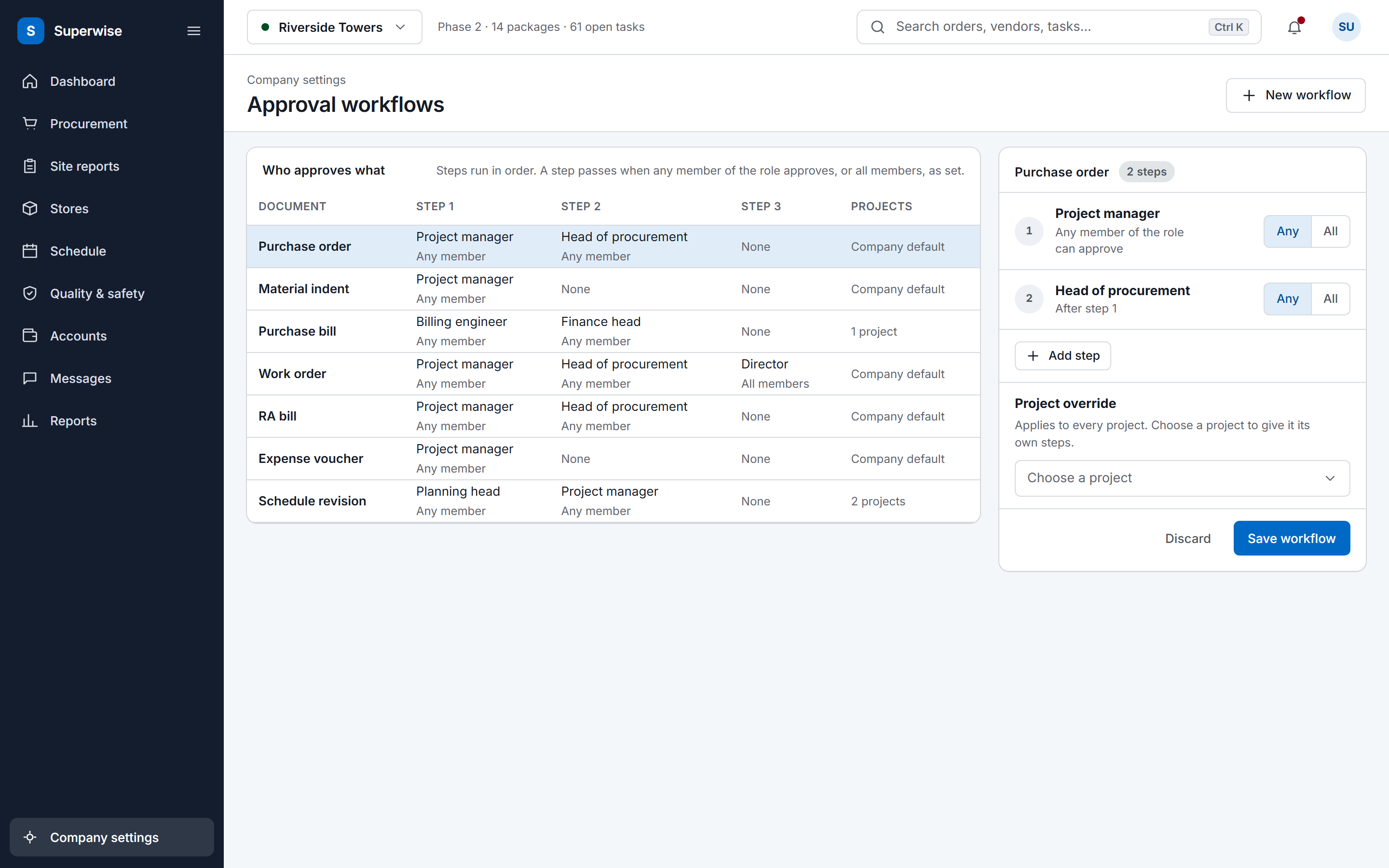
Approval workflows follow roles. A company sets the steps for each document type, assigns each step to a role and chooses whether any member or all members of the role must approve. A project can override the company workflow, so one project can run its own steps. Each approver has a list of the documents waiting for them.
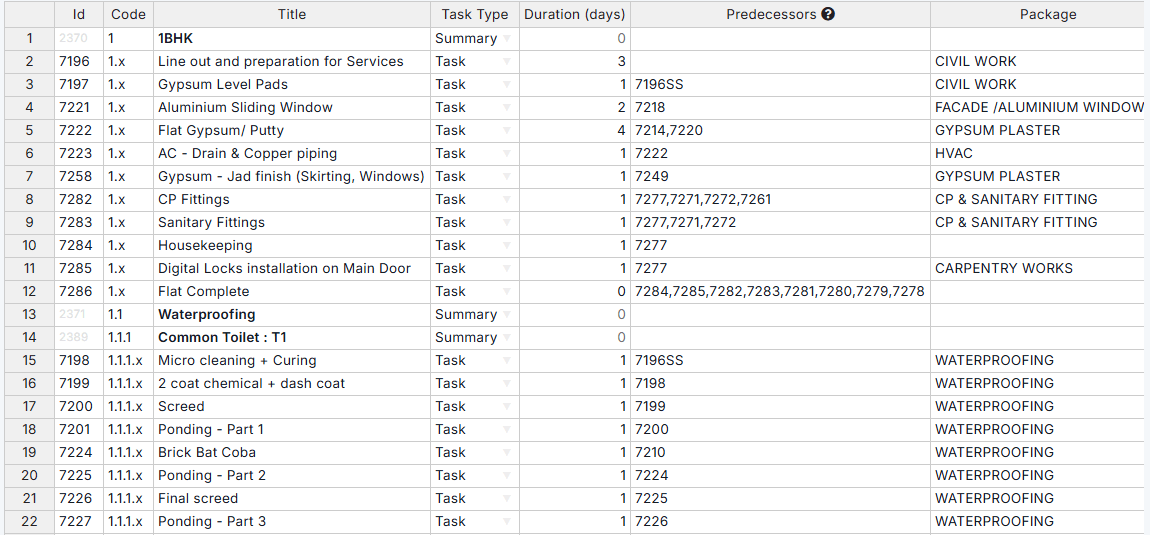
Progress from site is reported against the approved baseline, and the MIS report reads baseline dates, SPI and delay from it.
Definition
A project management consultant (PMC) monitors contractors on the client's behalf and reports on progress, cost and delay, and SuperWise generates those reports from the site records that contractors and engineers log, so each figure leads back to a record.
A PMC compares the contractor's programme with what happens on site. The Microsoft Project integration imports MPP or XML files into templates, and Excel files import the same way. SuperWise then assembles the schedule in the playground, verifies the critical path dates and, on approval, saves a baseline.
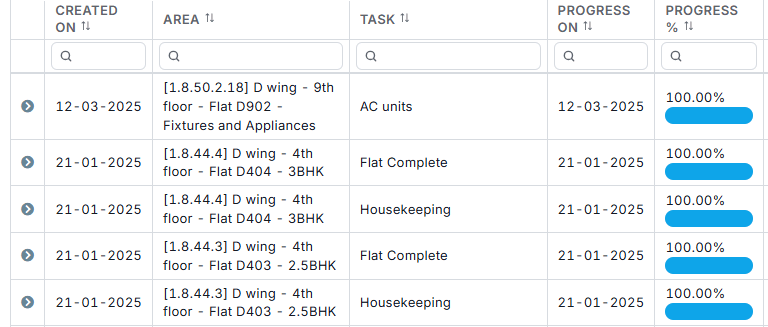
Progress is recorded one task at a time or uploaded in bulk from Excel, and the upload rejects a percentage lower than the last one. Variance then shows in the reports. The MIS schedule section lists planned against actual dates with SPI and variance, and the baseline chart compares the current plan with the baseline. Each baseline task keeps its start and finish variance in days, and a revised plan goes back through approval and saves a new baseline, so the earlier plan stays on record.

Our data was spread across construction ERP, Excel files, MS Project and Whatsapp Chats. With SuperWise, now we are able to achieve smart field-office co-ordination and align the planning, contracts & execution teams with to detect any deviations early on!
Sundar Rajan, Head of Projects Development, Shree Naman Group
Read customer storiesSundar Rajan leads project development at Shree Naman Group. SuperWise has run live projects since 2015.






Set up roles and organisations before the project, and the project before any schedule, progress or MIS report. Contractors come in as organisations and external users.
Create roles with privileges for each module area, and the organisations you deal with, including contractors, suppliers, consultants and the client. Set the tenant settings for culture, financial year start and document numbering.
Add the project with its client and working calendar, then assign users to it. A contractor's user is marked as external and tied to its organisation.
Import the contractor's programme from Microsoft Project or Excel into templates, assemble it in the playground, then verify and approve it.
Define the steps for each document type and assign each step to a role. A project can override the company steps.
Contractors and engineers log progress, deliveries and issues. Generate the first MIS report with the sections, page size, WBS level, forecast interval and file format you want.
PMC software gives a project management consultant one record of the contractor's work to monitor and report from. In SuperWise the MIS report, monthly summary, portfolio summary and cash outflow reports are generated from schedule, progress, procurement, labour and billing records, so each figure in the pack traces to a record that carries who created it and when.
The MIS report has eight A4 sections and seven A2 sections, and you pick the sections to include. Beside it are the monthly summary, the portfolio summary, the package-wise schedule summary and the task-wise and BOQ-wise cash outflow reports. All of them are computed from project records when you generate them, and they download as PDF or Excel.
As often as you ask for it. Reports are computed from current project records at generation time, so a monthly pack and a mid-month check follow the same steps. Choose the sections, the page size, the WBS level, the forecast start date and a weekly or monthly forecast interval, then download a PDF or an Excel file.
It can run the programme itself, because SuperWise has a schedule playground with critical path dates and baselines. Templates import from Microsoft Project (MPP or XML) or Excel. The product guide documents no Primavera file import and no ERP exchange, so we claim neither. Zapier can pass events such as an approved purchase order or a new site issue to other apps.
It keeps the records the dispute is about. A delivery challan holds photos and the quality check, a measurement sheet holds the dimensions, an issue holds its opened, resolved and closed dates, and each approval step holds who acted, when and the comment. The PMC can check a claim against that dated trail instead of relying on memory or emails.
Internal users see what their roles allow in each module area. An external user is tied to one vendor organisation and sees only that organisation's records, and a vendor can submit its own bill inward. Roles set View, Create, Edit, Delete and Approve rights by module area, so one role can approve without being able to edit.
No. We do not publish a sample MIS pack. The construction reporting pack guide explains how the daily, weekly, monthly and commercial formats connect. To see an MIS report generated from a real project, book a demo and we go through the sections and options with you.
Book a demo and we generate one from a project in your account.