Solutions

Construction management software for India, where site and office agree

Construction management software is the system a project team uses to plan the work, record what happens on site and bill against it. SuperWise keeps schedule, DPR, BOQ, RA bills and materials together.

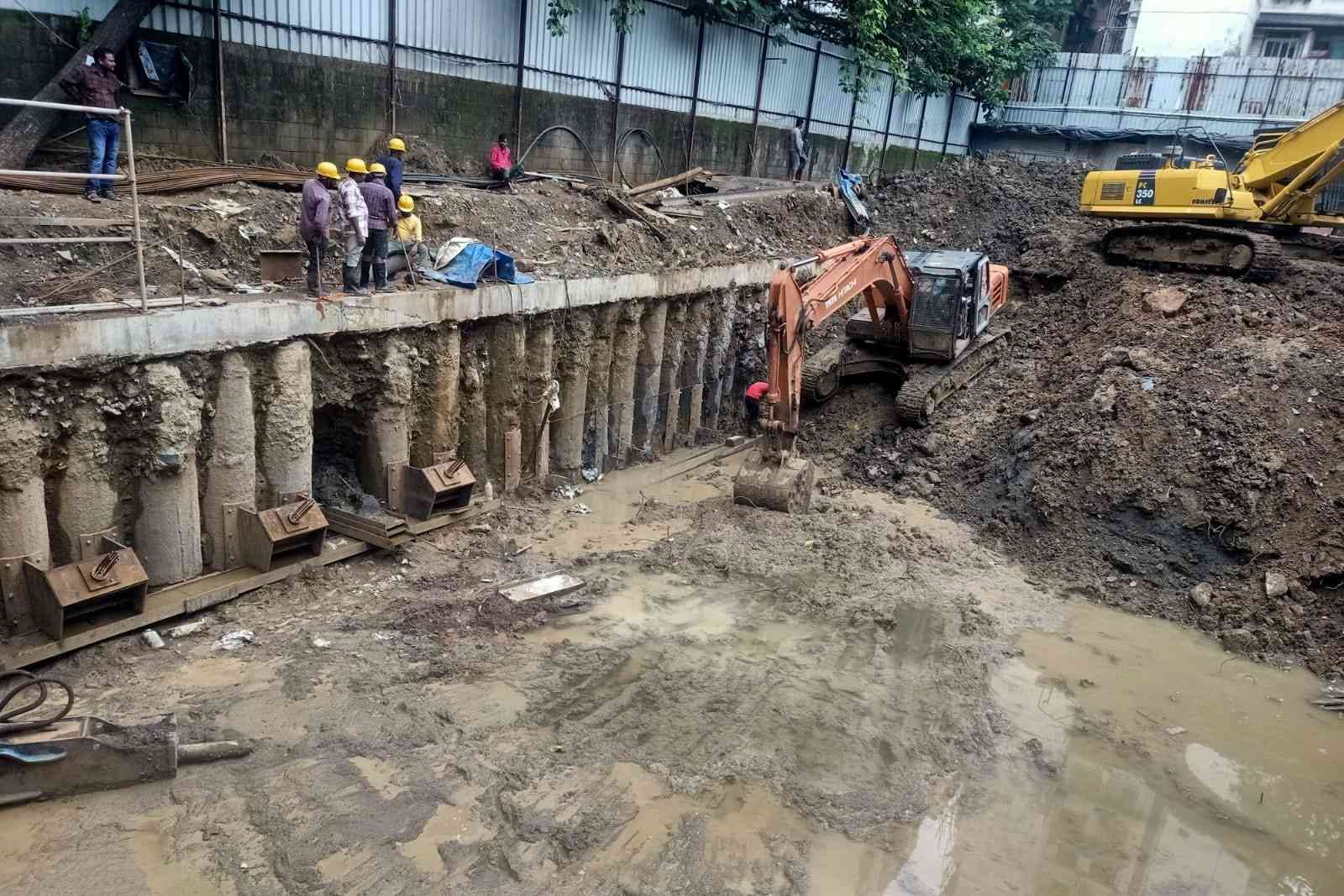
Excavation pit beside a wall of bored piles, an excavator at work in the mud and five people watching from the capping beam above
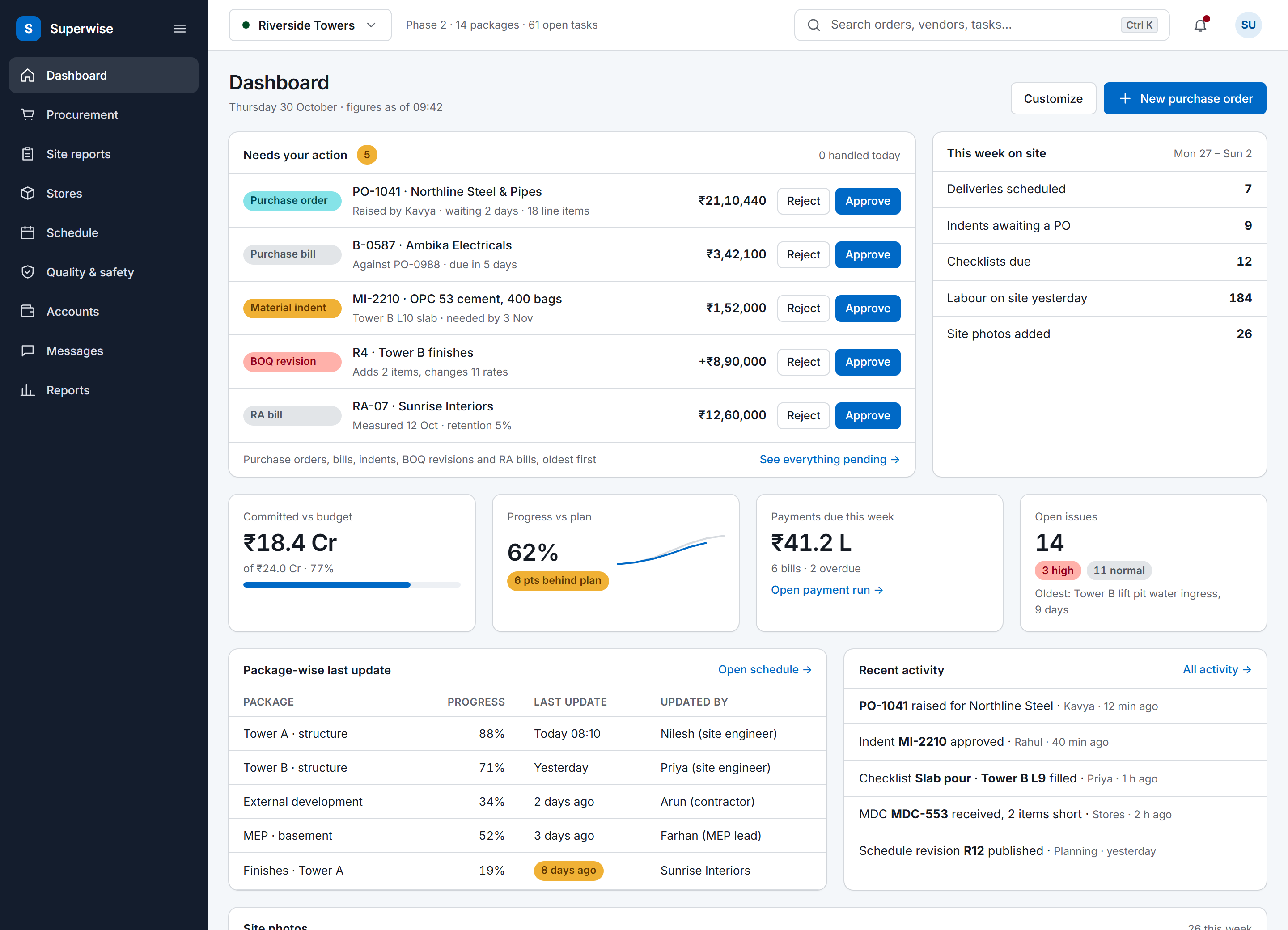
The SuperWise portal dashboard for a project: an approval queue with five items waiting for the user, a week-on-site summary, four key figures for budget, progress, payments and open issues, package-wise last updates and recent activity.

Where Indian projects lose control

Site news lands in chat, not the schedule.

If your team runs on a planning file and an accounts package, nothing ties site execution to the decisions made in the office.

  1. Updates arrive as chat messages

    A progress note and three photos land in a group chat. Nobody can say which schedule task they belong to, so a planner has to key the progress in again by hand.

  2. Billing runs on loose files

    Measured quantity, BOQ rate and work order balance live in three places. A quantity gets billed twice, or a bill passes the work order quantity and the excess shows up only when accounts compare the bill with the work order.

  3. Planning, buying and accounts do not meet

    The schedule is one file, purchase orders another and drawings a third. The office cannot see committed cost against progress until someone builds the month-end report by hand.

How it works

How the schedule, the site and the bill connect

01 · Schedule and DPR

Schedule, site progress and the DPR

A schedule is built from templates. The Microsoft Project integration imports a template from an MPP or XML file, and an Excel sheet imports the same way. You place templates as nodes in the schedule playground and link them. Verification computes the critical path dates, and every approval saves a baseline, so a revision keeps the earlier plan for comparison.

The MIS report shows planned against actual dates with the schedule performance index (SPI) and the variance at the WBS level you choose, and it draws the current plan against the baseline.

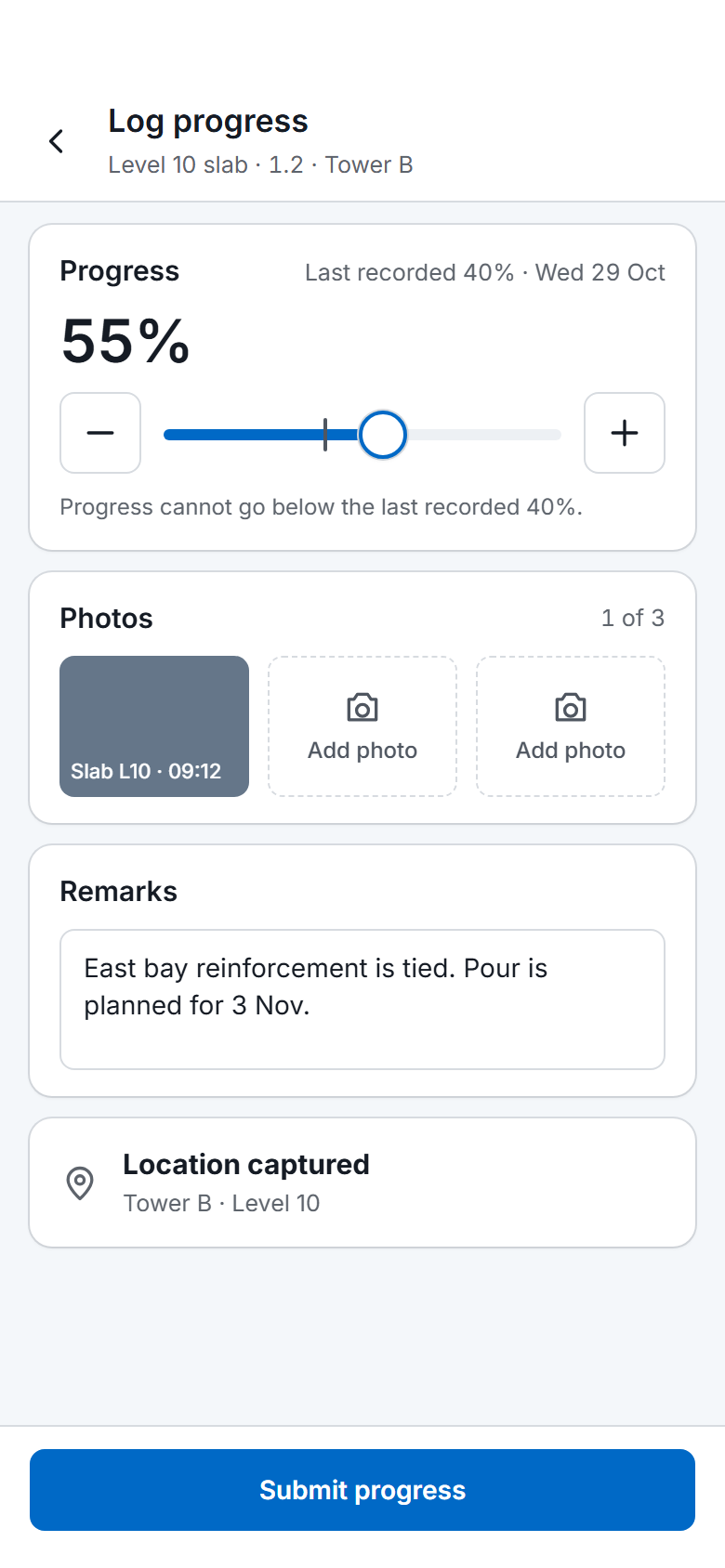
Site teams update the plan from the ground. Progress is recorded one task at a time or uploaded in bulk from an Excel sheet, and the upload rejects a percentage lower than the last one, a date in the future and a second update for the same task on the same date.

The DPR app reads those updates along with measurements, deliveries, labour, issues and checklists. The report has eleven sections you can switch on or off, and it downloads as a PDF or an Excel file.

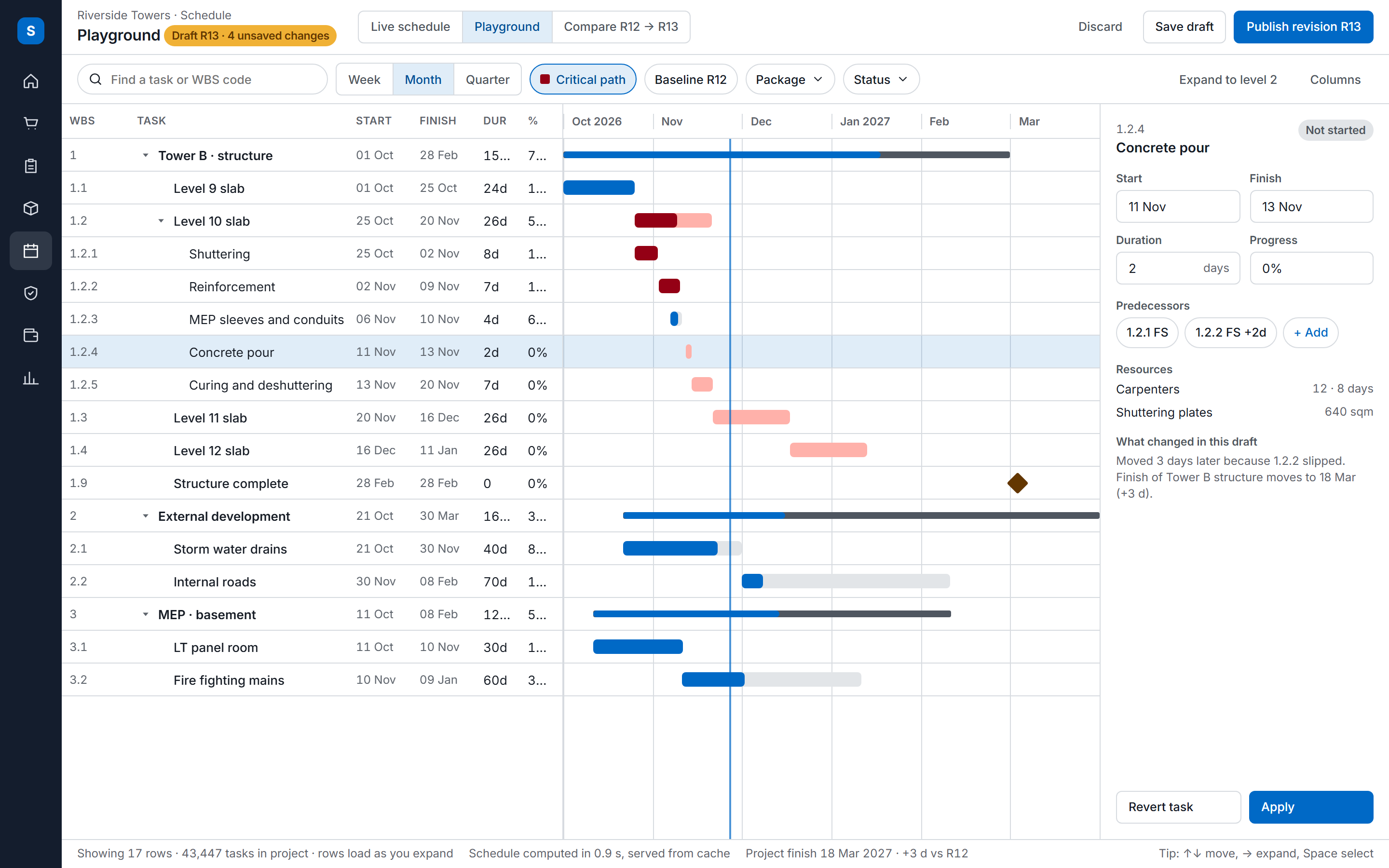
The SuperWise schedule playground: a task tree with WBS codes, dates, durations and progress beside a Gantt timeline with the critical path highlighted, and an inspector for the selected task.
02 · BOQ and RA bills

BOQ, measurement and RA bills

The project BOQ holds the financial scope: items with a contracted quantity and rate, grouped by category and construction package. You edit it as a working copy in the BOQ playground, and committing it makes the items available to work orders and billing. A rate can be typed in or built up from material, labour and machinery in a rate analysis.

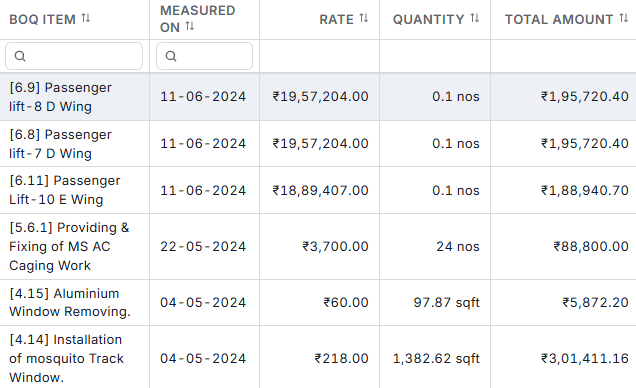
Site engineers record each measurement as number, length, breadth and height less deductions, on a sheet of the digital measurement book tied to a BOQ item and a work order. Approving a sheet updates the BOQ progress.

A work order gives a contractor a scope at contracted quantities and rates. It can start from an awarded proposal after a request for proposal, or be entered directly. Each RA bill claims a cumulative quantity per line and cannot pass the work order quantity. Retention is held at the work order's percentage, and the mobilisation advance is recovered across the bills or in one sum.

Approvers sign a bill off in steps by role, and each step records who acted, when and the comment they left. The BOQ-wise cash outflow report then sets what POs and work orders committed against what RA bills and supplier bills certified.

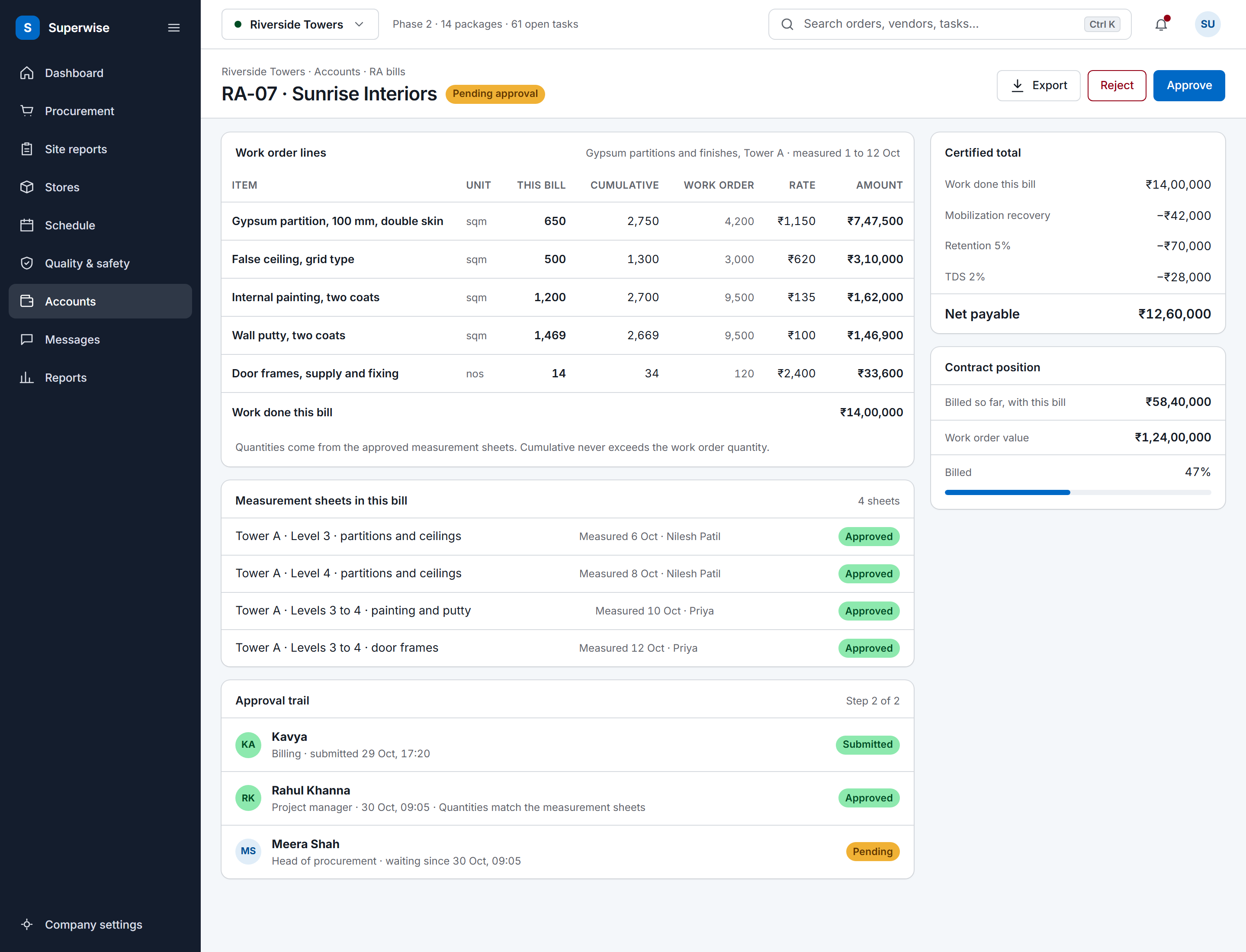
A SuperWise running account bill for a contractor: work order lines with this bill, cumulative and work order quantities, rate and amount, the certified total with mobilization recovery, retention and TDS deducted to a net payable, the approval trail and the contract position.
Measurement book rows with BOQ item, measured-on date, rate, quantity and total amount for passenger lift, MS caging, aluminium window and mosquito track window items
03 · Materials and documents

Materials, documents and quality

In material management, four records run in a chain. A site raises a material indent with photos, a location and a link to a BOQ item. A purchase order, which can start from an awarded quotation, needs approval and caps the quantity on each line. Each delivery becomes a material delivery challan with the vehicle, photos and a quality status, and that challan is the goods receipt.

The supplier's bill is checked against accepted challans only, at the rate on the PO line, so a delivery that failed the quality check does not reach payment.

Document control keeps drawings in project folders. Each folder says which roles can view, upload or delete, and each document carries a purpose (for approval, for construction or as built) and a stage such as received, under review, approved or superseded. A revision keeps its number, who revised it and when, and a document can be linked to a schedule node.

Quality checks run on checklists, which are forms of typed fields with an expected answer for scoring. A template task can ask for one at start or finish, and when the task is set to enforce it, it cannot be completed until the filled checklist is approved. Site problems go in the issues register of the quality and safety module, where each issue has a type, a priority, a responsible person, a target closure date and photo attachments.

A material indent waits in the purchaser's queue, and the purchase order form opens filled in from it. The purchaser adds the supplier and submits; the approver accepts it on the phone, and the list shows the order Accepted.

The schedule loop on one project

A schedule is imported, assembled, approved, updated from site and reported on, and a revision goes back through approval.

The schedule loop: import, update from site, report, revise A schedule is imported from Microsoft Project or Excel into a template, assembled in the schedule playground, verified with the critical path method and approved, which saves a baseline. Site teams record task progress one task at a time or by a bulk Excel upload. The MIS report shows planned against actual dates, SPI and variance, and its baseline schedule section charts the current plan against the baseline. A revision goes back through approval and saves a new baseline. Revision ImportMicrosoft Project (MPP or XML)or Excel into a template 1 AssemblePlace templates as nodes in theplayground and link them 2 Verify and approveCPM dates computed, approvalsaves a baseline 3 Update from siteTask progress, singly or by bulkExcel upload 4 ReportMIS shows planned and baselinedates, SPI, variance 5 Revise and re-approveA new approval saves a newbaseline 6 The schedule loop: import, update from site, report, revise A schedule is imported from Microsoft Project or Excel into a template, assembled in the schedule playground, verified with the critical path method and approved, which saves a baseline. Site teams record task progress one task at a time or by a bulk Excel upload. The MIS report shows planned against actual dates, SPI and variance, and its baseline schedule section charts the current plan against the baseline. A revision goes back through approval and saves a new baseline. Revision ImportMicrosoft Project (MPP or XML) orExcel into a template 1 AssemblePlace templates as nodes in theplayground and link them 2 Verify and approveCPM dates computed, approval saves abaseline 3 Update from siteTask progress, singly or by bulkExcel upload 4 ReportMIS shows planned and baselinedates, SPI, variance 5 Revise and re-approveA new approval saves a new baseline 6

Definition

What is construction management software?

Construction management software is the system a project team uses to plan the work, record what happens on site and bill against it, and SuperWise keeps the schedule, DPR, BOQ, work orders, RA bills, materials and drawings together in one project.

What the software must do on Indian sites

An Indian site runs on a handful of documents, such as the daily progress report (DPR), the measurement book, the bill of quantities (BOQ), the work order, the delivery challan and the running account bill (RA bill). Construction management software has to hold each one as a record and let one record point at the next.

SuperWise does that with links the records already carry. A measurement sheet names its BOQ item and its work order. A delivery challan names the purchase order line it fulfils. An RA bill claims against the work order quantity and stops at it. When someone asks where a figure came from, you open the record behind it. Site teams write the measurement and delivery records during the day with construction site management software.

The settings follow Indian practice. A company sets its culture to en-IN, which formats amounts as ₹1,00,000 with lakh grouping and dates as dd/MM/yyyy, and picks the month its financial year starts, with April the usual choice. India Standard Time is the default timezone. Order numbers for POs, challans and bills follow a format the company defines, and they can restart every month or year or run on without a reset.

Contractors, developers and consultants read the same project records for different jobs. A contractor buys and bills from them. A developer reads the portfolio summary across projects. A project management consultant (PMC) turns them into the MIS report and monthly summary the client reads, using PMC software for construction.

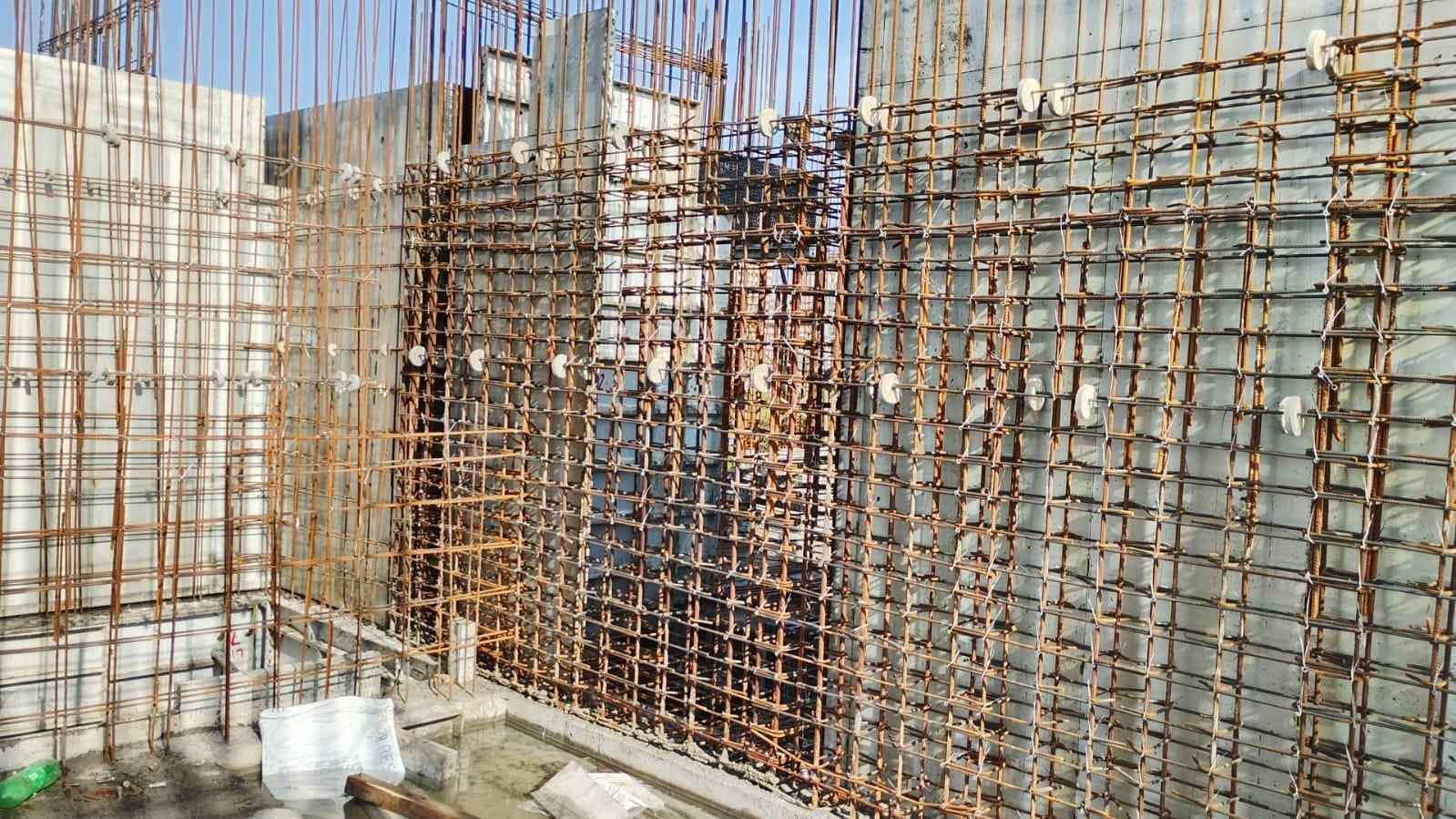
Dense grid of reinforcement bars tied with wire and fitted with white spacer discs in front of aluminium formwork panels
The SuperWise phone app progress log for one task: a slider and stepper from the last recorded 40 percent to 55 percent, one photo taken and two to add, remarks, a captured location and a Submit progress button.

Pricing and packaging

SuperWise is priced per project per month, in rupees or dollars, with quarterly, semi-annual or annual payment. The pricing page compares three plans, Starter, Pro and Enterprise, against six module groups, which are scheduling, BOQs, procurement and contracts, site reports, quality and safety, and billing and payments.

Read the plan comparison on the pricing page. To go through the modules your projects need, book a demo, or start a free trial to look at the portal yourself.

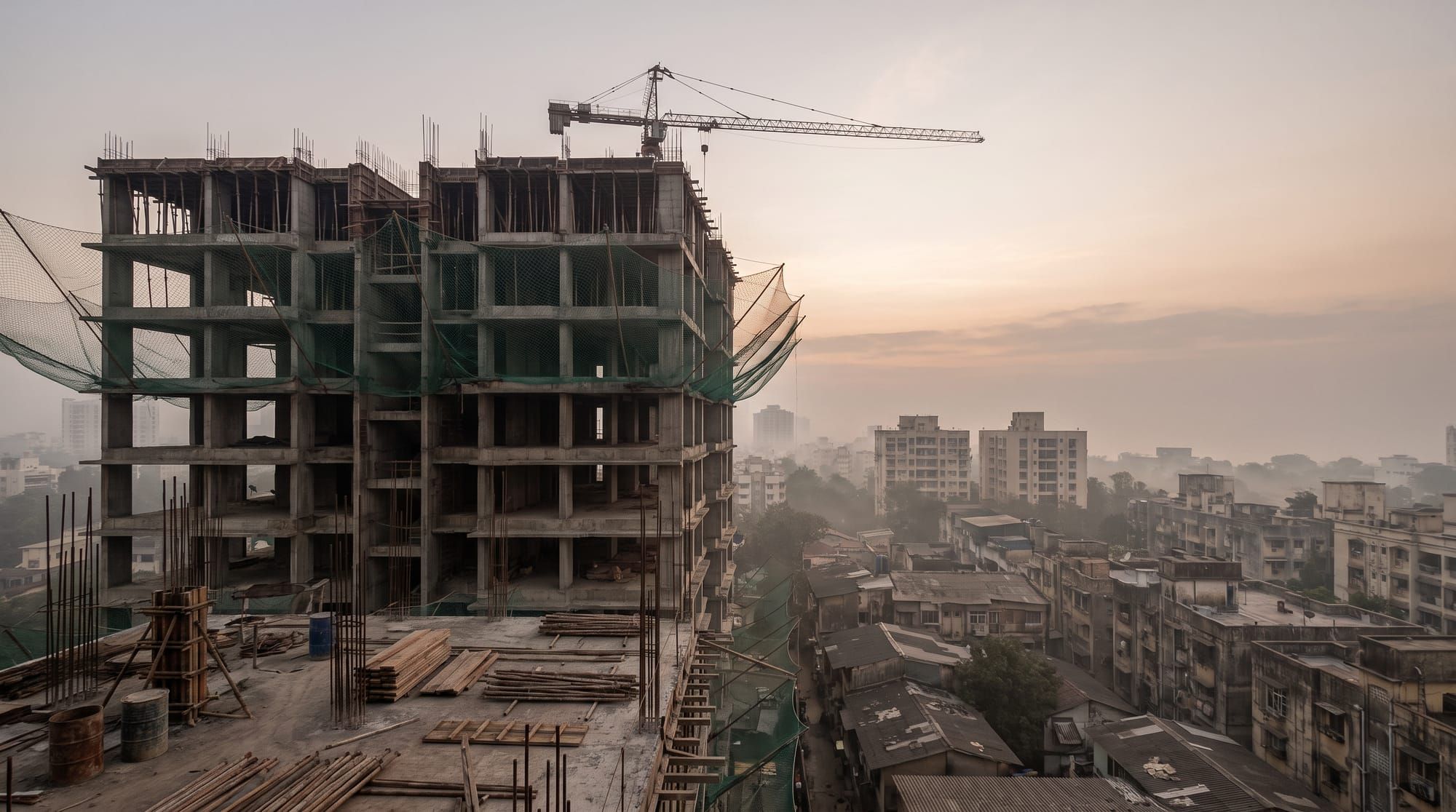
A concrete tower frame with green safety netting and a tower crane at dawn above the rooftops of a Mumbai neighbourhood, under a pale orange sky

Proof from live projects

Public infrastructure projects such as roads, bridges, water pipelines, railways are difficult to track given the nature & speed of work. With SuperWise, though, we have been able to efficiently track and curb pilferage on our infrastructure construction sites.

Kunal Lakhani, Partner, Mansi Constructions

Read customer stories

Kunal Lakhani, a partner at Mansi Constructions, on how the company uses SuperWise. SuperWise has run live projects since 2015.

SuperWise reviews on Capterra

Connect to your other tools

SuperWise imports schedules from Microsoft Project and Excel, and Zapier reaches other apps.

Excel

Schedule templates and bulk task progress load from Excel files with a fixed column format, and reports such as the DPR download as Excel.

Zapier

Triggers fire on a new or approved purchase order, a material indent, task progress, a site issue and a submitted daily report. Actions create a purchase order, a material indent or a site issue, and a Zap can pass these events to apps such as Slack or Google Sheets.

Tally flag on purchase bills

Accounts can mark a purchase bill as passed to Tally, and SuperWise records who marked it and when. The flag is a status on the bill and carries no data exchange with Tally.

How a team starts

Set up the company masters, then create the project, then record the work. Each step needs the one before it.

  1. Set the company masters

    Create users and roles with privileges for each module area, the organisations you deal with, resources, taxes and working calendars. Set the tenant settings for culture, financial year start and document numbering.

  2. Create the project

    Add the project with its client, working calendar and schedule duration unit. The duration unit is fixed when the project is created, so decide it first.

  3. Build the schedule and the BOQ

    Import the schedule into templates, assemble it in the playground, then verify and approve it. Set BOQ quantities and rates in the BOQ playground and commit them.

  4. Set the approval workflows

    Define the steps for each document type and assign each step to a role. Purchase orders, work orders, RA bills, expense vouchers and schedule changes use them.

  5. Record the work and run the reports

    Log progress, deliveries, measurements and issues as they happen, then generate the first DPR and MIS report. The help agent in the portal can validate and import CSV files for vendors, resources, labour reports and delivery challans.

Frequently asked questions

Is SuperWise built for Indian construction workflows?

Yes. It is built around the documents Indian sites run on, such as the DPR, the measurement book, the work order, the delivery challan and the RA bill. Amounts show in rupees with lakh grouping, the financial year start month is a company setting, approvals run by role, and the MIS report and portfolio summary give developers and PMCs the views they ask for.

Can SuperWise import a Microsoft Project or Primavera schedule?

It imports Microsoft Project files (MPP or XML) and Excel sheets into schedule templates. Primavera files are not on the import list. Excel import uses a fixed column format for codes, titles, durations, predecessors and linked BOQ items. Bring the plan as an MPP or Excel file and ask in a demo how yours would map.

Does SuperWise connect to SAP, Tally or QuickBooks?

The product guide documents no direct link to SAP or QuickBooks. For Tally it documents a flag, where accounts mark a purchase bill as passed to Tally and SuperWise records who marked it and when. Zapier can send SuperWise events, such as a new purchase order or a submitted daily report, to other apps, and reports download as PDF or Excel for your accounts team.

Which reports can management get from the site records?

The MIS report comes in A4 or A2 page sizes with a weekly or monthly forecast interval. You can also generate the DPR, a monthly summary, a package-wise schedule summary, task-wise and BOQ-wise cash outflow reports and a portfolio summary across projects. Each report is computed from existing records when you generate it and downloads as PDF or Excel.

Do we have to switch every process at once?

No. The modules are separate, and the product guide lists what each one needs first. Set up company masters, then the project, then the schedule and BOQ, then site records, procurement and billing. A work order, for example, needs BOQ items and an approved contractor organisation. Because every module reads the same project, what you set up first stays valid when you add the next.

Can our contractors and vendors log in?

Yes. A user can be marked as an external user and tied to a vendor organisation, and that user sees only the transactions of that organisation. A vendor can submit its own bill inward and download its certification slip once the bill is accepted. Internal roles carry View, Create, Edit, Delete and Approve rights for each module area.

How is SuperWise priced?

SuperWise is priced per project per month, in rupees or dollars, with quarterly, semi-annual or annual payment. The pricing page compares the Starter, Pro and Enterprise plans against the six module groups. To check which modules your projects need before you choose a plan, book a demo and we go through them with you.

See the schedule, DPR and RA bill together

Book a demo and bring one project's schedule and BOQ. We show how the records connect.