
Daily report app
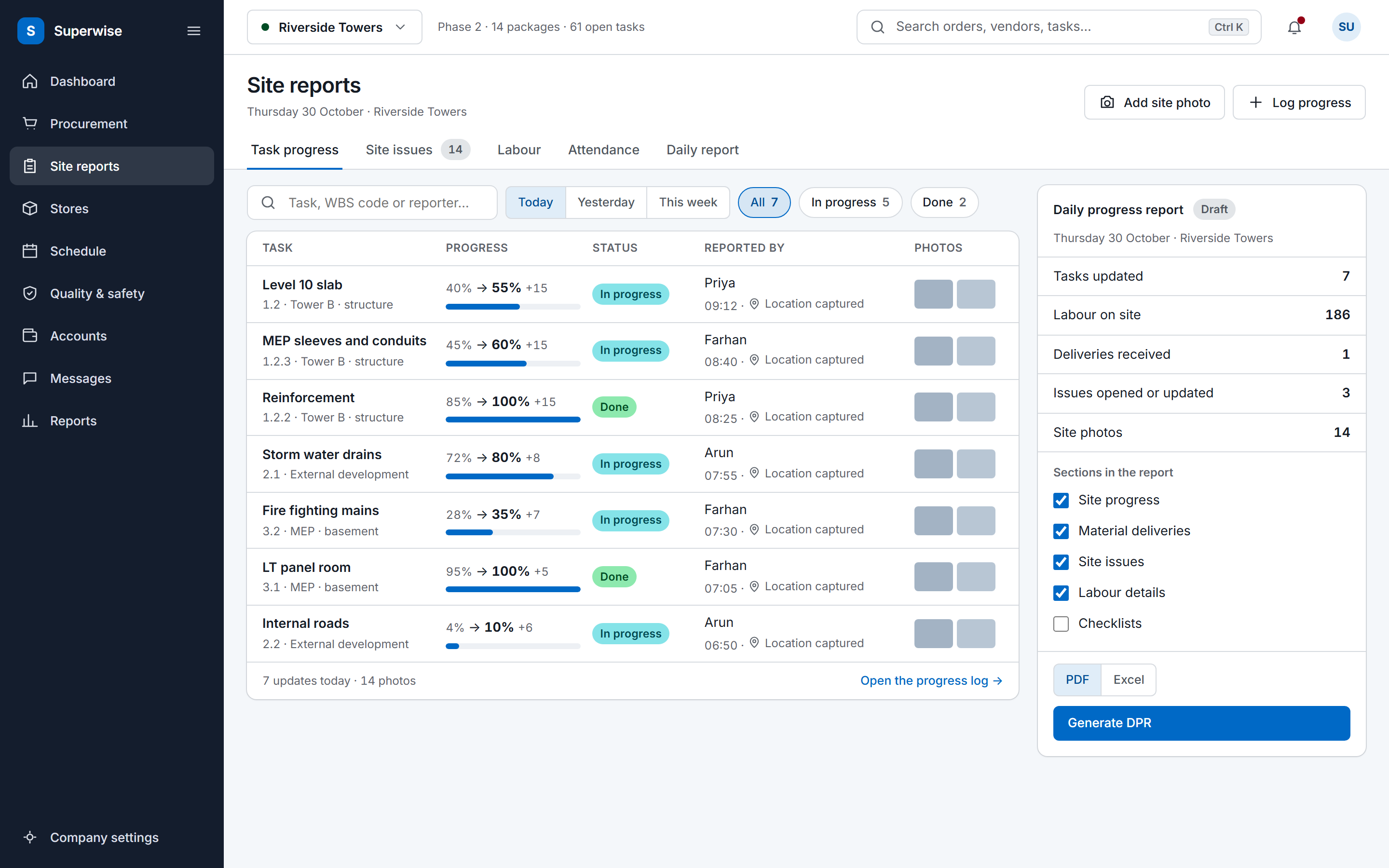
The DPR built from the day's site records
Site reporting
Construction site reporting is the set of records and reports that tell the office what happened on site. SuperWise keeps one set of records and reads the DPR, MIS report and monthly summary from it.
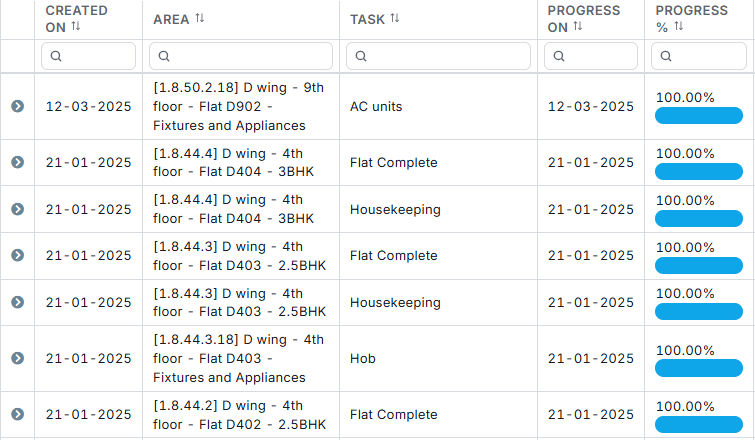
Housekeeping, flat D404
The problem
SuperWise gives the office the answer without the calls: progress, issues, labour and equipment are logged on site, and every report reads from those records.
Three reports read the same project records, one for a day, one for management and one for a calendar month.
Site problems and delays are logged as issues with a type, priority, owner, target date, comments and photo attachments.
Labour challans give the daily workforce by contractor. Equipment rental challans and equipment logs record machinery.
Task progress, measurement sheets and BOQ-wise outflow sit in the same project as the reports that read them.
The crew logs once on site, and every report reads from it.
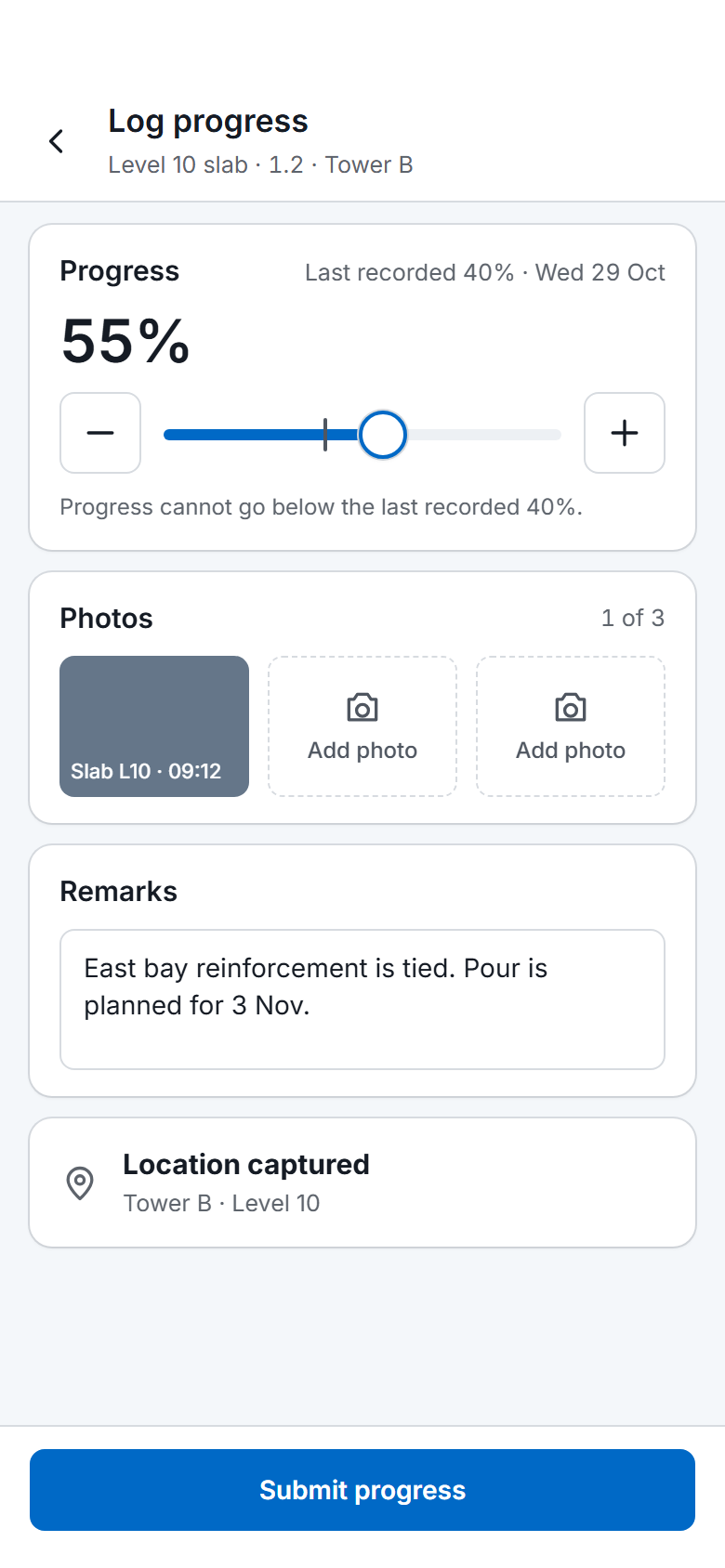
A supervisor opens the task on the phone, sets the progress, adds photos and submits. The update carries the date, the person and the location, and goes for approval. Labour and equipment are logged the same way, as challans.
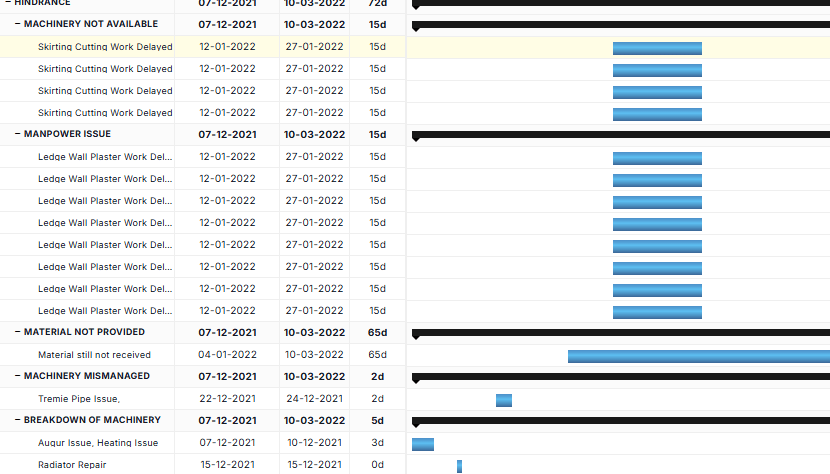
A delay or a defect becomes an issue with a type, a priority, an owner, a target date and photos. It links to the task it holds up and moves from open to closed, so the hindrance log builds itself as the work goes on.
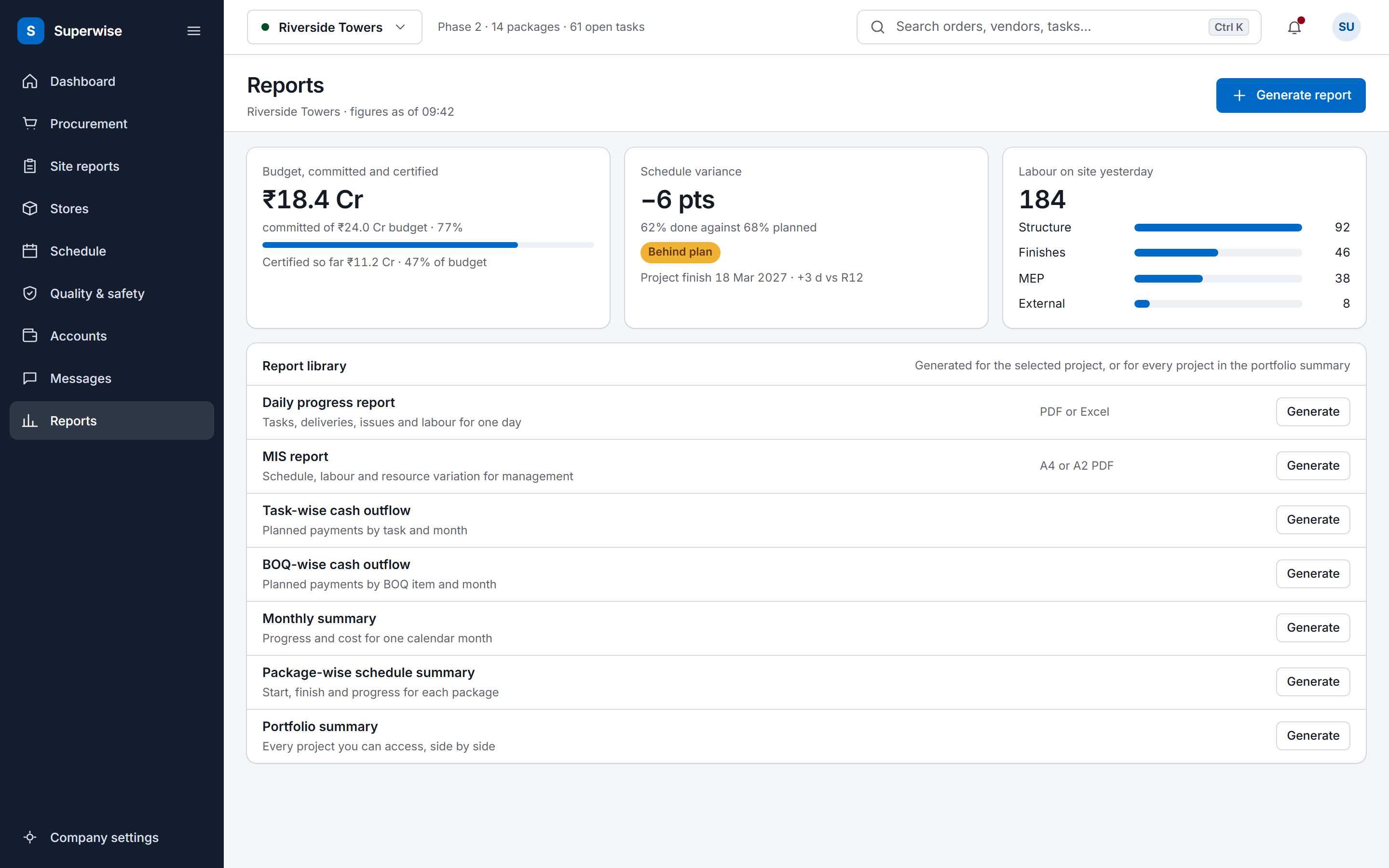
The DPR covers one day, the MIS report is the management pack and the monthly summary covers a calendar month. All three are generated from the same project records, as PDF or Excel, whenever someone asks for them.
The DPR is one view of five kinds of site record. The MIS report and the monthly summary read the same project modules over a longer period.
The pack starts with four reports, and each one is generated on request from project records. The daily progress report covers one date or a date range in eleven selectable sections. The daily reporting module page lists each section and the record it reads.
The MIS report is the management pack. It is generated as an A4 or A2 PDF with sections you pick. The A4 format covers task summaries by cost and by schedule, a baseline schedule, a labour report by contractor and month, a material consumption forecast, a material procurement schedule, a material variation report and unplanned material purchases. The A2 format is a large-format set that suits a site board, with a task summary, task forecasts, a BOQ summary and BOQ forecasts.
The monthly summary gives progress and cost for one calendar month. The portfolio summary lists every active project with its schedule status, overall percentage complete, cost to date against budget and number of open issues, for directors and PMO review. The reports download as PDF or Excel.
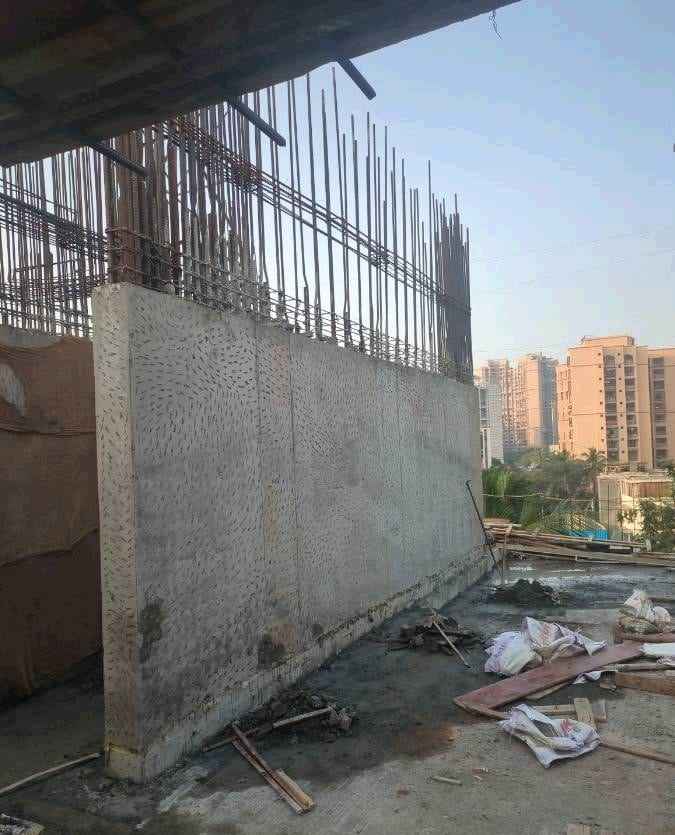
On site
An update from the crew on the deck carries a photo, a location and a time.
Issues carry the problems and the delays. Each one has a type from your master list, a title, a description, a priority from low to critical and a status of open, in progress, resolved, closed or rejected. It names who opened it, who is responsible, the contractor or department accountable and a target closure date. It can link to a schedule node, a WBS area or a single task, takes a GPS location, and holds a comment thread and photo attachments.
Delays are logged as issues. Typical entries are a pile machine breakdown, bad weather for the day's work, or progress held up because soil was not disposed of. The construction hindrance and delay log shows how to structure that record before you move it into the issue log. The help agent can raise an issue, and a Zapier action can create one from another app.
Labour challans record the workers a contractor put on site each day by labour category, with a challan reference, notes on the work done, photos and a GPS location. Equipment rental challans record rented machinery with its rental period, and equipment logs record the hours an owned machine ran and what it did. The DPR reads labour and issues. Equipment records sit in their own modules.
Task progress is the link to the schedule. A progress update on a task, with its percentage and dates, shows in the DPR's site progress section for its date. The schedule-wise task summary in the MIS report and the package-wise schedule summary read the same progress against the baseline. The construction scheduling page explains how progress is recorded and checked.
Measurement sheets are the link to the BOQ, and they follow the measurement book format. A sheet recorded on the day appears in the DPR's measurement section, and once approved it updates the BOQ progress that RA bills claim against. The BOQ-wise cash outflow report then sets what has been committed through POs and work orders against what has been certified, for each bill of quantities item, and the MIS report adds a BOQ summary of contracted, measured, billed and remaining quantities.
The MIS report lists unplanned material purchases, which are delivery challans with no matching PO or no BOQ link, so a purchase made outside the plan shows in the same pack.
Each record behind a report keeps its own trail. Delivery challans, indents and issues keep who created them and when. Issues also keep who opened, resolved and closed them, with the dates. Purchase orders, work orders and bills keep who changed their status and when, and approval steps record the approver, the date and a comment. An administrator can also turn on a visible timestamp for images captured through the mobile app.
Approvals govern the records that carry money. A company sets approval steps by role for documents such as POs, work orders, RA bills, expense vouchers and schedule changes, and a project can override them. A company setting can send a push or email notice to the creator when a challan, PO or bill is rejected.
Reports leave SuperWise as a PDF or Excel download or as the download link the help agent returns, and the Zapier trigger Daily Report Created passes the event to other apps. Teams that still report from spreadsheets can compare their format with the construction daily report template and the construction reporting pack for India. The daily report app builds the same report from records. To see the pack on a live project, book a demo.
The pack has the daily progress report for a date or a range, the MIS report in A4 or A2 format, the monthly summary and the portfolio summary. Behind them sit the issue log and the labour, equipment and delivery records. All are generated from project records and download as PDF or Excel.
As issues. An issue has a type, a priority, a status, a responsible person, a target closure date and photo attachments, and it can link to a schedule node or task. The DPR's site issues section lists issues opened or updated on the report date, so a delay logged that day appears in the report.
Yes, through shared records. A measurement sheet recorded on the day appears in the DPR, and once approved it updates the BOQ progress that RA bills claim against. The MIS report and the BOQ-wise cash outflow report read the same project records over a longer period, so billing and reporting agree.
You download the DPR or MIS report as PDF or Excel and send it yourself. SuperWise documents no client share link and no email or WhatsApp delivery. A Zap on the Daily Report Created trigger can pass the event to apps such as Slack or Google Sheets, and the help agent returns a download link to users who can view reports.
Each record keeps its own. Delivery challans, indents and issues keep who created them and when, issues keep who opened, resolved and closed them, and approval steps record the approver, the date and a comment. The DPR is generated from these records, so a figure in the report traces to the record behind it.
Not as a section. Equipment rental challans and equipment logs are recorded in their own modules. The DPR's eleven sections cover site progress, measurements, material inventory and deliveries, issues, labour, tools, attendance, materials supplied, indents and checklists, so equipment hours do not appear in it.
Book a demo and we generate the DPR, the MIS report and the monthly summary from one project in your account.