
Construction reporting pack for India
The three templates and a one-page SOP in one download.
Template
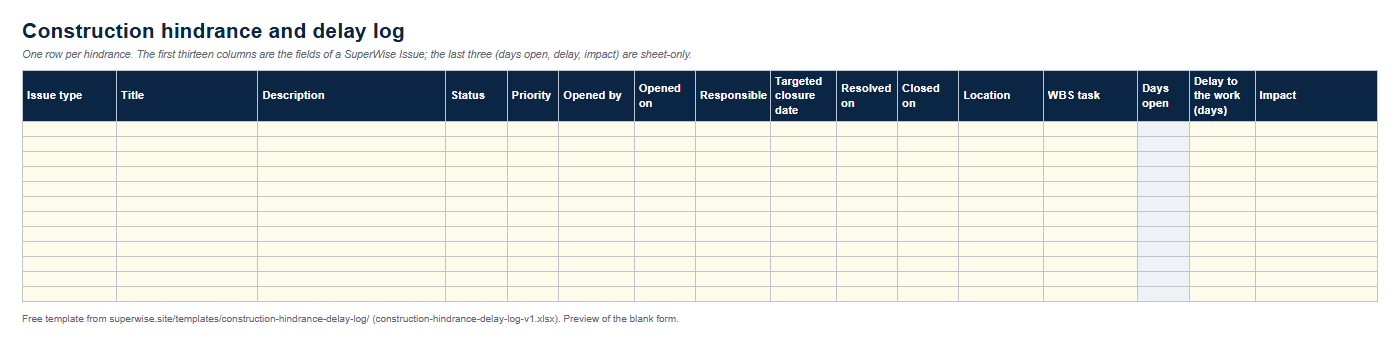
An Excel log with the fields SuperWise keeps for an Issue, a status and priority dropdown on every row, and sheet-only columns for delay days and impact.
Enter your name, work email and mobile number. The link to the Excel file appears as soon as the form is sent.
We could not confirm your request.
This download is sent on request. Email info@superwise.site and we reply with the file.
The workbook has three sheets. The Hindrance log has one row per hindrance and sixteen columns. The first thirteen are the fields SuperWise keeps for an Issue: issue type, title, description, status, priority, opened by, opened on, responsible person, targeted closure date, resolved on, closed on, location and WBS task.
The last three are sheet-only. Days open is a formula from the dates, Delay to the work holds the days you assess the hindrance cost, and Impact is a short note. SuperWise does not store them, so the tables below mark them as sheet-only. The Summary sheet counts rows by status and priority and adds up the delay days.
| Column | Product field | Documented in |
|---|---|---|
| Issue type | IssueTypeId | site-monitoring/issues.md |
| Title | Title | site-monitoring/issues.md |
| Description | Description | site-monitoring/issues.md |
| Status | Status | site-monitoring/issues.md |
| Priority | Priority | site-monitoring/issues.md |
| Opened by | OpenedBy | site-monitoring/issues.md |
| Opened on | OpenedOn | site-monitoring/issues.md |
| Responsible | ResponsibleUserId | site-monitoring/issues.md |
| Targeted closure date | TargetedClosureDate | site-monitoring/issues.md |
| Resolved on | ResolvedOn | site-monitoring/issues.md |
| Closed on | ClosedOn | site-monitoring/issues.md |
| Location | Location | site-monitoring/issues.md |
| WBS task | WBSTaskId | site-monitoring/issues.md |
| Days open | DaysOpen sheet-only | site-monitoring/issues.md (not a product field: calculated from the dates) |
| Delay to the work (days) | DelayDays sheet-only | site-monitoring/issues.md (not a product field: the delay you assess) |
| Impact | Impact sheet-only | site-monitoring/issues.md (not a product field: schedule, cost or quality effect in words) |
In the product a hindrance is an Issue, so one row is one Issue. Add the row on the day the hindrance starts.
A log helps a claim only if each row can be tied to the schedule and to a date.
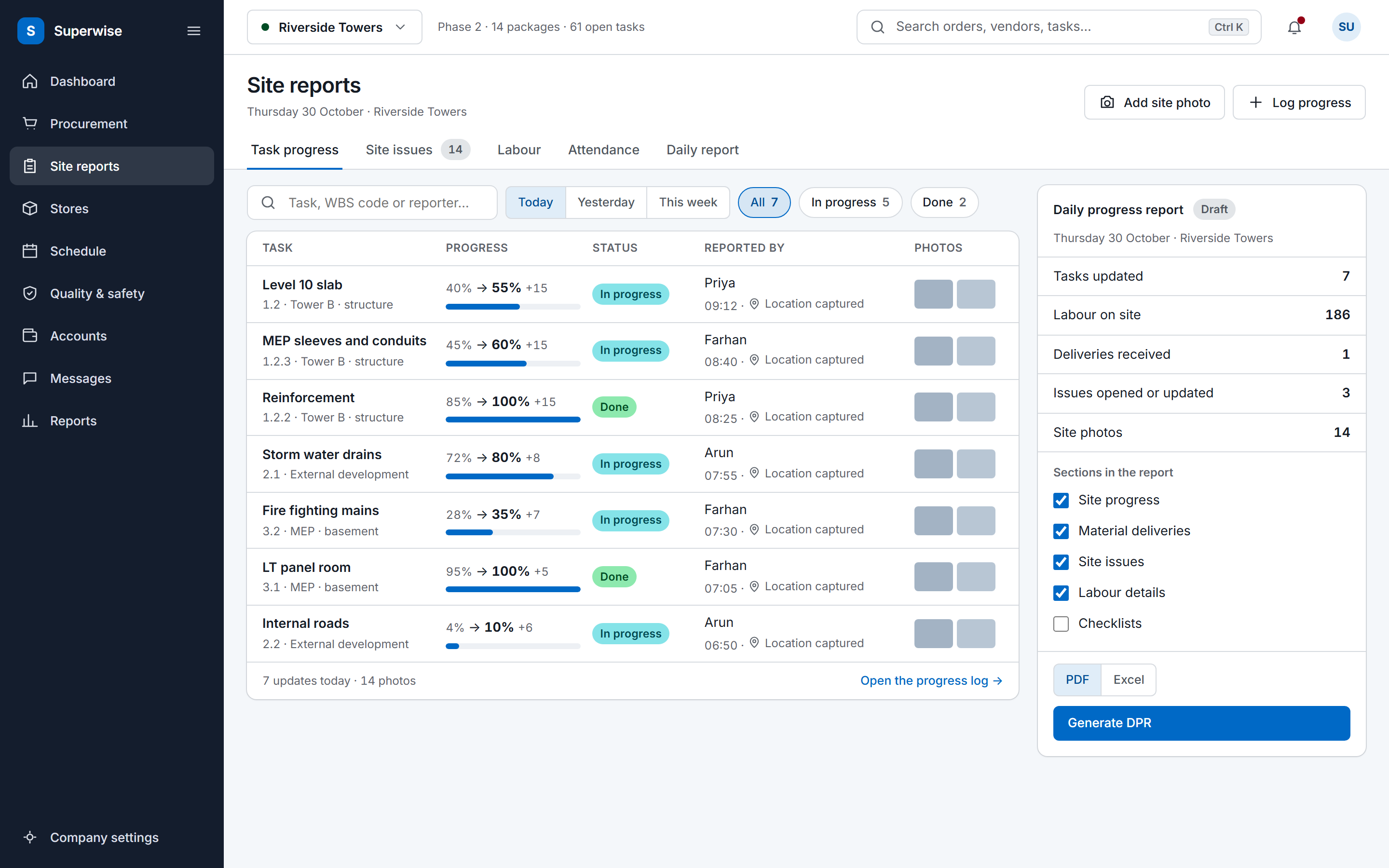
SuperWise keeps each hindrance as an Issue with the same fields, linked to a WBS task and a schedule node, with comments and attachments such as photos. Resolving and closing are separate steps that record who acted and when. The Issues that open or change on a day appear in the Site Issues section of the DPR.
Issues can also come from other tools: the Zapier integration has a Site Issue Created trigger and a Create Site Issue action.
Any event that stops or slows planned work: a machine breakdown, bad weather, a late drawing, soil not cleared. In SuperWise each one is an Issue with an issue type, a priority and a link to the WBS task it affects.
It gives you dated rows, the task affected and your assessed delay days. Whether that is enough for a claim depends on your contract and its notice terms, which the log does not decide. Add photos and letters outside the file and note the reference in the description.
The product guide documents the dates on an Issue but no delay days or impact field, so the template adds them as sheet-only columns. You can keep them in the workbook while the Issue itself lives in SuperWise.
Yes. The guide lists the vendor ledger as a linked record, so a penalty or debit can be raised against a vendor for an issue. The workbook has no column for it.
Book a demo and we raise, resolve and close an Issue on the demo project.