
AI in SuperWise
Ask SuperWise now. AI scheduling is in development.
Ask SuperWise is the AI help agent in the portal. It answers product questions and drafts purchase orders for you to check. The AI schedule builder is still in development.
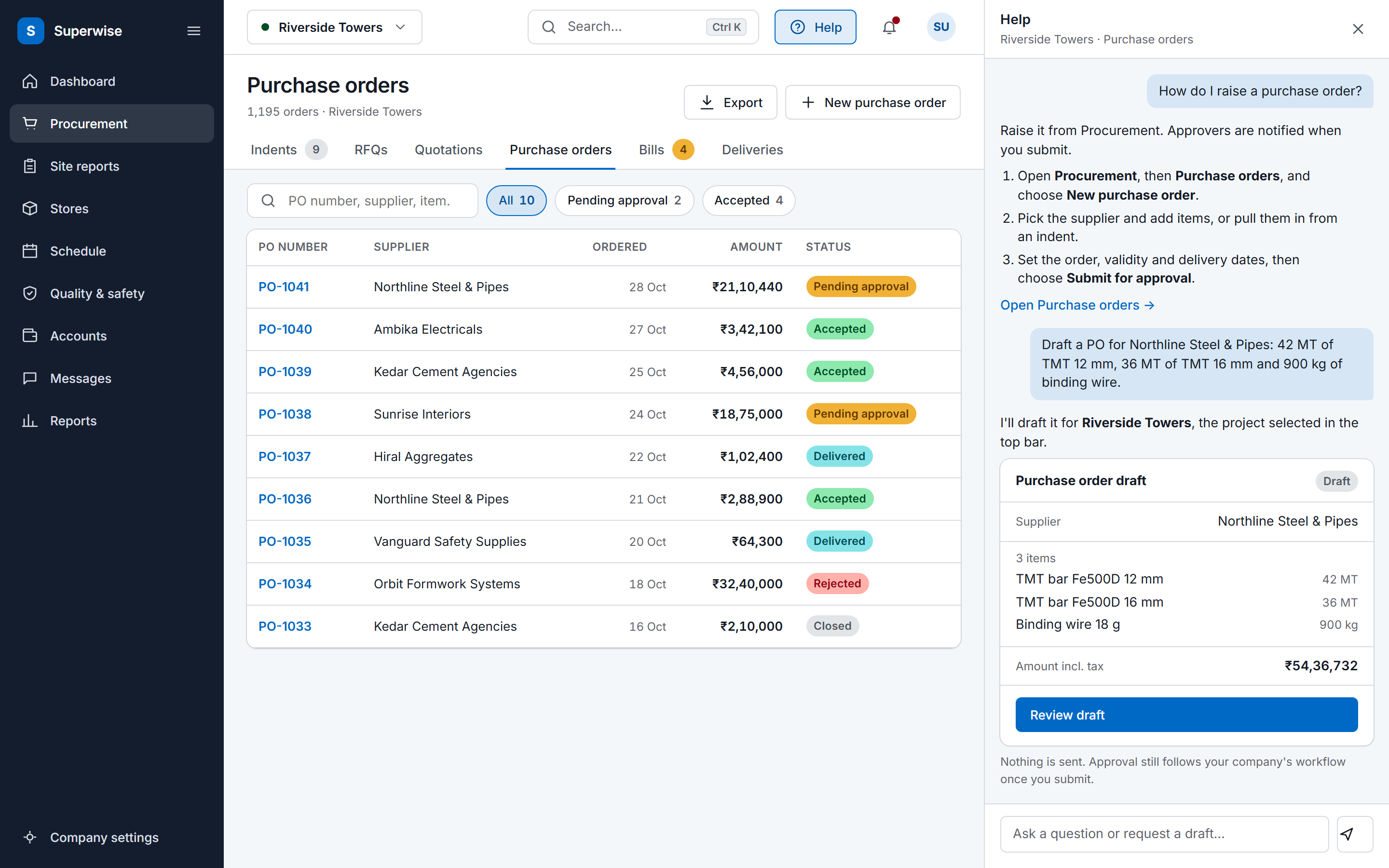
In the portal now
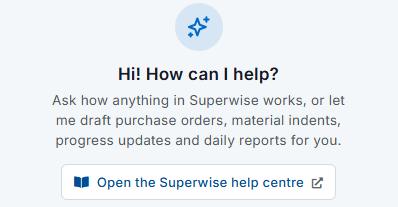
Ask SuperWise, the help agent in the portal
The help agent is a chat widget inside the portal. Each question goes to one specialist, and the knowledge specialist answers from the SuperWise product guide: where to find a screen, how a workflow runs, and why a user cannot see something.
The knowledge specialist is read-only. It reads the product guide and changes no record.
The panel opens beside any screen, and knows which page and project you are on.
What the help agent can do for you
Each action has its own specialist. The user asks in the chat, and the specialist finds the project and the other records it needs before it acts.
| Task | What you type | What it does |
|---|---|---|
| Answer a how-to question | How do I record a material delivery? | It answers from the product guide and changes no record. |
| Draft a purchase order | Create a purchase order for 100 bags of cement from my supplier. | It finds the project, the vendor and the resources, then creates a purchase order as a draft. |
| Draft a material indent | Help me raise a material indent. | It finds the project and the materials, then creates a material indent as a draft. |
| Log task progress | Log 40 percent progress on the plastering task. | It finds the project, looks up the task by location and logs the progress. |
| Generate a DPR link | I need the daily report for yesterday. | It generates the daily progress report for one date or a date range and returns the download link. |
| Raise a site issue | Raise an issue about a broken scaffold. | It resolves the project, issue type, location, task, assignee, severity and due date, then raises the issue. |
Bulk CSV import
Vendors, resources, labour reports and material delivery challans can be loaded from a CSV file in four steps. The agent validates the rows, reviews likely duplicates, runs a dry run, and the last step commits the import.
What stays under your control
Ask SuperWise works under your name and your permissions. It prepares records, and people decide.
-
Your permissions
Action specialists are set up from the user's portal privileges: Add on purchase orders, material indents, progress and issues, and View on reports. The portal API remains the enforcement layer.
-
Your identity
In the portal, the server normally supplies the user's identity, privileges and credentials to the agent.
-
Drafts for you to check
Purchase orders and material indents are created as drafts. None of its tools approves a record, so approval stays with the people your workflow names. Check what it prepares before you rely on it.
-
A trial run before anything is stored
A bulk import validates the rows, reviews likely duplicates and runs a dry run. Only the last step stores the data.
In development
AI schedule builder, in development
The builder is a chat agent that helps a project manager create a schedule through a conversation. It works in phases. Discovery asks about the project. Template design turns the answers into a schedule template of phases and tasks with their predecessors.
Playground assembly then places the tasks as nodes and links them on the schedule playground, with group nodes to hold related work such as a wing or a floor. Cycle and dependency checks run before anything goes to the portal.
Still to come are the validation and approval loop, which saves the schedule, runs the portal's validation and reads the result back, and the sync of a built schedule into the portal.
Automation with Zapier
Zapier connects SuperWise to other tools through an OAuth2 REST API. A Zap acts only as the user who authorised it, with that user's role permissions.
Triggers fire when a purchase order is created or approved, when a material indent is created, when task progress is logged, when a site issue is opened and when a daily report is submitted. A Zap can create a site issue in SuperWise.
Frequently asked questions
Does the help agent change data on its own?
No. The help agent acts only when a user asks in the chat. Purchase orders and material indents are created as drafts, a bulk import ends with a separate commit step after validation and a dry run, and the portal API remains the enforcement layer for the user's privileges.
What can the help agent do?
It answers questions about SuperWise from the product guide, and it can draft a purchase order or a material indent, log task progress, generate a DPR link for a date or a date range, raise a site issue, and validate and import a bulk CSV of vendors, resources, labour reports or material delivery challans.
Which privileges does each action need?
A purchase order draft needs Add on Purchase Orders, a material indent needs Add on Material Indents, task progress needs Add on Progress and a site issue needs Add on Issues. A DPR link needs View on Reports, and a bulk import needs Add on the area it loads, such as Organizations or Resources.
Is the AI schedule builder available?
Not yet. The AI schedule builder is in development. It already talks through a project, drafts schedule templates and places playground nodes from the conversation. The validation and approval loop, and the sync of a built schedule into the portal, are still to come.
Where does the help agent get its answers?
From the SuperWise product guide only. The knowledge specialist retrieves from the guide and answers navigation, workflow and troubleshooting questions, including why a user cannot see a screen. It has no action tools, so a question to it never changes a record in a project.
What can Zapier automate in SuperWise?
Triggers cover purchase orders created and approved, material indents created, task progress logged, site issues created and daily reports submitted, and a Zap can create a site issue. Zapier acts only as the user who authorised it, so it sees and creates only what that user's role allows.
See the help agent in your own portal
Book a demo and we show it working on your site data.