
Daily report template
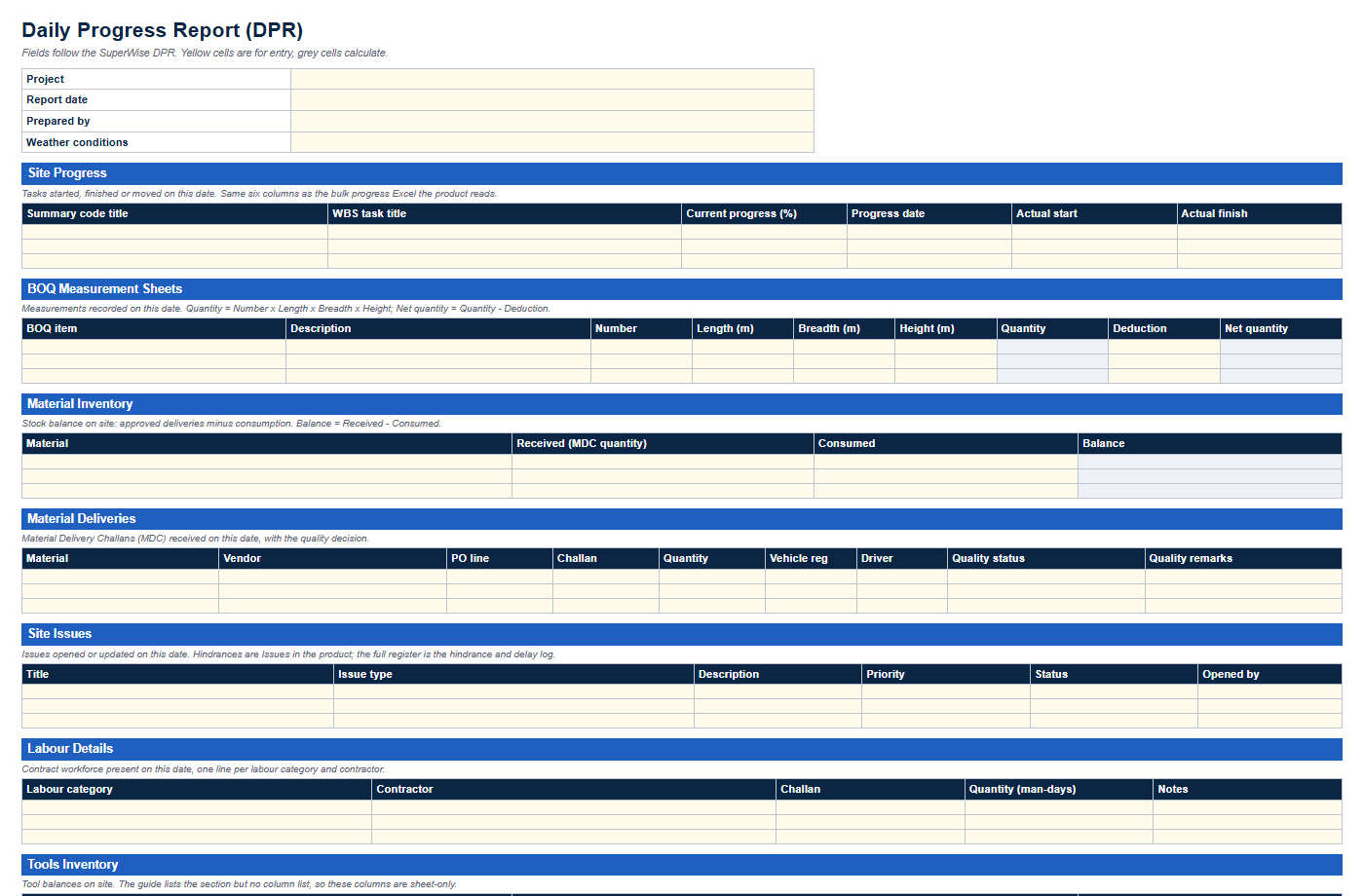
The DPR workbook and its field list.
Resource
A daily progress report, an RA bill format and a hindrance and delay log in Excel, with a one-page SOP that says who fills what and when. Every file uses the field names of SuperWise.
Enter your name, work email and mobile number. The links to the three Excel templates and the SOP appear as soon as the form is sent.
We could not confirm your request.
This download is sent on request. Email info@superwise.site and we reply with the file.
The pack has four files. Three are Excel workbooks: the daily progress report (DPR), the RA bill format and the hindrance and delay log. The fourth is a one-page SOP in PDF. Each workbook also has a PDF preview that you can open without sharing your details.
The files use the field names and status values of SuperWise, such as QualityStatus, RetentionDeduction and Priority, wherever the product guide documents them. A column the guide does not document is marked sheet-only on the template pages. You can use the pack without SuperWise. If you adopt SuperWise later, the same names carry over.
The DPR template has eleven sections: Site Progress, BOQ Measurement Sheets, Material Inventory, Material Deliveries, Site Issues, Labour Details, Tools Inventory, Site Attendance, Materials Supplied, Material Indents and Checklists. The site engineer fills one workbook per project per day. Quantity, Net quantity and stock Balance are formulas, and status fields are dropdowns.
Use it every day. It is the source for the other two files, because a delivery rejected on Tuesday and a hindrance that began on Wednesday are first written down in the DPR.
The RA bill template has an abstract with previous quantity, amount, retention and net payable, a measurement sheet in the measurement book format and a certification checklist. The billing engineer fills it once per bill. Measure first, then fill the abstract, then work through the checklist.
File the DPRs and the hindrance log for the same period with the bill. They support the quantities and any extension of time claim.
The log has one row per hindrance, with the fields SuperWise keeps for an Issue and three sheet-only columns: days open, delay to the work and impact. The project manager keeps one file open for the whole project and reviews the Open rows every week.
A row added on the day a hindrance starts, with the WBS task it held up and a targeted closure date, is the evidence a delay discussion needs later.
The SOP is a single page for the site office wall. It sets what happens every day (site engineer, supervisor and store keeper), every week (project manager and planner) and for every RA bill (billing engineer and project manager). It also sets file names and an owner for each file.
Change the names and the timing to suit your project and keep the order. The last section says when a paper-first routine stops working.
In SuperWise each fact is entered once and the reports are generated from the entries. The DPR is built from site progress, measurement sheets, deliveries, issues, labour and checklists for the date you pick. RA bills run against work orders with quantities from the measurement sheets. Issues carry the hindrance fields and link to the WBS task.
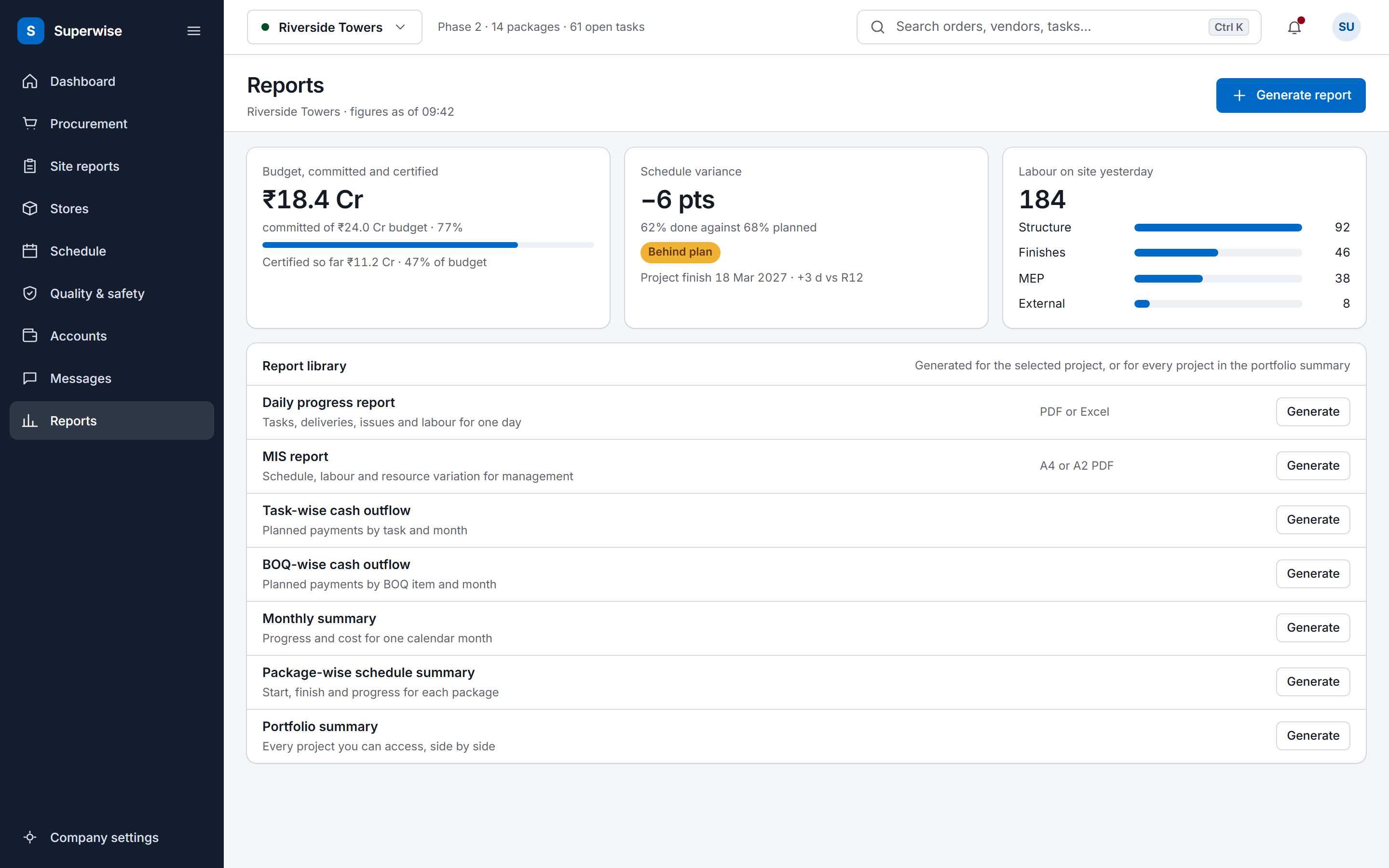
SuperWise also generates the MIS report as an A4 or A2 PDF, with schedule and cost task summaries, a baseline schedule and material forecasts. The pack has no MIS template, because that report is generated from project data.
No. A contractor's site team fills the DPR and the hindrance log, and its billing engineer uses the RA bill format. A PMC or a developer can ask contractors to use the same files, which makes reports from different packages comparable.
Yes. Save one workbook per project per day for the DPR, one open hindrance log per project and one RA bill workbook per bill. The SOP names the files by project code so that they do not mix.
Start with the DPR. It captures the daily facts that the hindrance log and the RA bill rely on. Add the hindrance log in the second week and the RA bill format at your next bill.
No. They are ordinary Excel and PDF files. SuperWise generates the same reports from its own records, so the pack is the manual version of that routine.
Book a demo and we produce a DPR, an RA bill and an MIS report from the demo project's records.