
Roles

Transparent monitoring for public infrastructure works

SuperWise is e-governance infrastructure project monitoring for municipal corporations and road, rail and housing bodies: a measurement book kept as records, bills certified through approval steps, and an audit trail on every document.

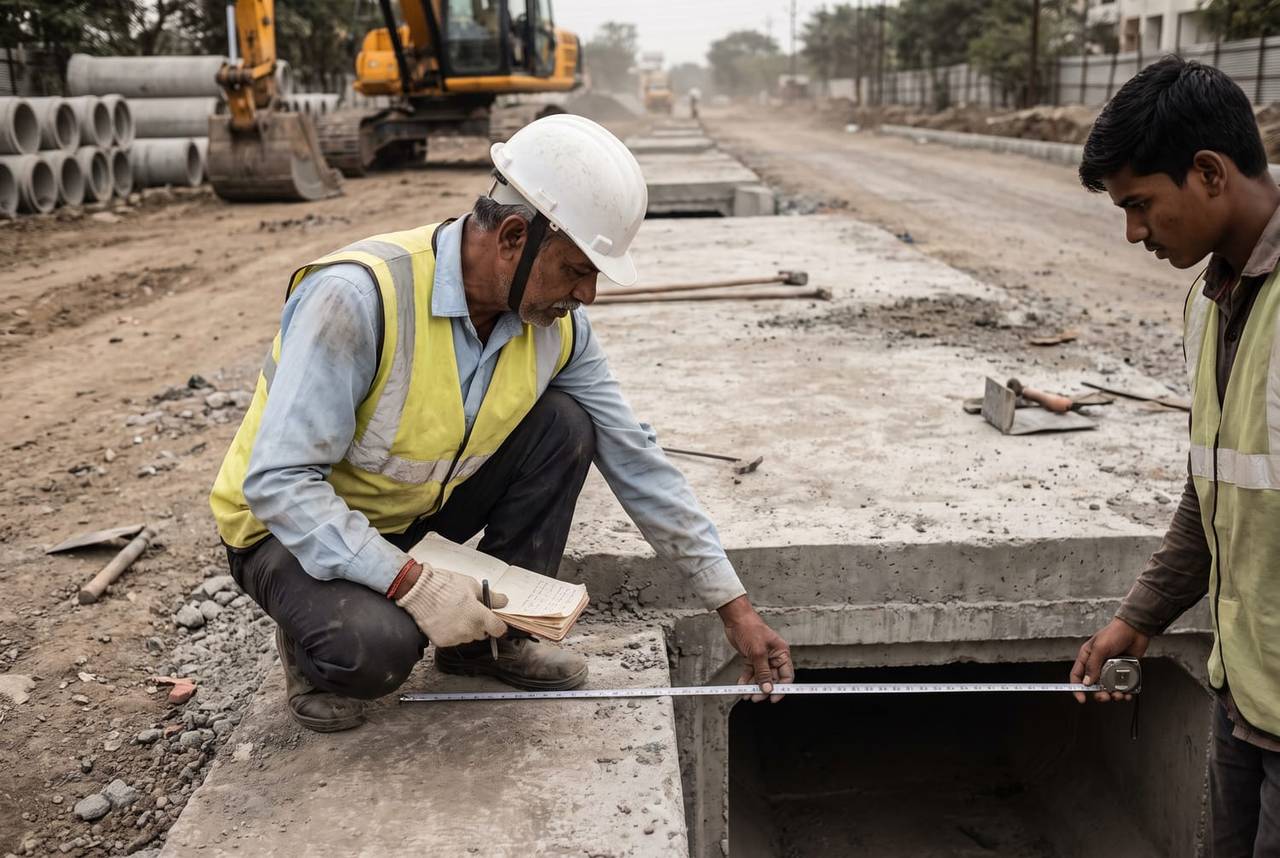
A municipal engineer in a white helmet and hi-vis vest measures a freshly cast concrete culvert with a steel tape and a field notebook while an assistant holds the tape end, on a road works site
Measurement recorded · 12:10

Culvert wall · Measurement sheet

Pune100%
Quantity from dimensionsLinked to BOQ itemSent for approval

The firm’s headache

The measurement book is a paper register.The audit asks who changed which line.

Morning, site, office

A works engineer's day on SuperWise

  1. Morning 9:30

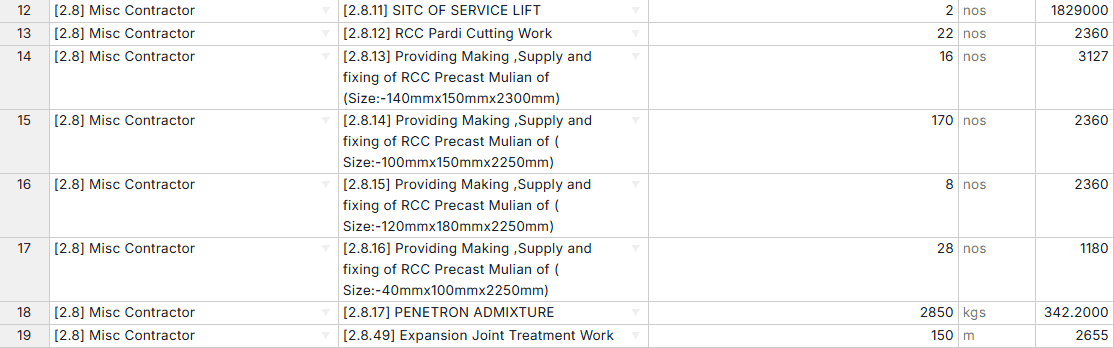
    Update Project BOQs sheet, rows 12 to 19, with work item category, work item, quantity, unit and rate for a service lift, precast mullions, an admixture and an expansion joint

    The sanctioned item opened first

    The BOQ holds each sanctioned item with its quantity, rate and amount. The engineer compares planned with measured quantity for an item before measuring on site.

  2. On site 12:10

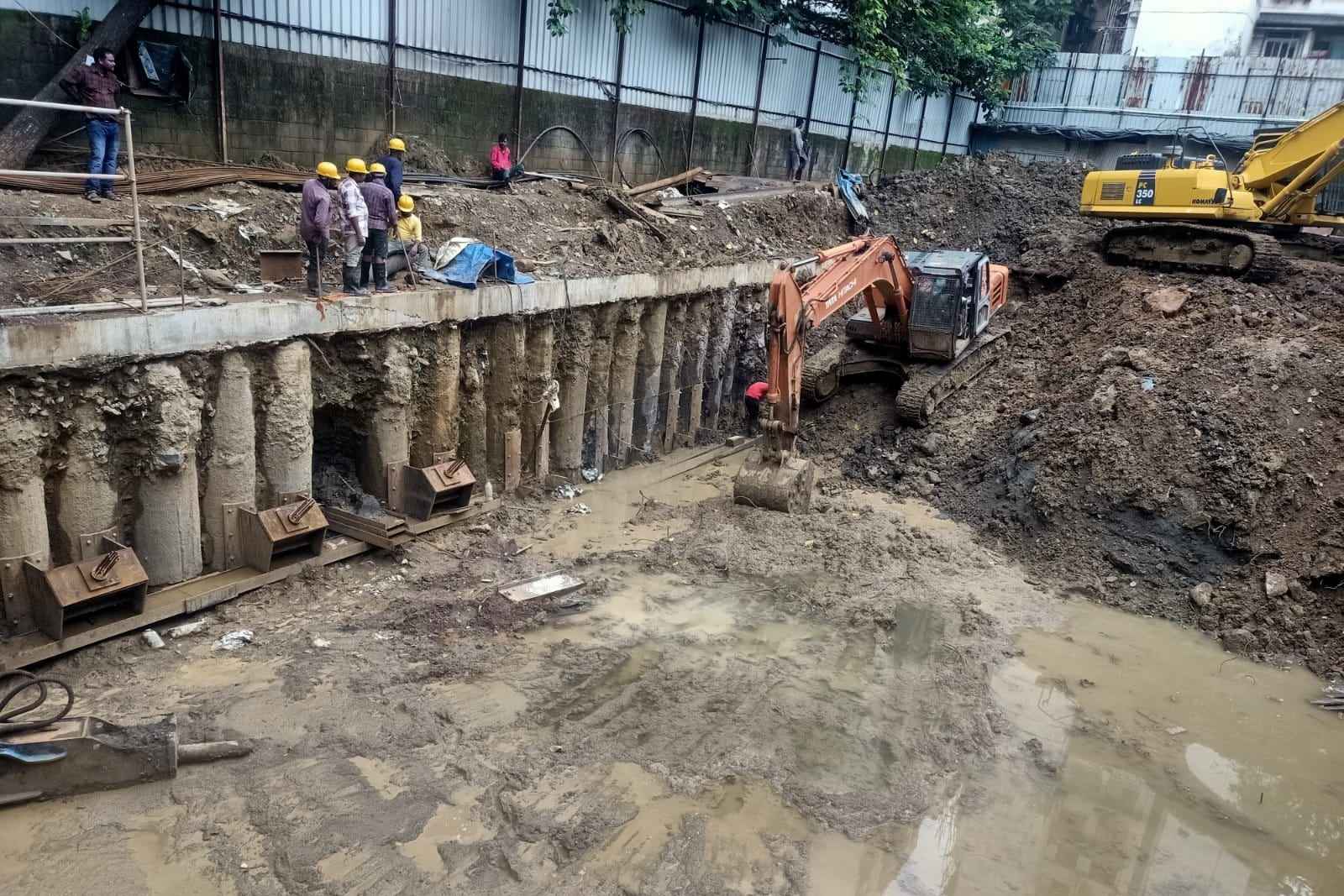
    Excavation pit beside a wall of bored piles, an excavator at work in the mud and five people watching from the capping beam above

    The measurement taken, then entered

    A measurement sheet keeps each line in measurement book format: number, length, breadth, height and deduction, with the quantity worked out. Each sheet names its BOQ item and work order.

  3. In the office 16:30

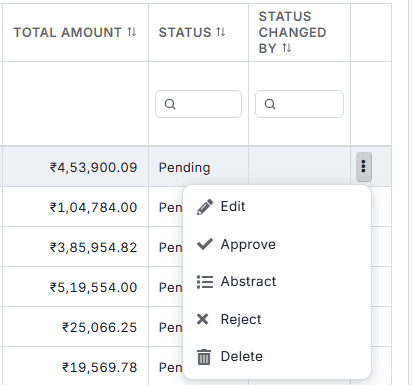
    RA bills list showing total amounts and Pending status, with the row menu open: Edit, Approve, Abstract, Reject and Delete

    The bill certified in steps

    An RA bill reads its quantities from approved sheets. Approvers sign it off in steps, and each step records who acted, when, and the comment.

Three workflows

Three workflows for public works

01 · Measurement book

The measurement book, kept as records

A sheet replaces the register or the Excel file with lines in the same format. Approving it updates the BOQ progress, and the RA bill reads its quantities from approved sheets.

  • Record each line with its dimensions and deduction
  • Name the BOQ item and the work order
  • Approve the sheet to update the BOQ progress
See the digital measurement book
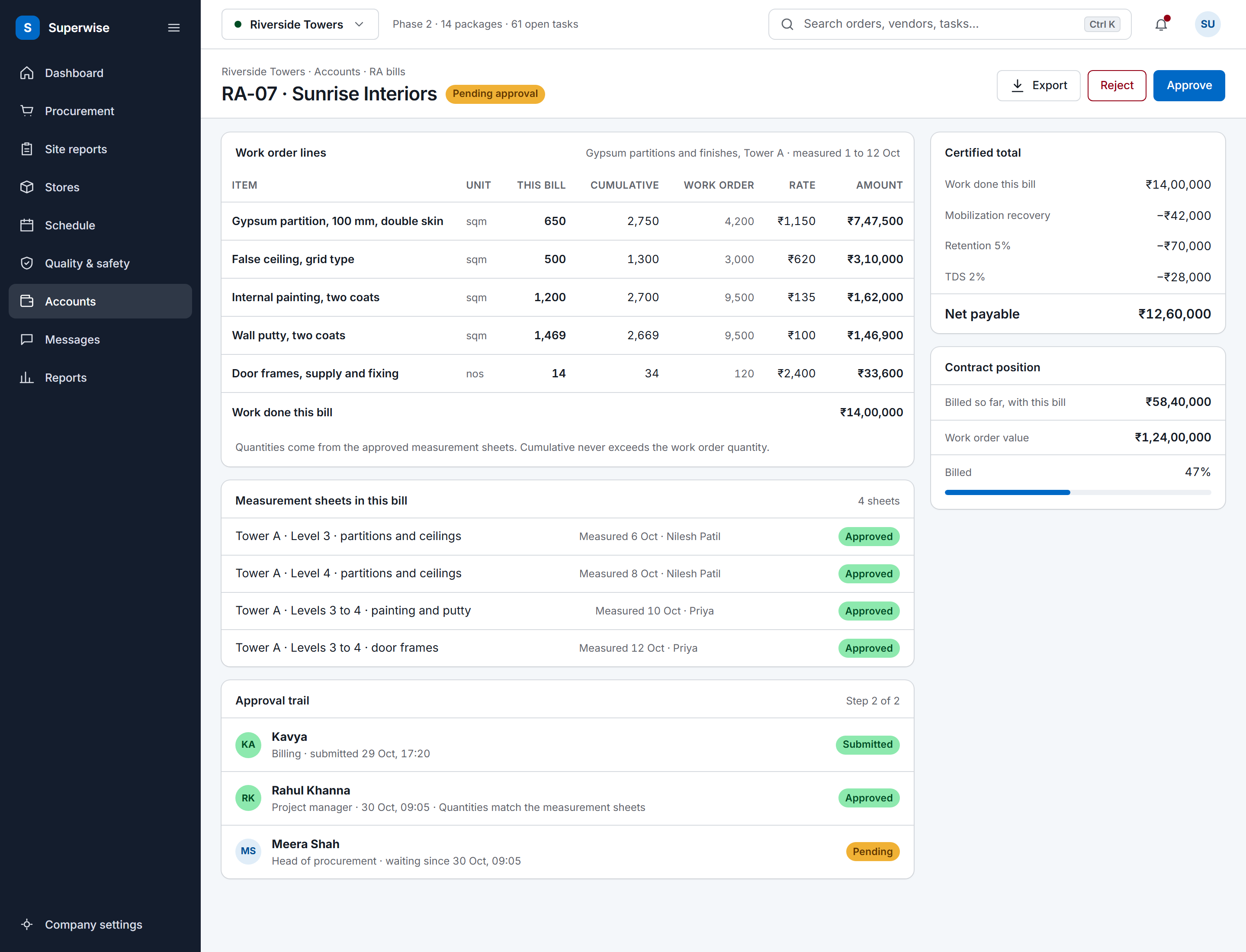
A SuperWise running account bill for a contractor: work order lines with this bill, cumulative and work order quantities, rate and amount, the certified total with mobilization recovery, retention and TDS deducted to a net payable, the approval trail and the contract position.
02 · Certification

Bills certified step by step

An RA bill claims cumulative quantity up to the work order quantity. A bill inward prints a certification slip with the deductions, the payable amount and the creator and approver stamps.

  • Raise the bill for the execution period
  • Approvers sign off in steps by role
  • Print the slip for a supplier bill
See RA bill certification
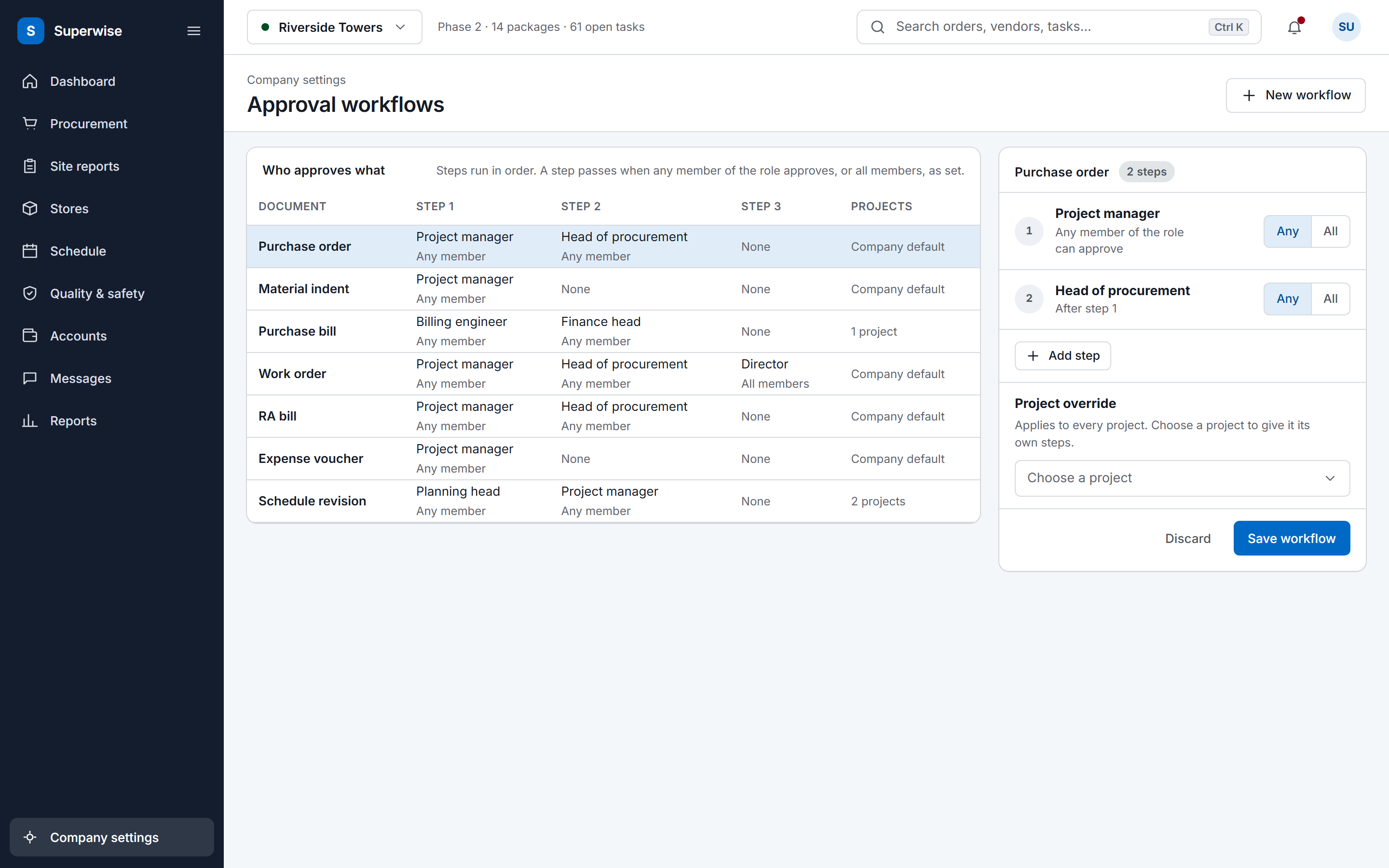
The SuperWise approval workflows settings: a matrix of document types by approval steps with the role and whether any or all members must approve, and an editor for the purchase order workflow with a project override and a Save workflow button.
03 · Tenders

Sealed bids and a trail on every record

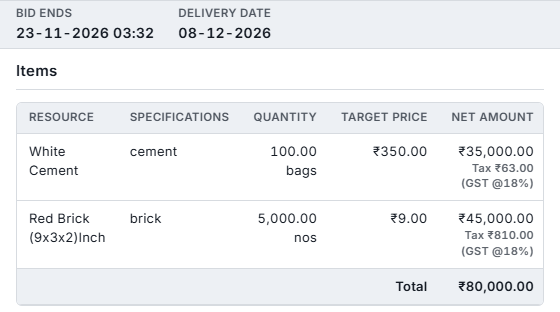
In a Tender, vendors submit sealed bids on the vendor portal and cannot see other quotes. Purchase orders, work orders and bills keep who created and changed them, and amendments keep the earlier version.

  • Invite vendors to a sealed Tender
  • Compare the quotations and award one
  • Read who changed what, and when
See the billing engineer's day
RFQ side panel with bid end and delivery dates and an items table: 100 bags of white cement and 5,000 red bricks with target prices, net amounts and a total of 80,000 rupees

Before and now

What changes for government bodies

Modules an e-governance team uses

The digital measurement book and RA bill pages show the two central records in detail.

Modules a government body uses to monitor works and what you do in each
ModuleWhat you do in it
Measurement sheetsRecord each measurement in measurement book format against a BOQ item and a work order. Approving the sheet updates the BOQ progress.
Project BOQ and BOQ playgroundHold the sanctioned items with quantity, rate and amount, and compare planned with measured quantity for an item or node.
Work orders (WO)Award works at BOQ rates with retention and mobilisation terms. Amendments raise the revision and record a reason.
Running account bills (RA bills)Certify a contractor's running bill for an execution period, with cumulative quantity capped at the work order quantity.
Approval workflowsSet approval steps by role, and read the approver, the date and the comment recorded at each step.
Requests for quotation (RFQ)Run the Tender bid type, where vendors submit sealed bids on the vendor portal and cannot see other quotes.
Bill inward (purchase bills)Reconcile accepted challans at the PO rate and print a certification slip with deductions, the payable amount and stamps.

Records that show who did what

Purchase orders and work orders keep who created them, who last modified them and who changed their status, and bills keep who created them and who changed their status. An amendment raises the revision number and keeps a snapshot of the earlier version with the reason. A rejected material indent stays on the record for audit.

Each approval step records the approver, the date and a comment, and a rejected document returns to its submitter. External users, such as vendors, see only their own organisation.

A company can switch on a timestamp on images uploaded through the mobile app. The setting belongs to the tenant and is off by default.

The e-measurement book

A SuperWise measurement sheet replaces the Excel file or the handwritten register with records in the same format: a description, a number, length, breadth, height and a deduction, with the quantity worked out from the dimensions less the deduction. Each sheet names its BOQ item and its work order.

A worked line: 3 bays of 6 m by 12 m by 0.15 m give 32.4 cubic metres. Approving the sheet updates the BOQ progress, and the RA bill reads its quantities from approved sheets. The delivery challans, checklists and photos for the same work sit in the project, and the DPR has a section for the measurements recorded on a date.

In their words

From a public works contractor

Kunal Lakhani is a partner at Mansi Constructions, a contractor on public infrastructure projects.

Public infrastructure projects such as roads, bridges, water pipelines, railways are difficult to track given the nature & speed of work. With SuperWise, though, we have been able to efficiently track and curb pilferage on our infrastructure construction sites.

Kunal Lakhani Partner, Mansi Constructions

Running live projects since 2015.

Frequently asked questions

What is the e-measurement book in SuperWise?

It is the measurement sheet module, which follows the standard measurement book format. Each line records a description, a number, length, breadth, height and a deduction, and the quantity is worked out from them. A sheet names its BOQ item and work order, and approving it updates the BOQ progress that RA bills claim against.

How is a contractor's bill certified?

An RA bill covers an execution period, claims cumulative quantity capped at the work order quantity, and deducts retention and mobilisation recovery. Approvers sign it off in steps by role, each recording the approver, the date and a comment. A bill inward, which reconciles accepted challans, also prints a certification slip with deductions and the payable amount.

Can bidders see each other's quotes?

No. An RFQ can use the Tender bid type, which is sealed. Vendors receive an emailed link with a one-time access code, submit through the vendor portal and cannot see other vendors' quotations. The comparison view is for your team, and a quotation can be awarded only while it is valid.

Who can see what?

Roles set view, create, edit, delete and approve rights for each module area, and users are assigned to projects. Users marked as external, such as vendors, see only their own organisation. The company can also switch on a timestamp on images uploaded through the mobile app, which is off by default.

Does SuperWise replace our ERP or e-governance software?

No. SuperWise records the construction side of a works project: BOQ, measurement, work orders, bills and approvals. It does not replace accounting or ERP software, and the product guide documents no integration with an e-governance platform. A bill inward can be marked as passed to Tally, and Zapier triggers can pass events such as a purchase order approval to other tools.

See a measurement become a bill

Book a demo and we take one measurement sheet to an approved RA bill.