
Professions

Coordinate departments from one project record

SuperWise is a construction manager app. Approvals, baselines, issues and indents sit in one project, so you can coordinate planning, contracts, procurement and site work without chasing each report.

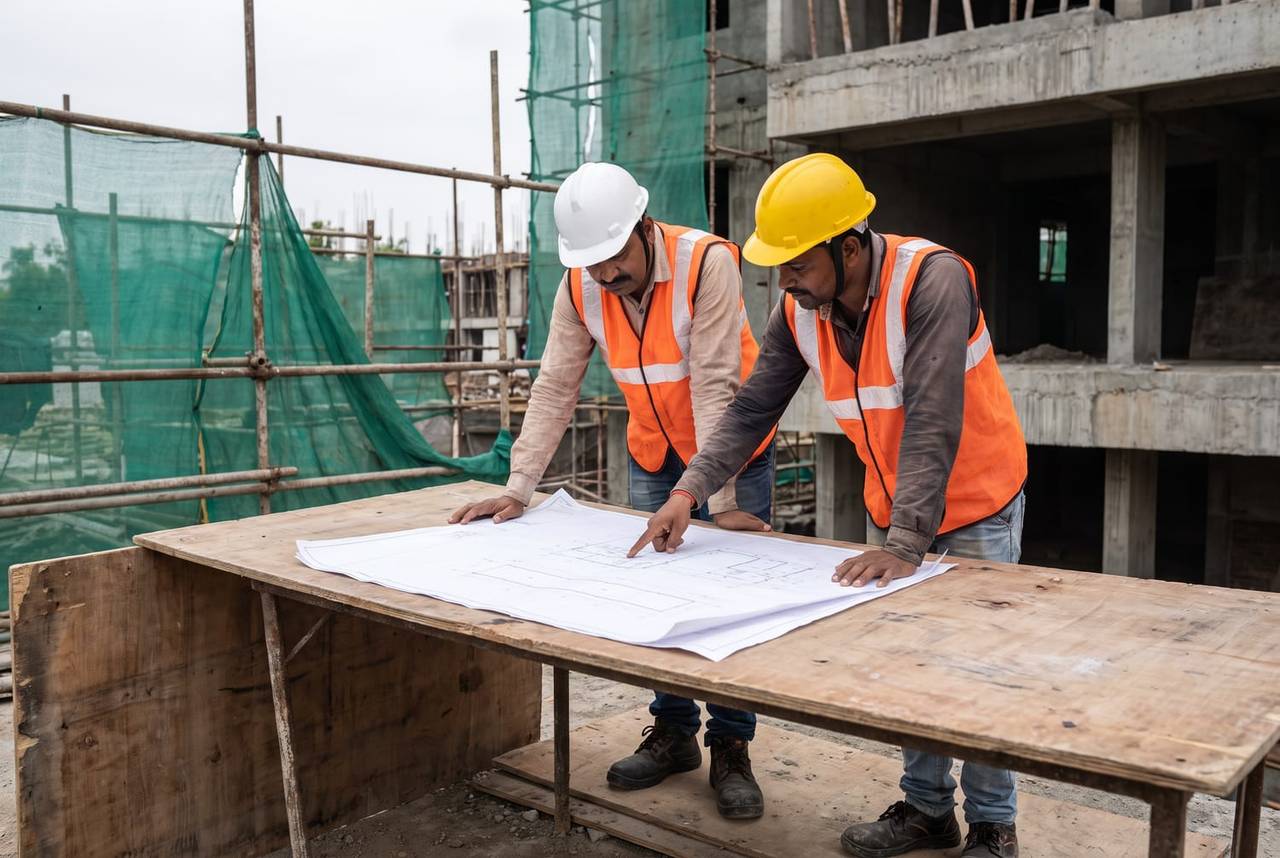
A project manager in a white helmet and a foreman in a yellow helmet leaning over a plain line drawing on a plywood table, the foreman pointing, with scaffolding and a concrete frame behind
Issue logged · 09:15

Beam detail · Drawing query

Pune25%
Owner assignedTarget date setPhoto attached

Your headache

Planning, purchase and site each send a report.None of them agree on what is late.

Morning, site, office

A construction manager's day on SuperWise

  1. Morning 9:00

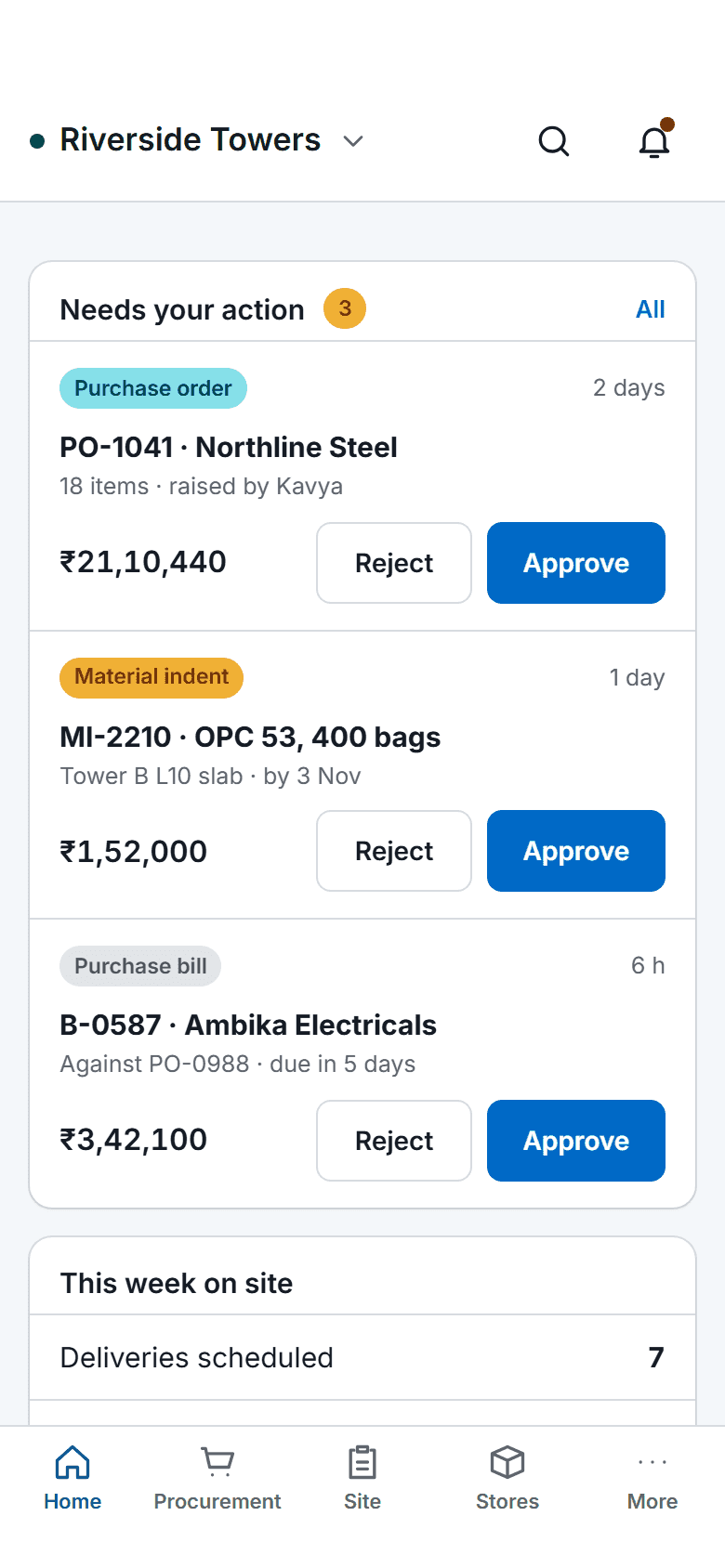
    The SuperWise phone app home screen: key figures, three items waiting for approval with Approve and Reject buttons, a week-on-site summary, quick actions for checklists, photos, progress and material receipt, and bottom tabs.

    One list of what is waiting

    The pending approvals list shows the purchase orders, work orders, RA bills, expense vouchers and schedule changes waiting for you. Approve or reject each with a comment.

  2. On site 11:30

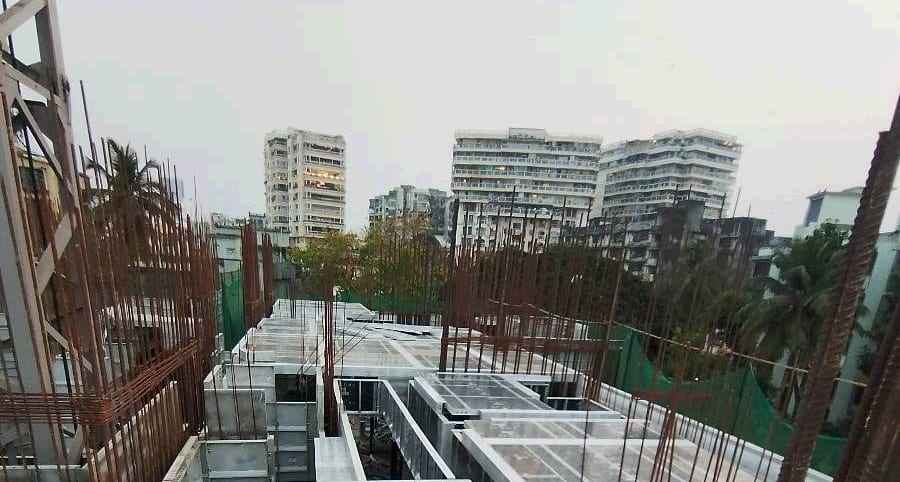
    Aluminium formwork panels forming a slab deck on an upper floor, with rebar bars rising on both sides and apartment blocks in the haze

    A site walk that ends in assigned issues

    On the deck, a problem becomes an issue with a type, a priority, a responsible user or contractor and a target closure date, and it stays on record to closure.

  3. In the office 16:30

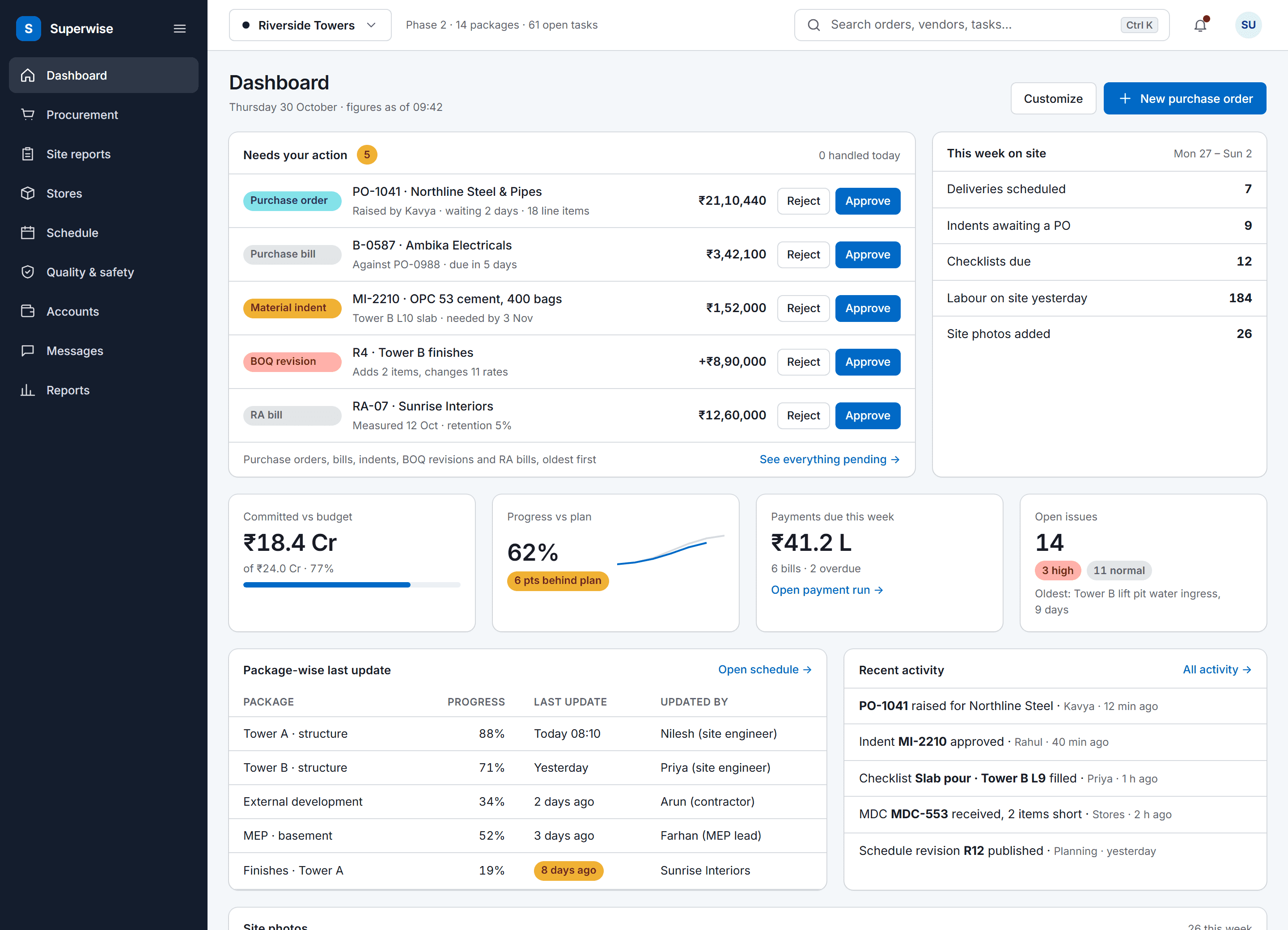
    The SuperWise portal dashboard for a project: an approval queue with five items waiting for the user, a week-on-site summary, four key figures for budget, progress, payments and open issues, package-wise last updates and recent activity.

    The plan checked against its baseline

    Start and finish variance in days against the active baseline shows where the plan is slipping, and the DPR for a date or range briefs management.

Three workflows

Three workflows a manager coordinates

01 · Approvals

Approvals from all departments, in one place

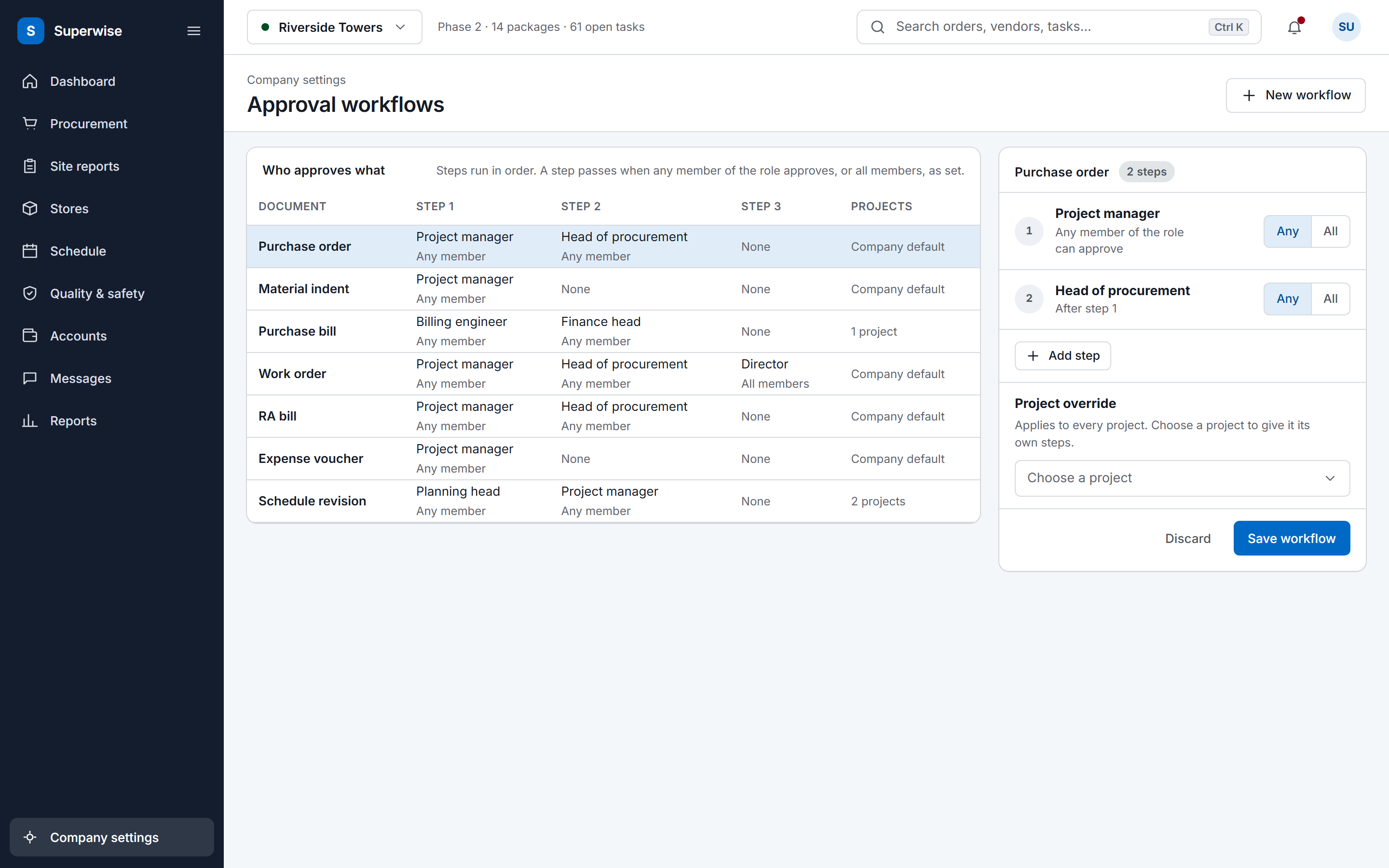
Planning, contracts, procurement and site each keep records in one project. Approvers act in steps by role, and a rejected document returns to its submitter with the comment.

  • Open the pending list
  • Approve or reject with a comment
  • Read the step history on any document
See construction site management software
The SuperWise approval workflows settings: a matrix of document types by approval steps with the role and whether any or all members must approve, and an editor for the purchase order workflow with a project override and a Save workflow button.
02 · Baseline

A slipping plan seen early

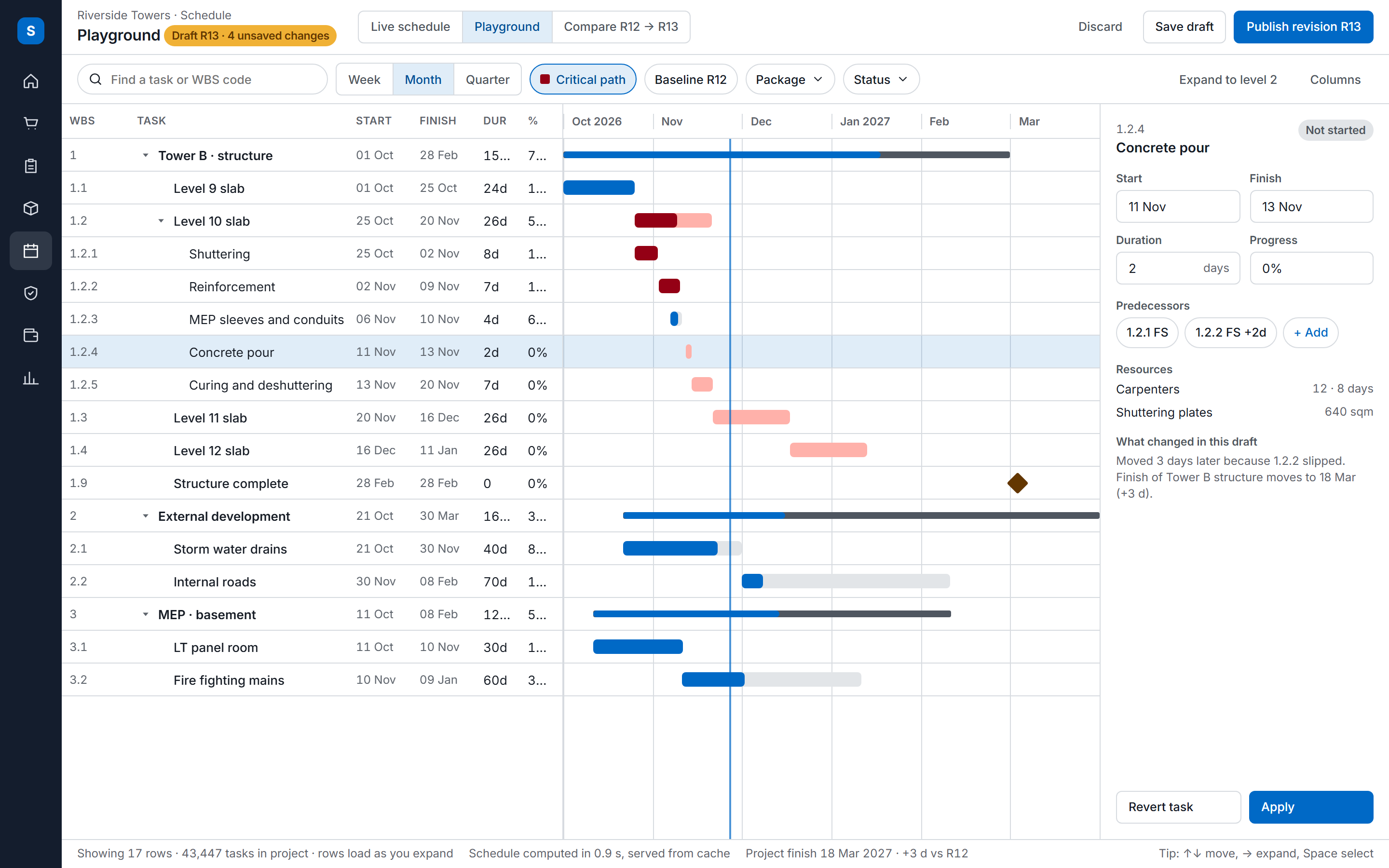
Each approval of the schedule saves a baseline. Start and finish variance in days against the active baseline shows which packages are slipping before the site meeting.

  • Compare current dates with the baseline
  • Read delay by package
  • Open the task behind it
See construction scheduling
The SuperWise schedule playground: a task tree with WBS codes, dates, durations and progress beside a Gantt timeline with the critical path highlighted, and an inspector for the selected task.
03 · Quality

Quality checks that gate the work

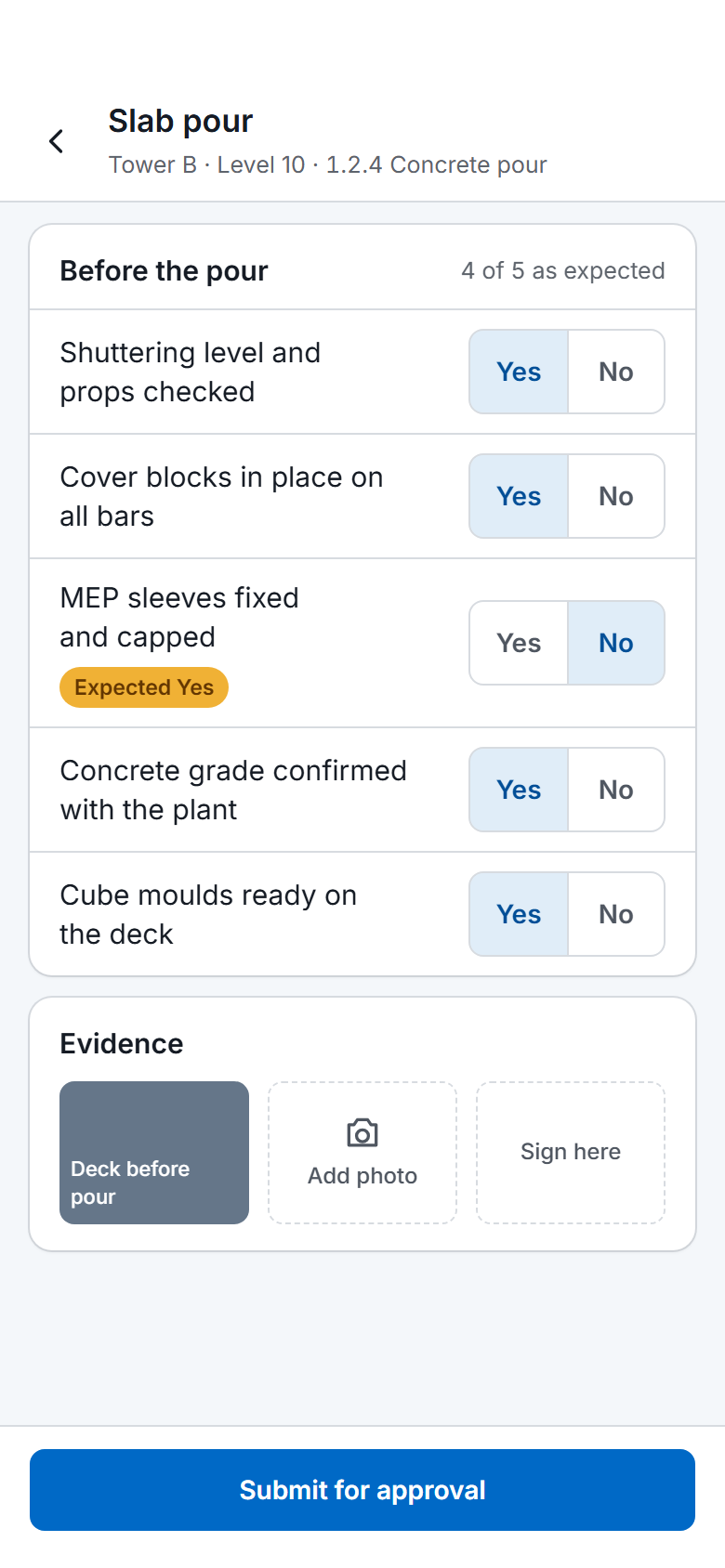
A task can name a start checklist and a finish checklist. With enforcement on, the task cannot be marked complete until the filled finish checklist is approved.

  • Attach a checklist to the task
  • Fill it on site with photos and signatures
  • Approve it so the task can close
See quality and safety
A SuperWise phone app quality checklist for a slab pour: five Yes or No answers checked against the expected response, one flagged, a photo, a signature box and a Submit for approval button.

Before and now

What changes for a manager

Modules a construction manager uses

The site management page describes the site records these rows read from.

Modules a construction manager uses and what you do in each
ModuleWhat you do in it
ProjectsOpen the project dashboard, switch projects from the top bar and set whether measurements are recorded manually, as tasks progress or only on completion.
Approval workflowsSee what is waiting in the pending approvals list, and approve or reject with a comment.
BaselinesCheck start and finish variance in days against the active baseline.
Issues and snagsAssign an issue to a responsible user, contractor or department with a target closure date, and follow it from open to closed.
Material indentsReview pending indents and turn them into an RFQ or a PO, or reject them with the record kept.
Daily progress report (DPR)Generate the DPR for a date or range to brief management.
Expense vouchersApprove vouchers raised against a reason from the master list, with an amount, a date and a receipt image.

Coordination across departments

The construction manager sits between the site and the head office, and between the contractors and the company. Planning, contracts, procurement, execution and quality each keep their own records in SuperWise, in one project, so the manager reviews them in one place.

The pending approvals list shows what is waiting for you. Approvers act in steps by role, each step records the approver, the date and the comment, and a rejected document returns to its submitter. Pending indents can become an RFQ or a purchase order, or be rejected with the record kept.

Expense vouchers take a reason from a master list, an amount, a date and a receipt image, and go through approval with the approver recorded.

Quality and safety gates

A task can name a start checklist and a finish checklist. With enforcement on, the task cannot be marked complete until the filled finish checklist is approved. A checklist can also be attached to a delivery challan.

Checklists have yes or no, number, date, dropdown, photo and signature fields, and an expected answer for each field. A filled form records who filled it, when, and whether it was approved or rejected. Issues cover the problems no form anticipated, with a type, a priority, a responsible party and a target closure date.

Frequently asked questions

Does SuperWise add work for a short-staffed site team?

The site records the facts it already tracks: deliveries, labour, progress and snags. The DPR and the MIS report are then generated from those records, so nobody compiles them by hand. You can give contractors restricted logins that show only their own organisation. Roles control what each person can view, create, edit, delete and approve.

Can I see what is waiting for my approval?

Yes. SuperWise lists pending approvals for each user. Approvals cover POs, work orders, RA bills, expense vouchers and schedule changes. You approve or reject with a comment, and the step records you as the approver with the date. A rejected document goes back to whoever submitted it.

Can a task be blocked until a quality check is done?

Yes. A task can name a finish checklist, and with the enforce option on, the task cannot be marked complete until the filled checklist is approved. A start checklist can be named the same way. The filled form records who filled it, when, and its status, and photo and signature fields are available.

How do I record a conflict with a contractor?

As an issue. It carries a type, a priority, a responsible user, the contractor or department concerned, a target closure date, photos and comments, and it moves from open to in progress to resolved to closed. Who opened, resolved and closed it is kept, so the history is there when the conflict needs settling.

How is the measurement of progress set for a project?

Each project has a measurement setting: Manual, OnProgress or OnComplete. With OnProgress, measured quantities are recorded as tasks progress. With OnComplete, they are recorded only when a task reaches 100 percent. Manual leaves the measurement sheets to be entered by the team. Approved sheets update the BOQ progress.

See your approvals in one list

Book a demo and we open the pending approvals list for a sample project.