
Construction document management software
The project-level view of drawing control
Features
A construction document management system keeps a project’s drawings in one folder tree with every revision on record. SuperWise gives each document a number, a folder, a purpose, a stage and its history.
GFC drawings folder
The problem
SuperWise keeps each project area in a folder with role access, gives every drawing a stage and a revision history, and lets the site open the current one.
Each document has a number such as DRG-001-A, a name, a date, a folder, tags and a status, and it belongs to one project.
Folders nest inside folders. Each folder sets, role by role, who can view, upload and delete.
A purpose says why a drawing was issued (for approval, for construction or as built). A stage says where it stands, such as received or under review.
A document can be linked to schedule nodes, so the drawings for a floor 3 slab sit against that node.
Set up the rules once, then every drawing follows them.
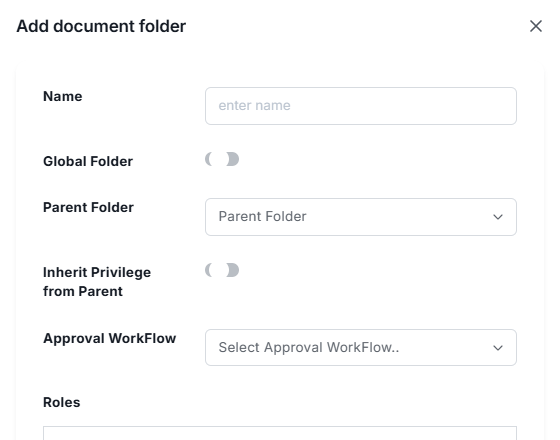
Create folders with parents, one per area of the project. A folder can be global, can inherit its privileges from its parent, and can carry an approval workflow, so a new subfolder starts with the rules of the folder above it.
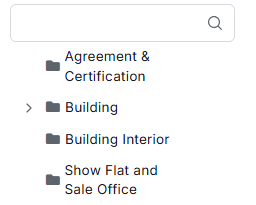
Give each role its access on each folder: view, add, edit and delete. Roles and users are defined first, and the folder then applies them, so a subcontractor sees the drawings for their package and nothing else.

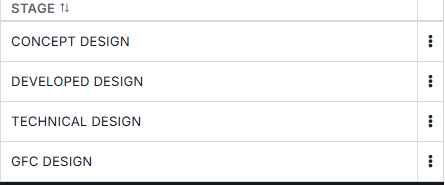
Fill the two master lists. Purposes mark why a drawing was issued, for example For Approval, For Construction or As Built, and stages mark where it stands, for example Received or Under Review. Both lists are yours to define.
Upload each drawing with its number, name, date, folder, purpose, stage and tags. Add a revision whenever the drawing changes, and link it to the schedule nodes it applies to, so the revision history sits with the work it governs.
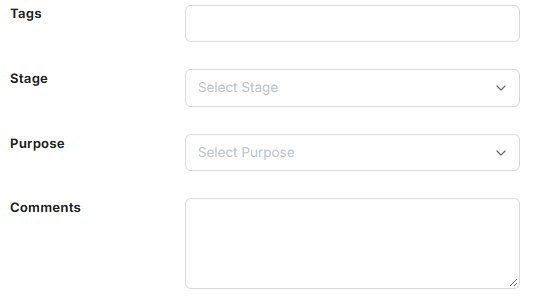
A drawing is uploaded to a folder, given a purpose and a stage, revised as the design changes and linked to the schedule nodes it applies to.
Every document has a document number, a name and a document date. The number is the drawing number, such as DRG-001-A, and the name is the file name or title. The record also stores the project it belongs to, the folder it sits in, who uploaded it and the file size.
Tags are comma-separated and searchable, so a drawing can be found by discipline, floor or package even when its name says little. A status field holds the document's state, and the purpose and stage described below classify it further.
Documents are stored externally, so the record carries the number, the folder, the classification and the history, and a location field points to the file. Files are uploaded to the project and downloaded from the document list.
On site
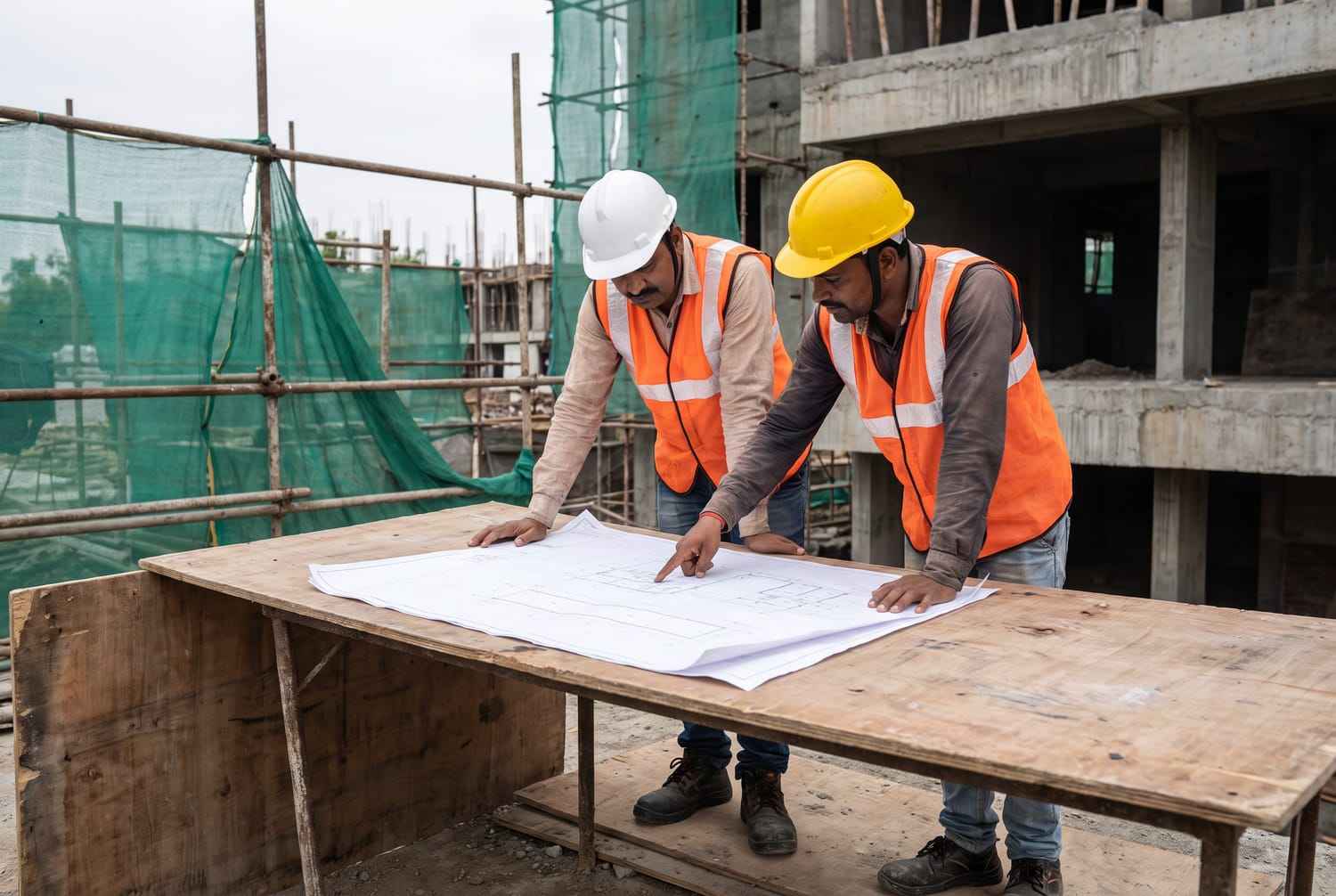
Site teams work from the current drawing; the folder keeps its stage and revision history.
Folders nest. A folder has a name and an optional parent, so a tree such as Structural Drawings with Approved Submittals beside it can go as deep as the project needs. A folder with no project attached is a company-level template folder.
Access is set on the folder, role by role. Each role gets three flags, view, upload and delete, so a folder can be open to site roles for viewing while only the design office roles can upload to it. Delete can be kept for a small group, so a drawing is not removed by accident. Roles come from the user master, where each role has a name such as Project Manager or Site Engineer and a description, and a user can hold several roles.
Roles also carry privileges for each module area, and Documents is one of the areas.
A purpose says why a document was issued. The master list gives For Approval (IFA), For Construction (IFC) and As Built. For Construction is the label for what many sites call GFC drawings, and As Built marks the set that reflects the work as executed, the as-built drawings handed over at the end.
A stage says where the document stands. The examples in the product guide are Received, Under Review, Approved and Superseded. A stage is a label that classifies the document, and purposes and stages are each kept as a master list with their own screen.
Revisions carry the history. Each revision keeps its number, the location of that version's file, the date and the user who revised it. When a drawing is updated the revision number goes up and a revision record preserves the earlier version, so the file location of Rev 1 stays on record after Rev 2 is uploaded.
A document can be linked to schedule nodes, for example the drawings that apply to a floor 3 slab node. The link is a record that holds the node and the document. Construction scheduling covers the nodes that drawings attach to.
The project document list is the working view of a project's documents, and folder management, the purpose list and the stage list each have their own screen. The project-level view of drawing control is in construction document management software.
A document number, a name, a document date, the project and folder it sits in, a purpose, a stage, tags, a status, the file size and the uploader. A location field points to the file, and download fetches it from there. Documents are stored externally, so the SuperWise record carries the classification and the history.
Access is set on the folder, role by role, with three flags for view, upload and delete. A folder can therefore be open to site roles for viewing while only chosen roles upload to it. Users can hold several roles, and roles also carry privileges for each module area, Documents among them.
They are the purposes in the master list. For Approval (IFA) marks a drawing sent for review, For Construction (IFC) marks one issued for execution, and As Built marks the final set that reflects the work as executed. A purpose is set on each document, and the list is kept as master data.
Each revision keeps its number, the location of that version's file, the date and the user who revised it. When a document is updated the revision number rises and a revision record preserves the earlier version, so the history of a drawing can be read back revision by revision.
Yes, to a schedule node. A node link holds the node and the document, so the drawings that apply to a node, such as a floor 3 slab, are recorded against it. The documents themselves sit in project folders and carry a purpose and a stage as usual.
The module offers upload, download and tag search. It does not claim an in-browser viewer or a search inside file contents, so open drawings in your own software after downloading them. Because files are stored externally, the record's location field is how SuperWise finds each one.
Book a demo and we set up a folder, upload a drawing and revise it so you can read the history.